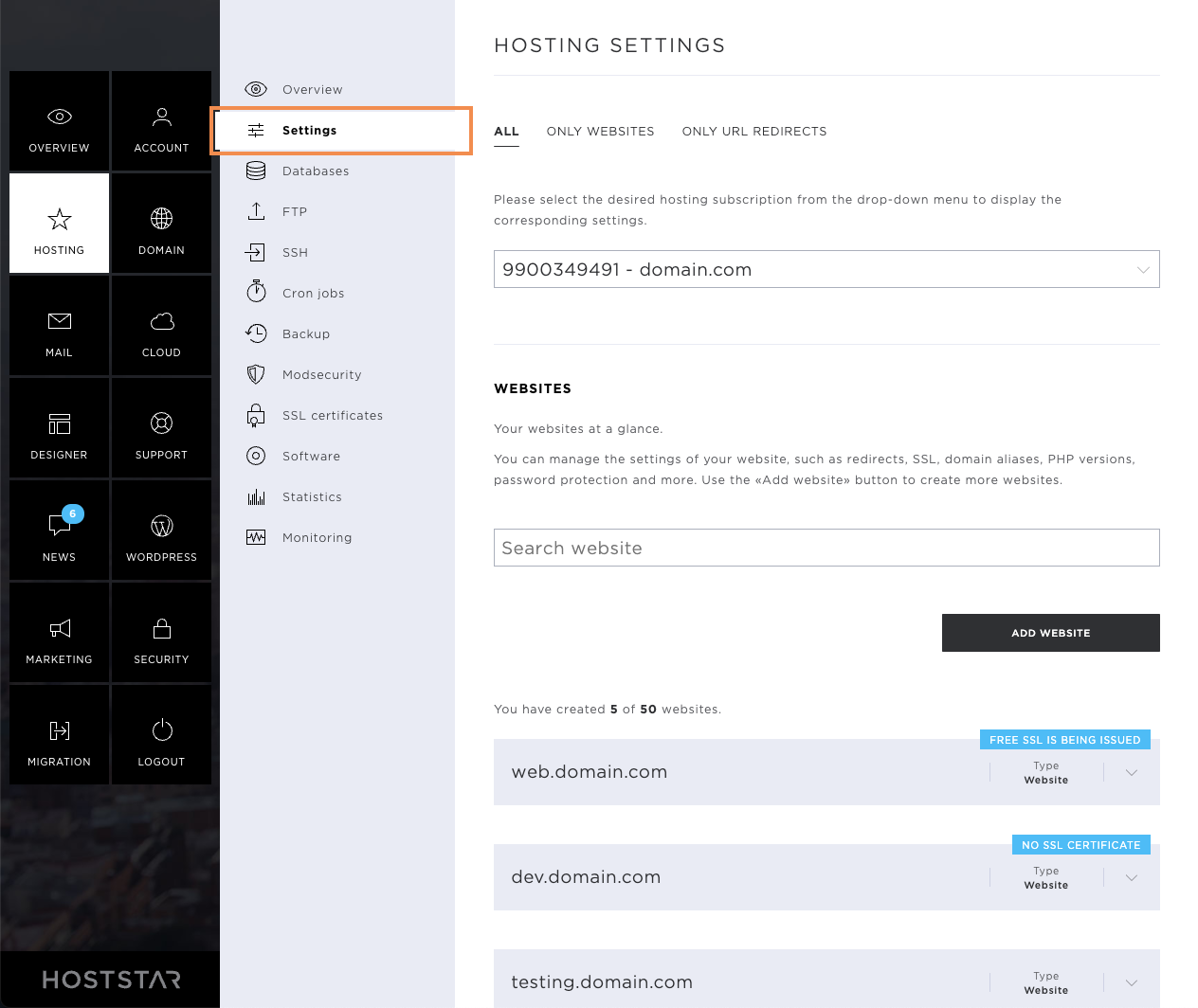
Settings
The Hosting menu item comprises the following sub-pages: Overview, Settings, Databases, FTP, SSH, Cronjobs, Backup, ModSecurity, SSL certificates, Software, Statistics, and Monitoring.
My Panel from Hoststar makes managing your hosting account extremely easy. Under Settings, you are offered all setting and adjustment options with just a few clicks.
Overview
After you have selected the menu item Settings in the menu on the left, you will automatically be redirected to the corresponding overview page.
Here you can see which websites and URL redirections you have already added. If you have several hostings, you have the option of selecting the desired hosting via this overview. You can also influence the following settings for each website:
- Select hosting
- Add website
- Add URL forwarding
- Settings per website
- Redirects
- SSL
- Domain aliases
- Cache
- PHP
- Perl
- Server
- Preview link
- Password-protected directories
- Edit DNS
- Remove website
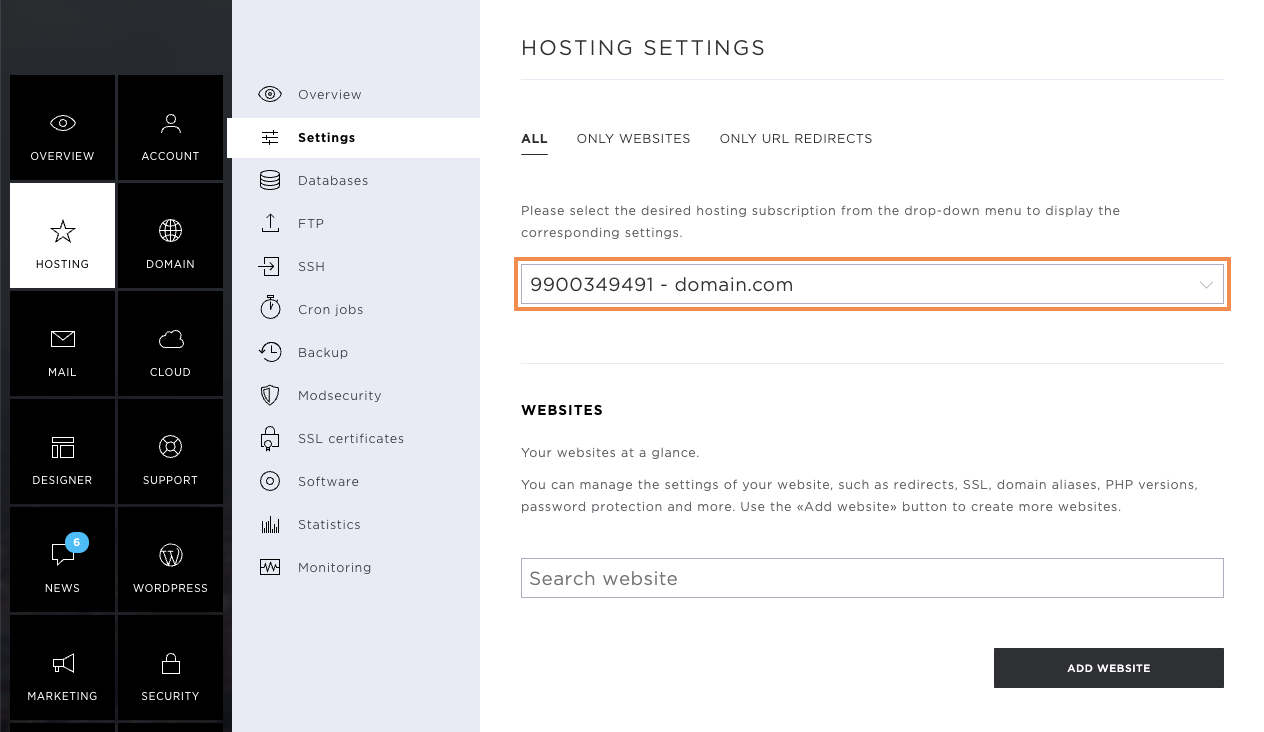
Select hosting
If you have several Hostings at Hoststar, you can select the desired hosting. Click on the grey arrow icon to open the dropdown view of all Hostings at Hoststar. Now select the desired hosting.
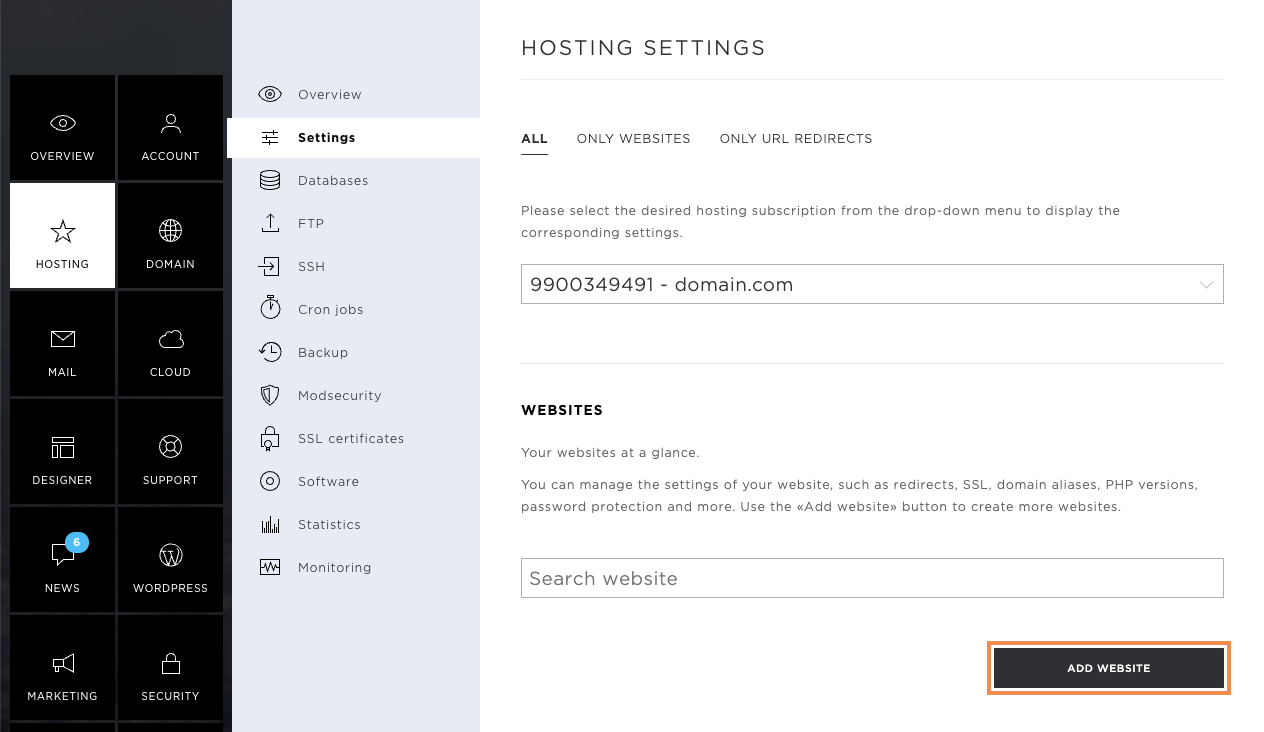
Add website
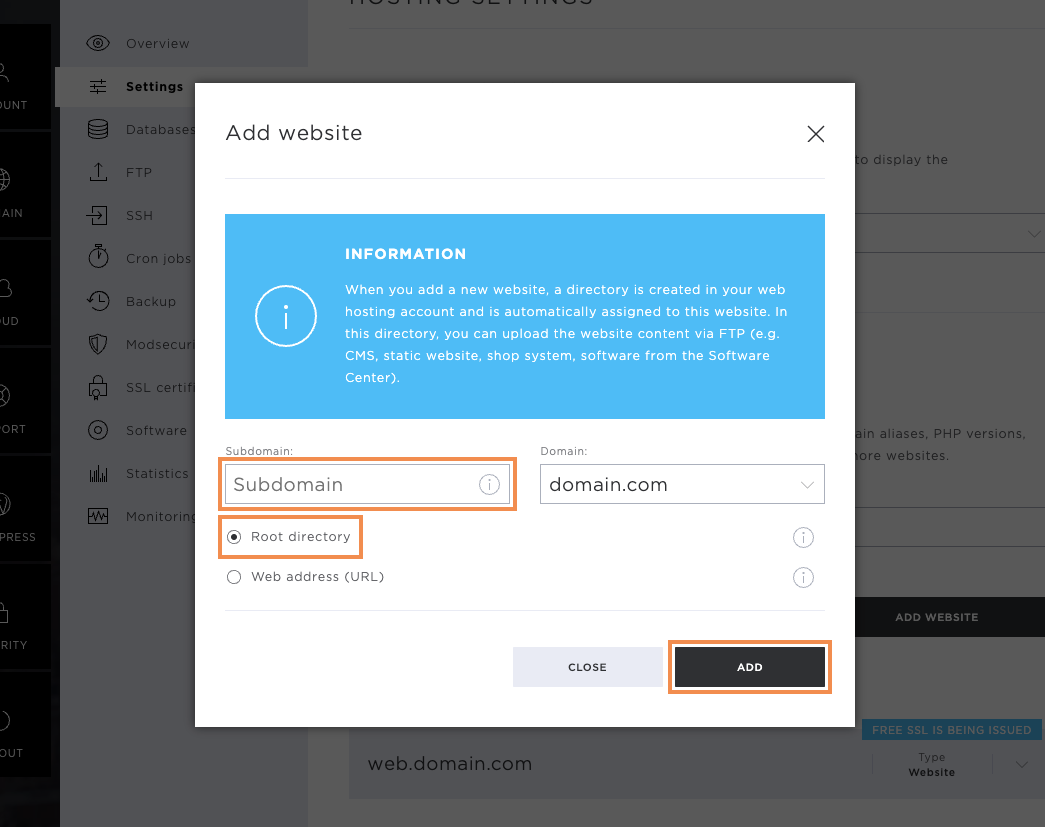
To install a new website with its own root directory, click on Add Website.
Here you can add a subdomain such as shop. Make sure that the Root directory option is selected before adding a subdomain. This automatically creates a new directory in which you can store web data or install your website.
Complete the action by clicking on Add. The new website will appear in the overview.
Add URL forwarding
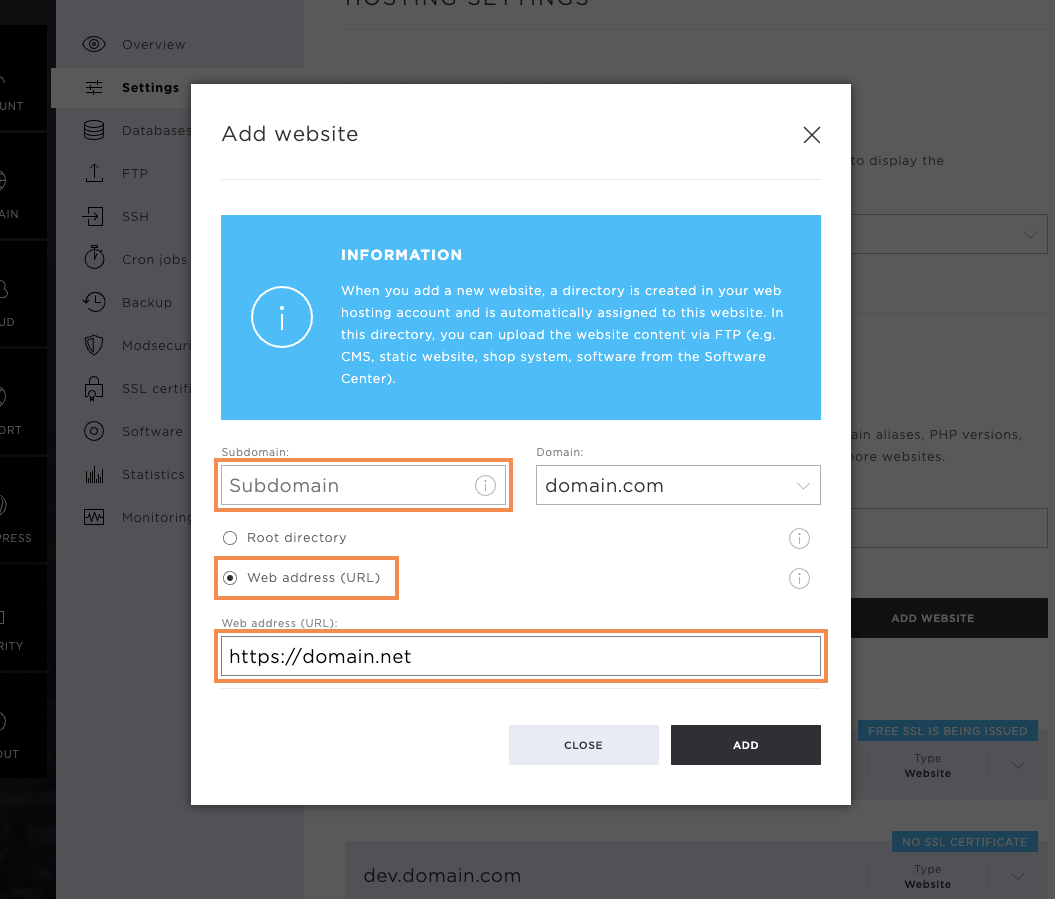
You can also enter URL forwarding via the Add website button.
Here, you also have the option to enter a subdomain. Enter the destination address including https:// and complete the changes using the Add button.
Settings per Website
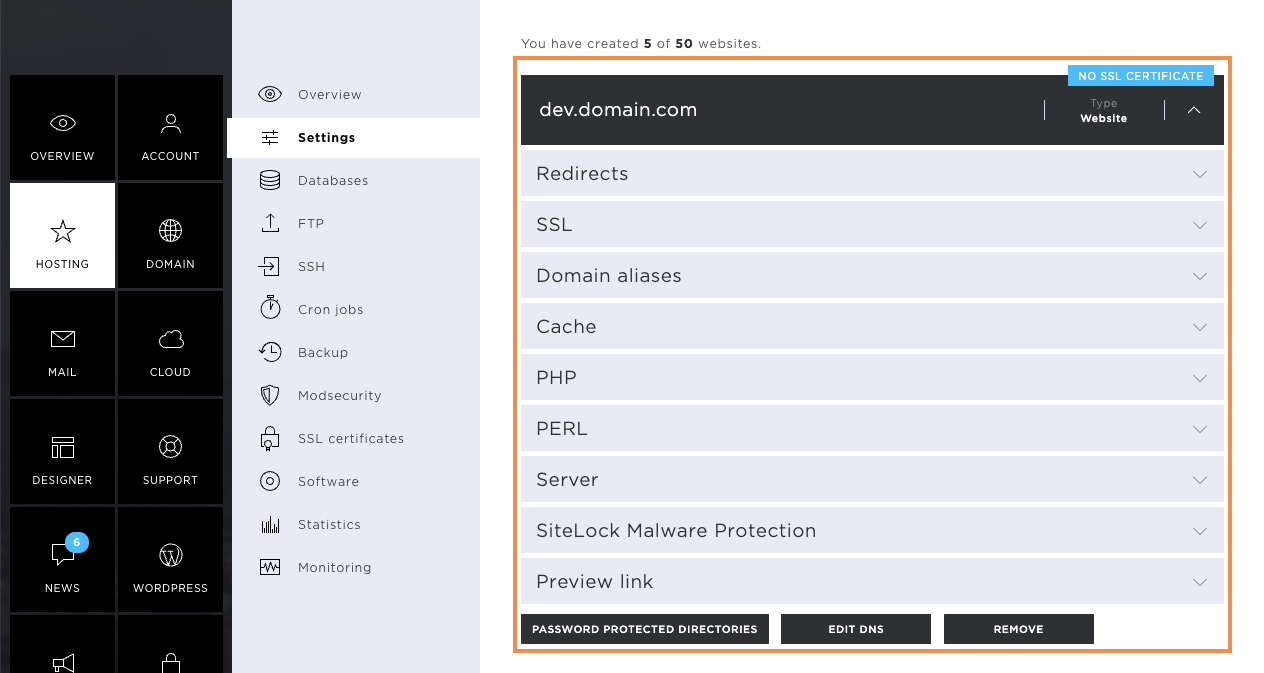
Since each website requires individual settings, you have the option of influencing these per website. To see the settings overview of the website concerned, click on the corresponding domain or subdomain. On the drop-down menu that opens, you will find all the setting options.
Redirects
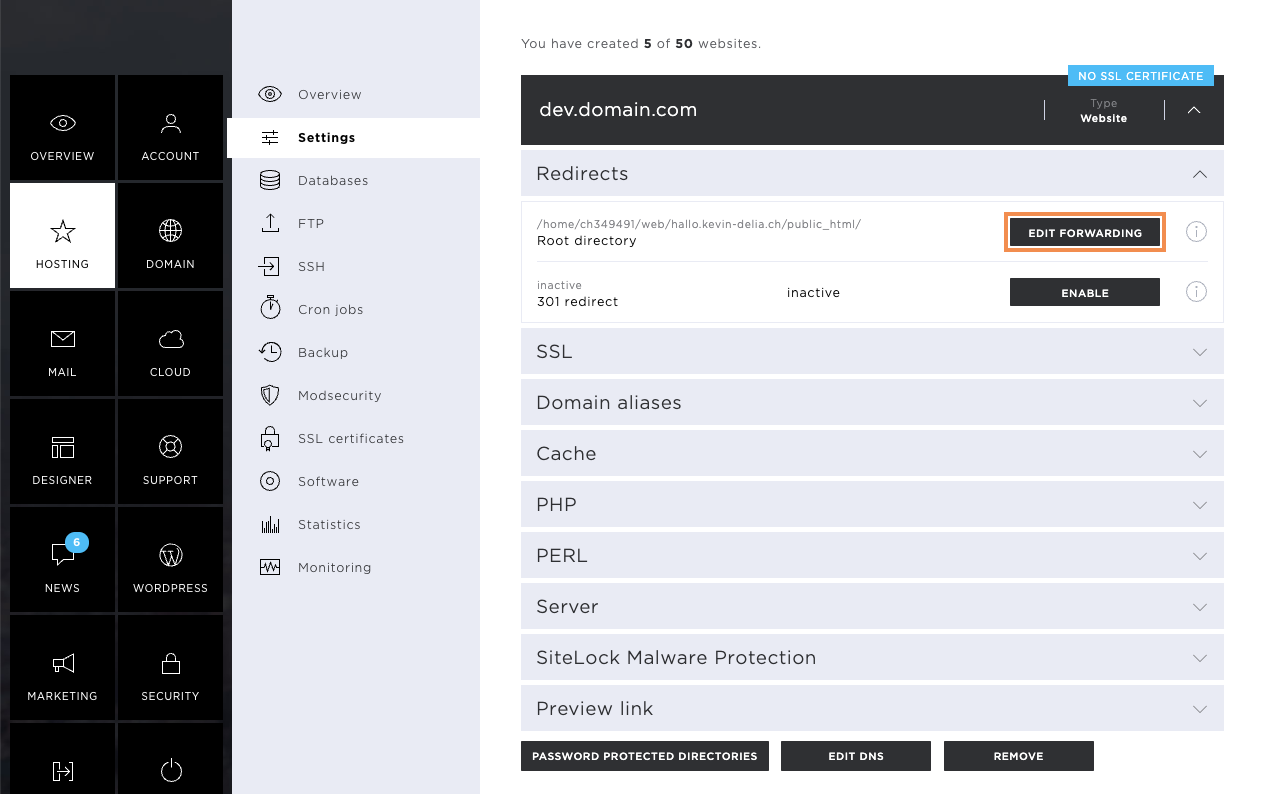
If you want to forward a domain or subdomain to another directory or URL, you can do this using the Edit Forwarding button.
Now click on the Edit Forwarding button.
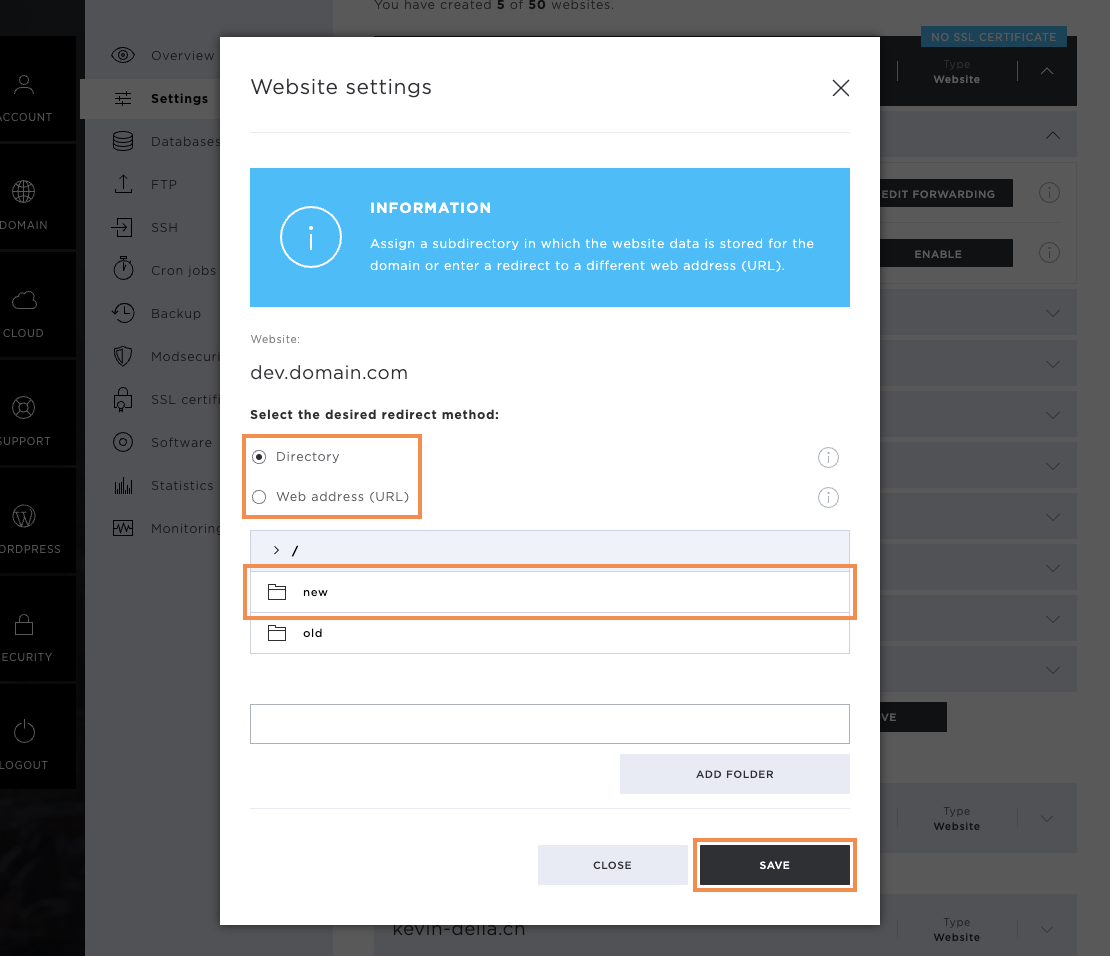
In the pop-up window that now opens, select Directory under the forwarding type and also select which directory the domain or subdomain should forward to. Then click on the Save button to save the settings.
If it is a URL forwarding, select the option Web address (URL) in the pop-up window and enter the target address. Make sure that the web protocol https:// is entered here as well. Save the settings with the corresponding button.
301 Forwarding
301 redirects are used to avoid duplicate content. So if the designed website is to be accessible with and without www, this would normally mean that we have to store the page twice. Once for the domain with www and once for the domain without www.
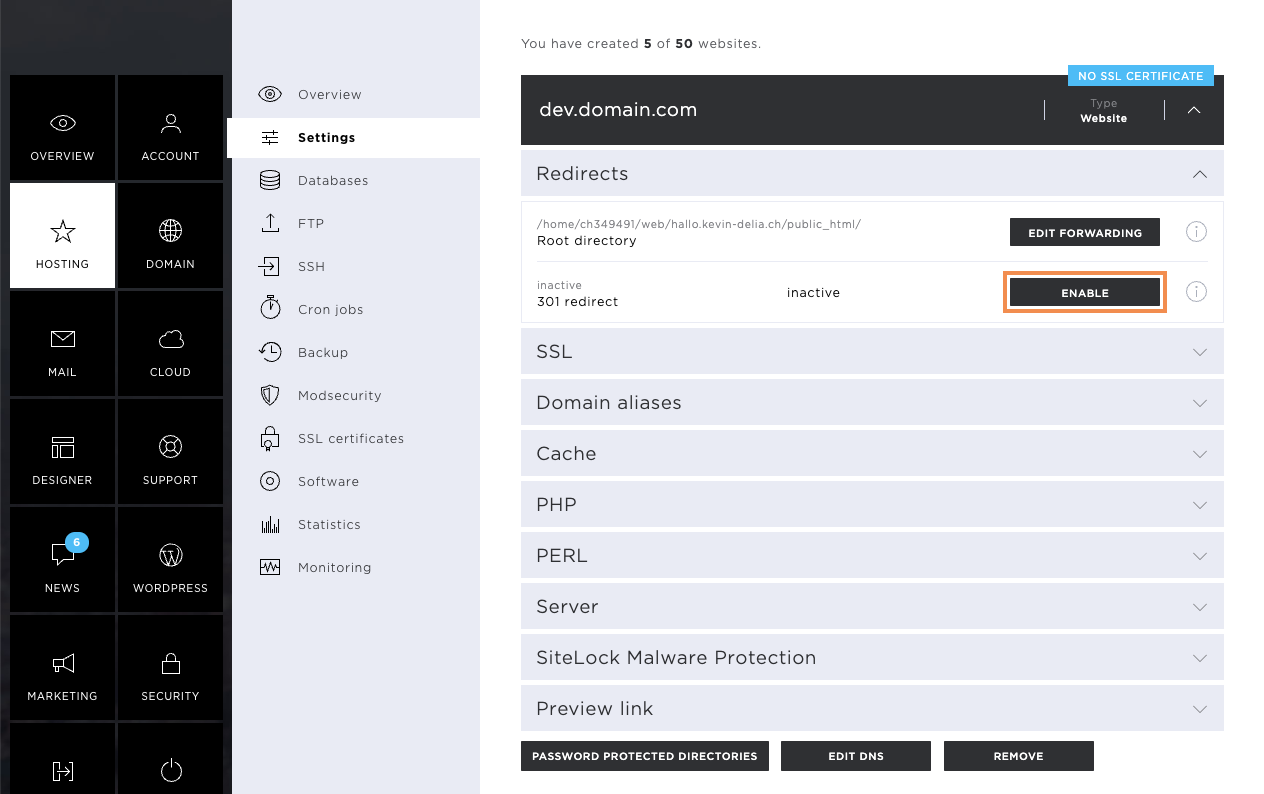
To prevent this, you can simply activate 301 forwarding under Forwarding and thus forward the domain with www to the existing content. To do this, click on the Activate button.
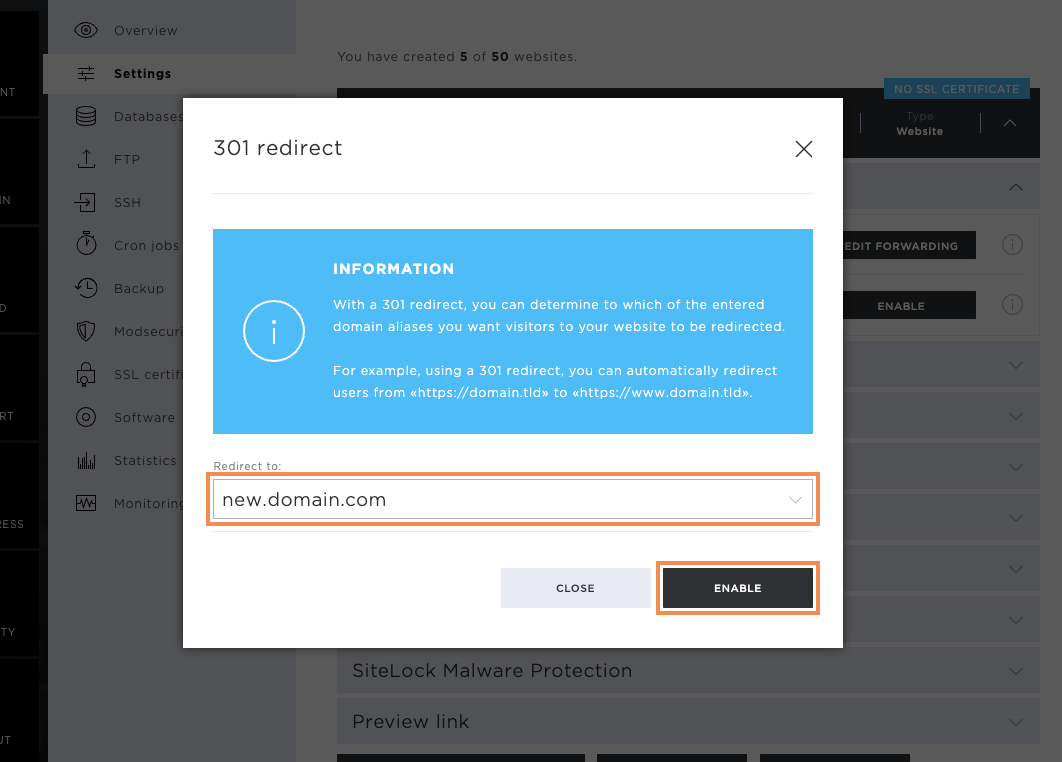
In the Forward to: area, select the appropriate option. Then click on the Enable button to save the settings or to activate the forwarding.
SSL
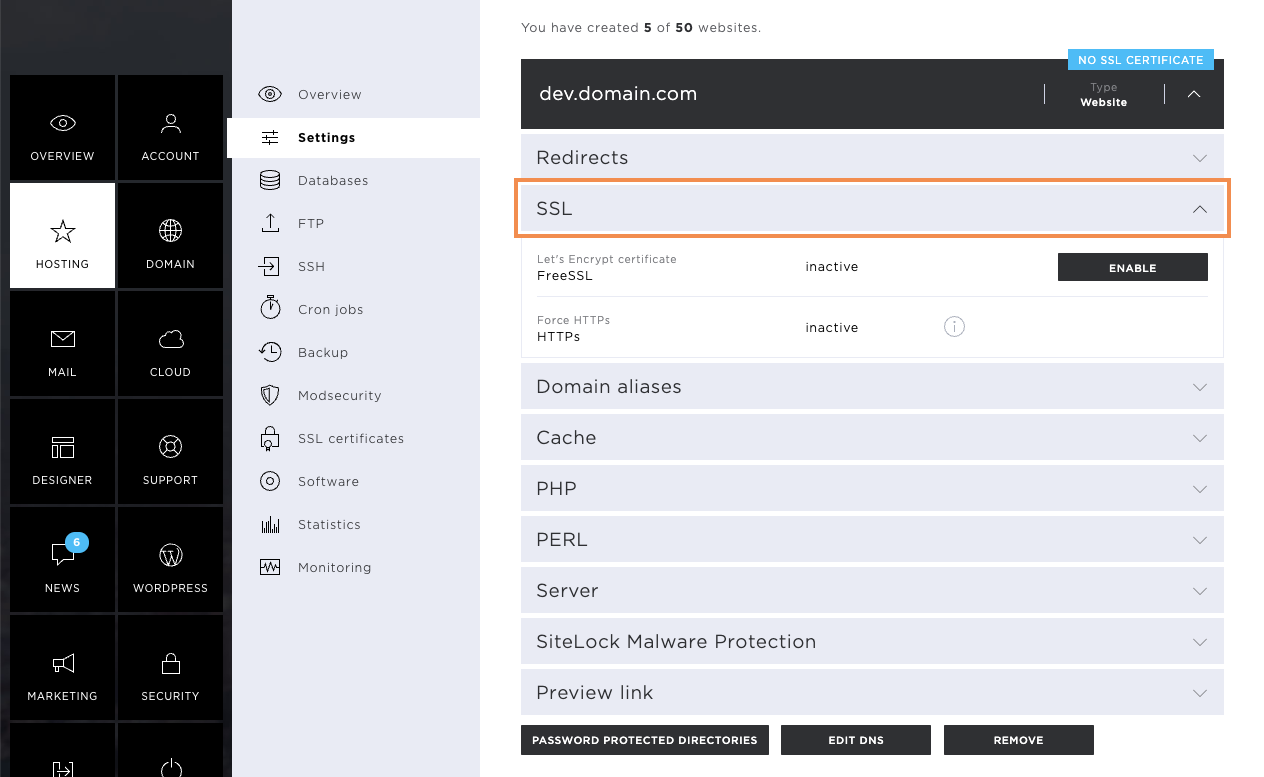
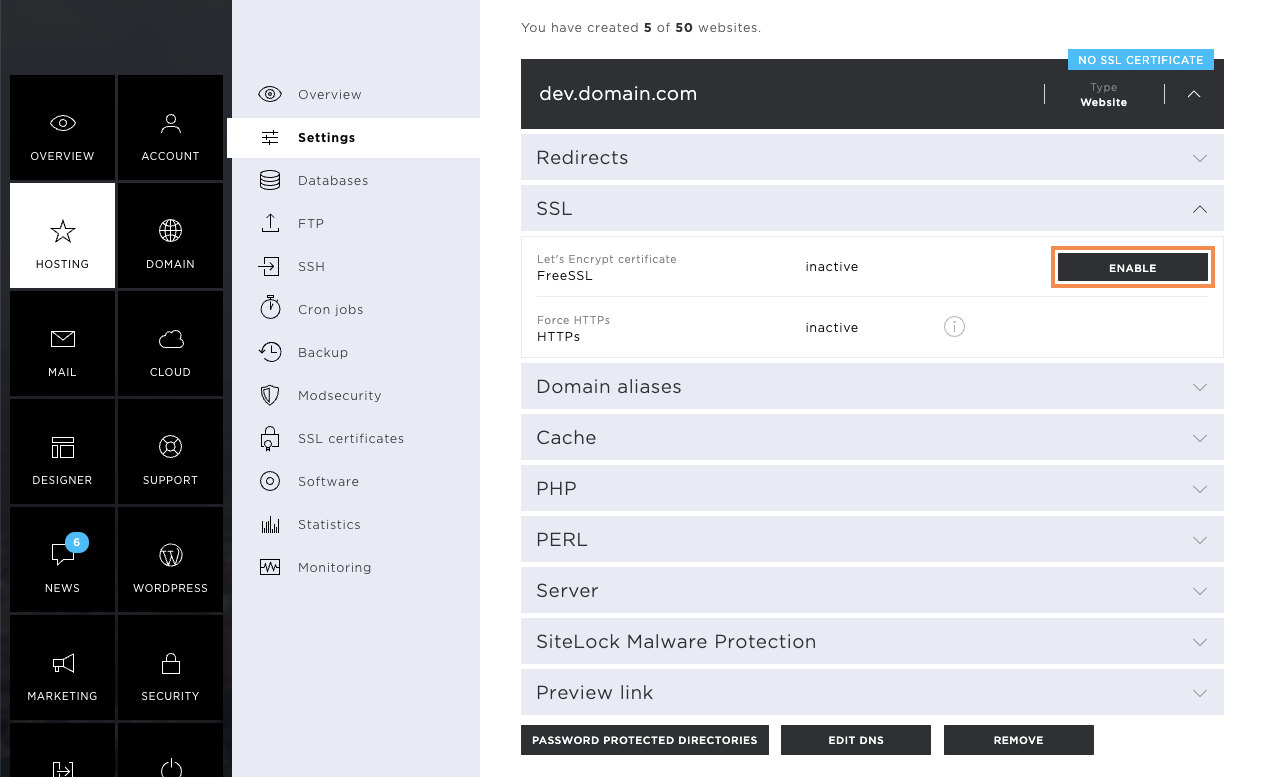
To make the SSL settings, click on the grey arrow icon next to SSL. The following forwarding options are available. Here, you can activate the FreeSSL certificate for the website in question.
Enable FreeSSL
Click on Enable to issue your FreeSSL certificate. The issuing process may take a few hours. Please note that FreeSSL certificates can only be issued if the domain or subdomain in question points to the server. If DNS changes have been made that cause the domain to point to another provider, the issuance will be cancelled with a corresponding error message.
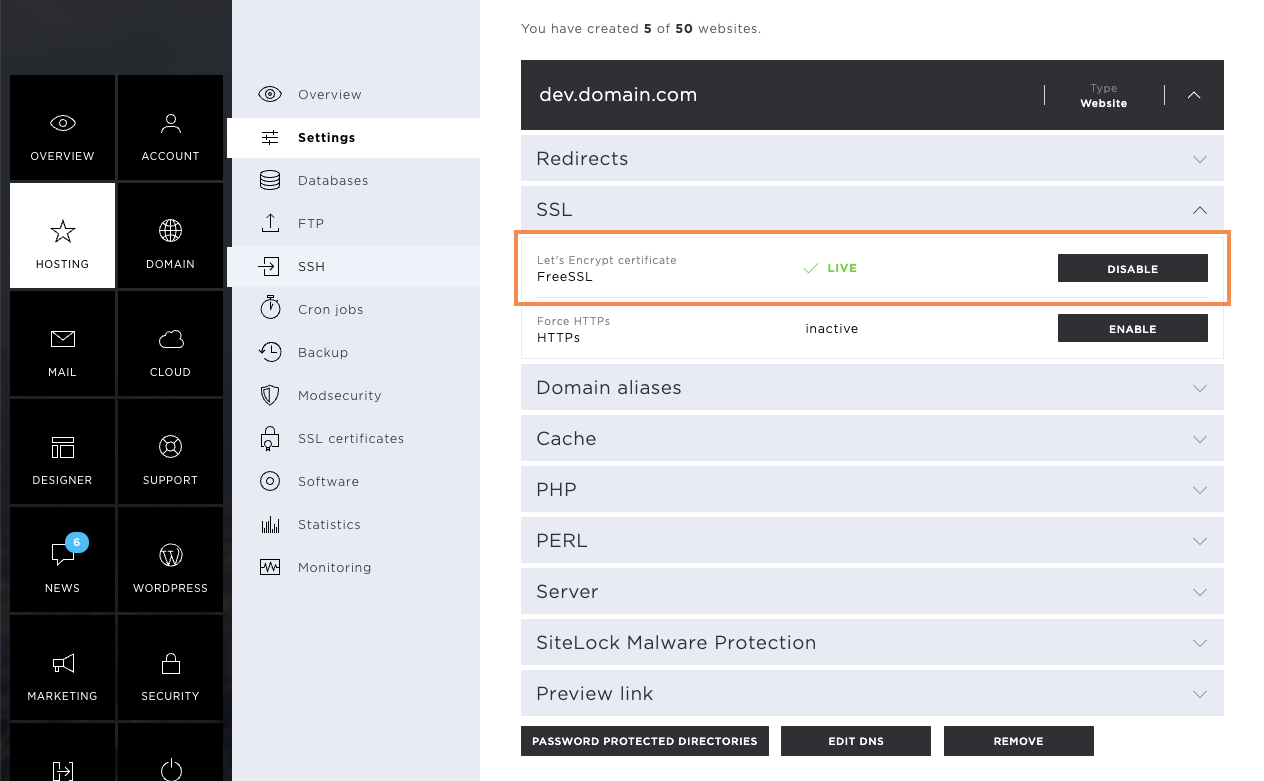
Enabled FreeSSL
As soon as your FreeSSL is enabled, you'll see the notification Live on the same settings screen.
If necessary, FreeSSL can be deactivated again.
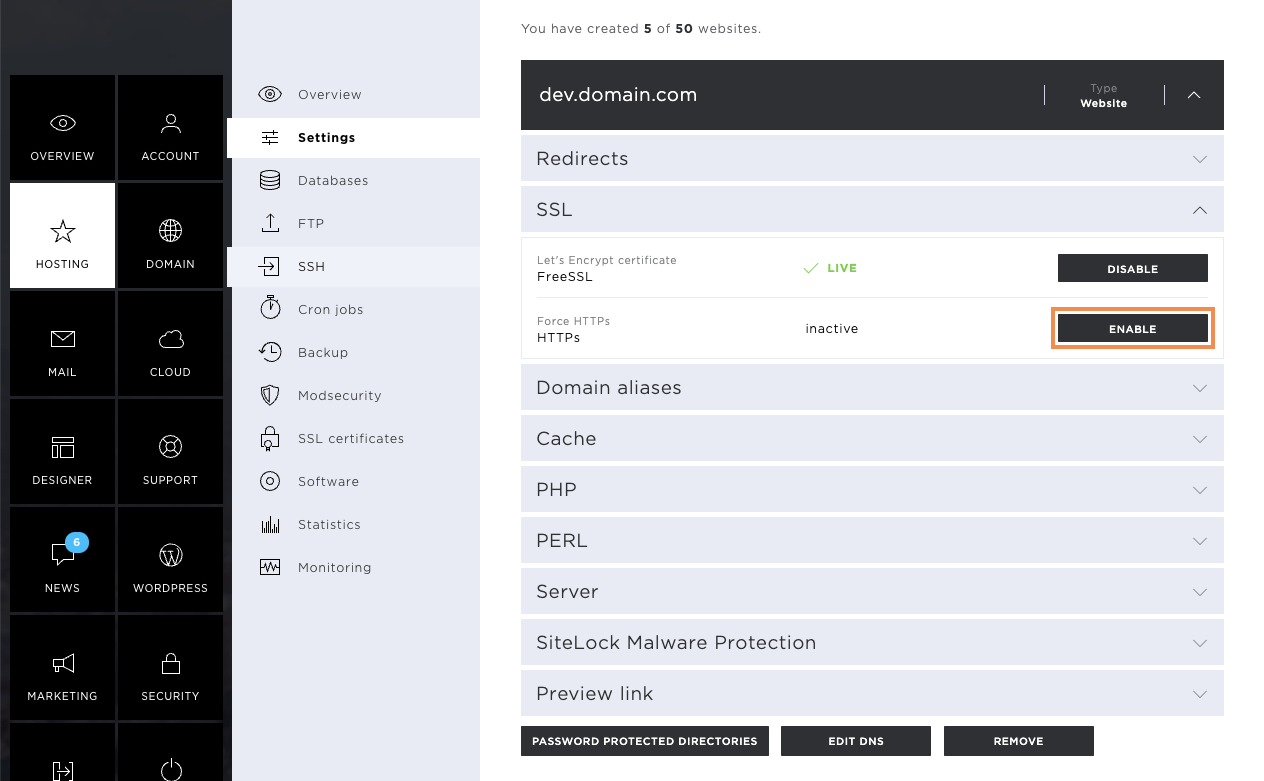
Force HTTPS
After activating the FreeSSL certificate, HTTPS enforcement can be switched on. This forces all forwarding to the secure https protocol.
To do this, click on Enable.
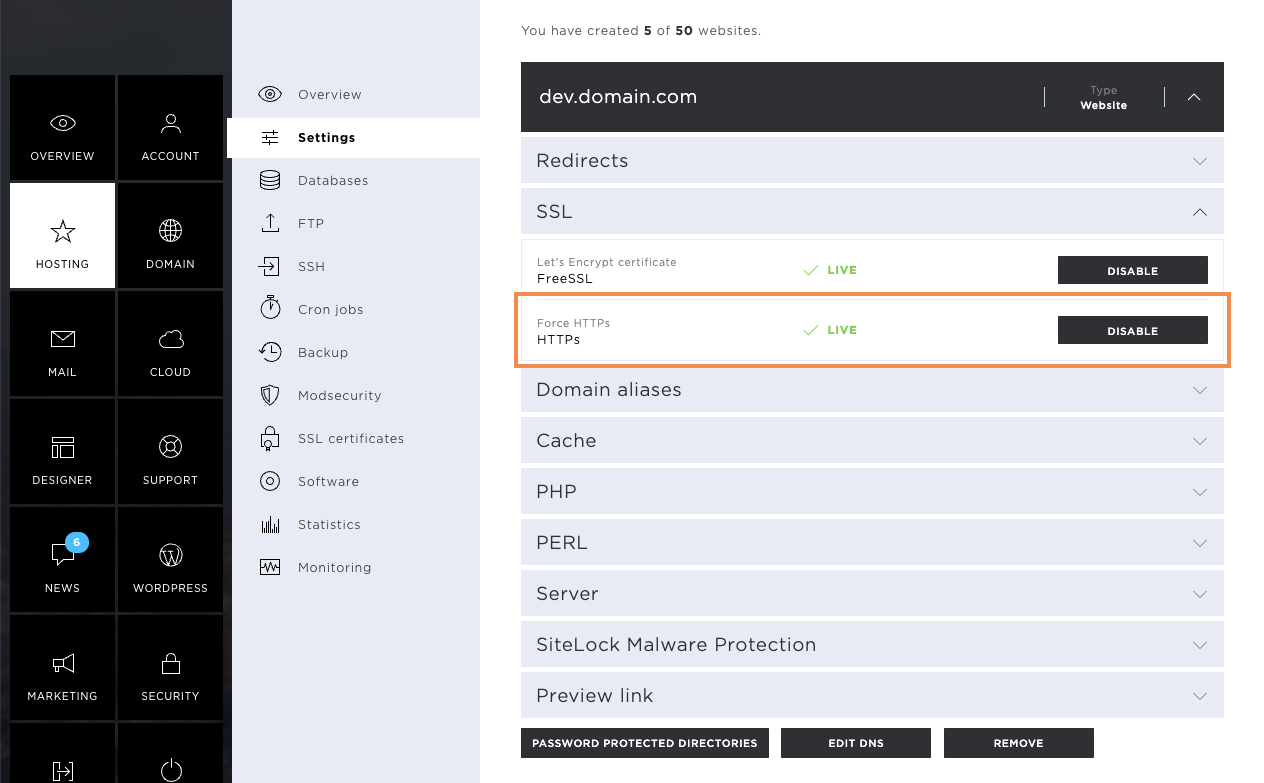
After successful activation, the notification Live will also be displayed here.
Domain aliases
Domain aliases are domain names that link directly to the main page. This means, changed settings are retained, which has a positive effect on your SEO ratings.
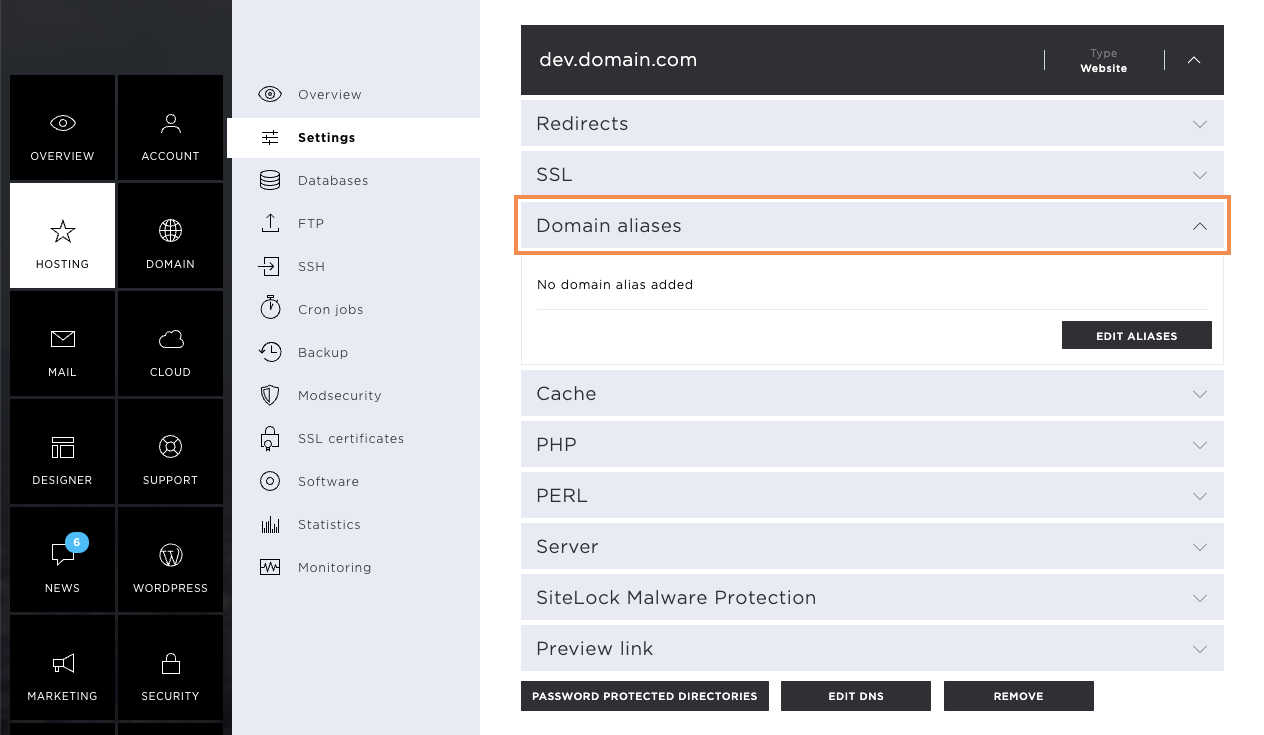
Edit domain aliases
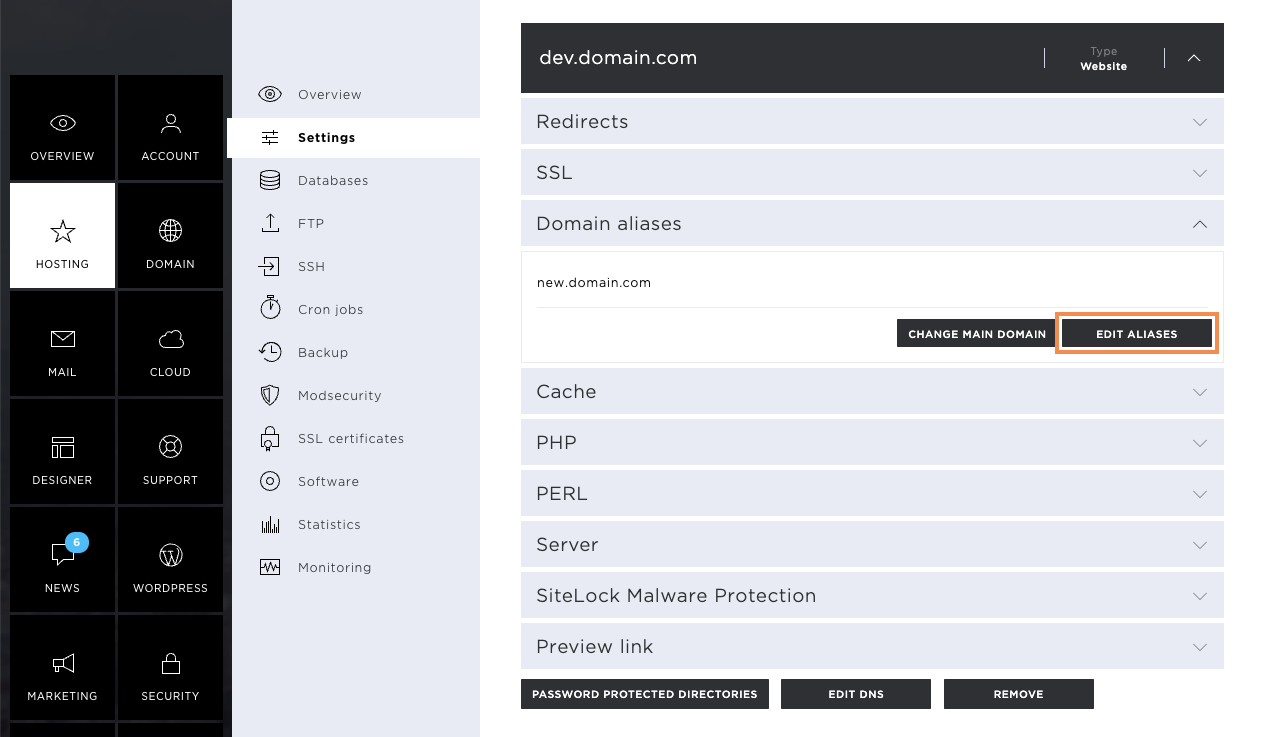
To add domain aliases, click on the edit aliases.
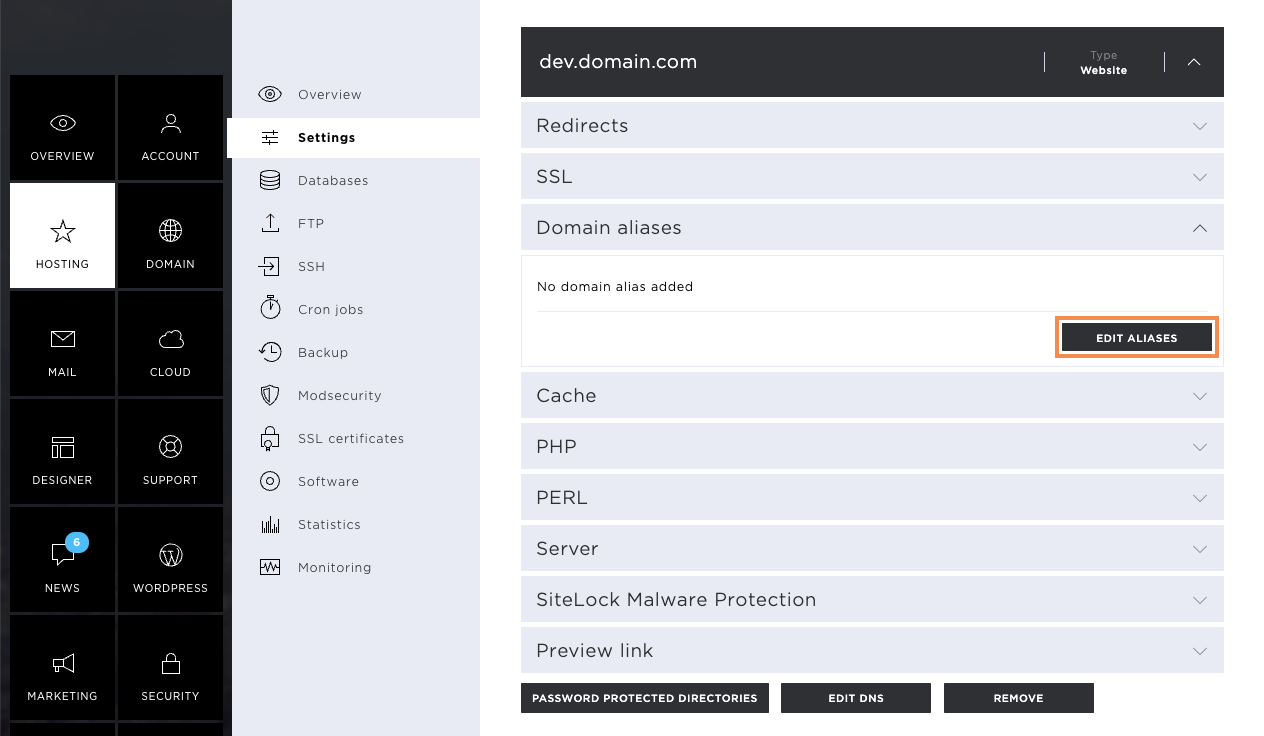
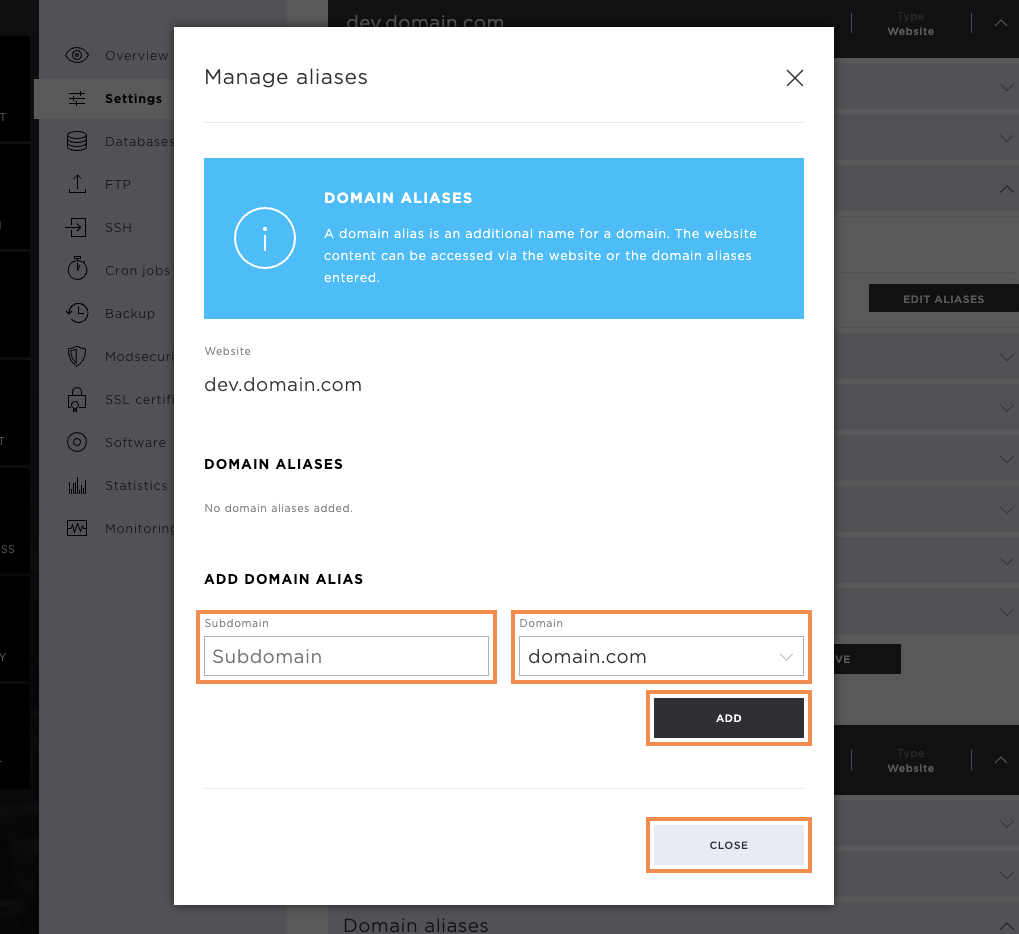
Add domain aliases
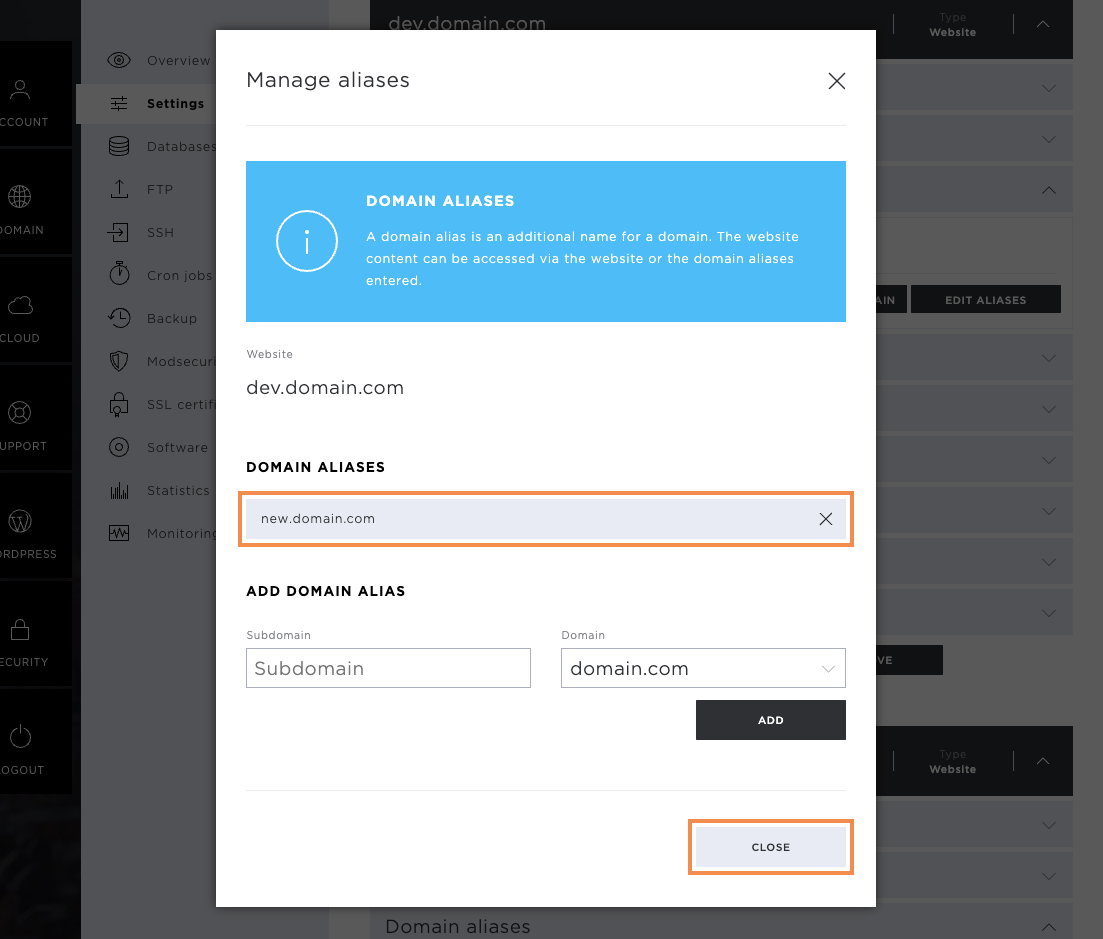
In the pop-up window that opens, enter the desired domain and, if necessary, also the subdomain. Then click on Add. To confirm the changes, click on Close.
As soon as the storage was successful, you will see the stored domain alias in the corresponding tab. Please note that when new domain aliases are stored, the FreeSSL certificates are reissued. The same rules apply here as for the main domain—these must point to the correct Hoststar server so that they can be issued.
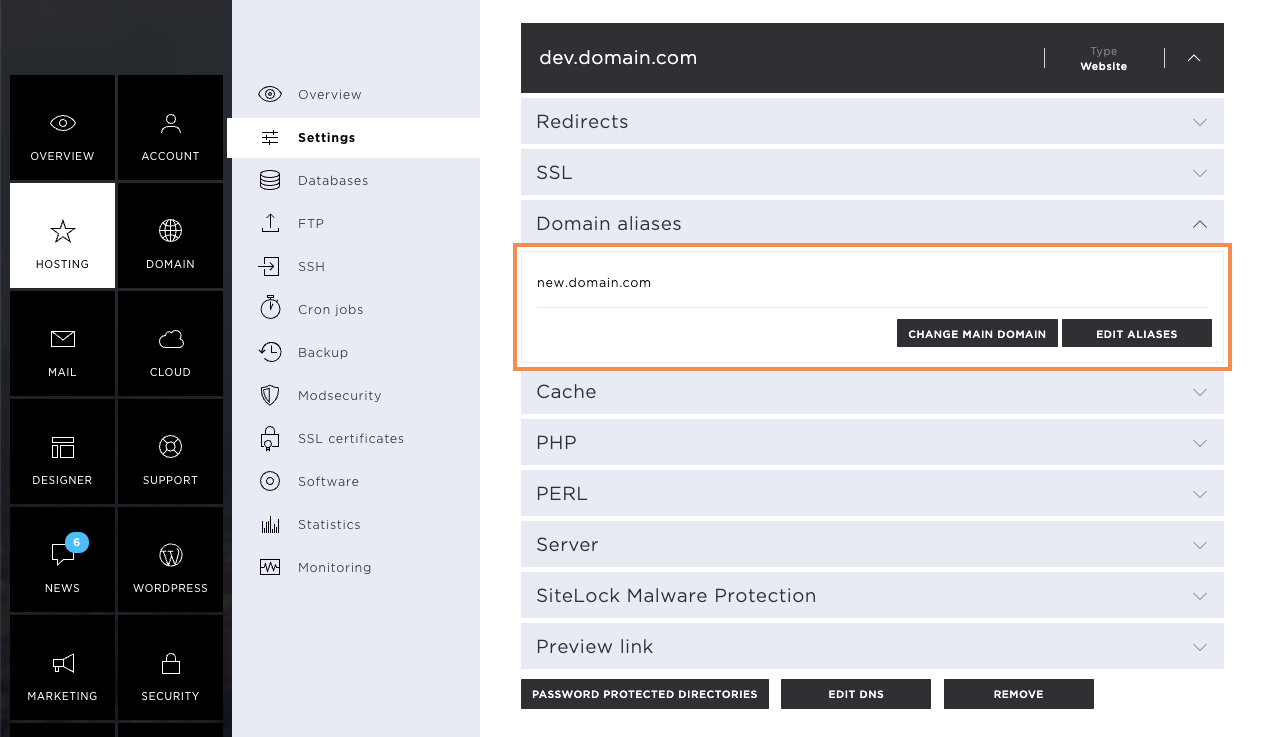
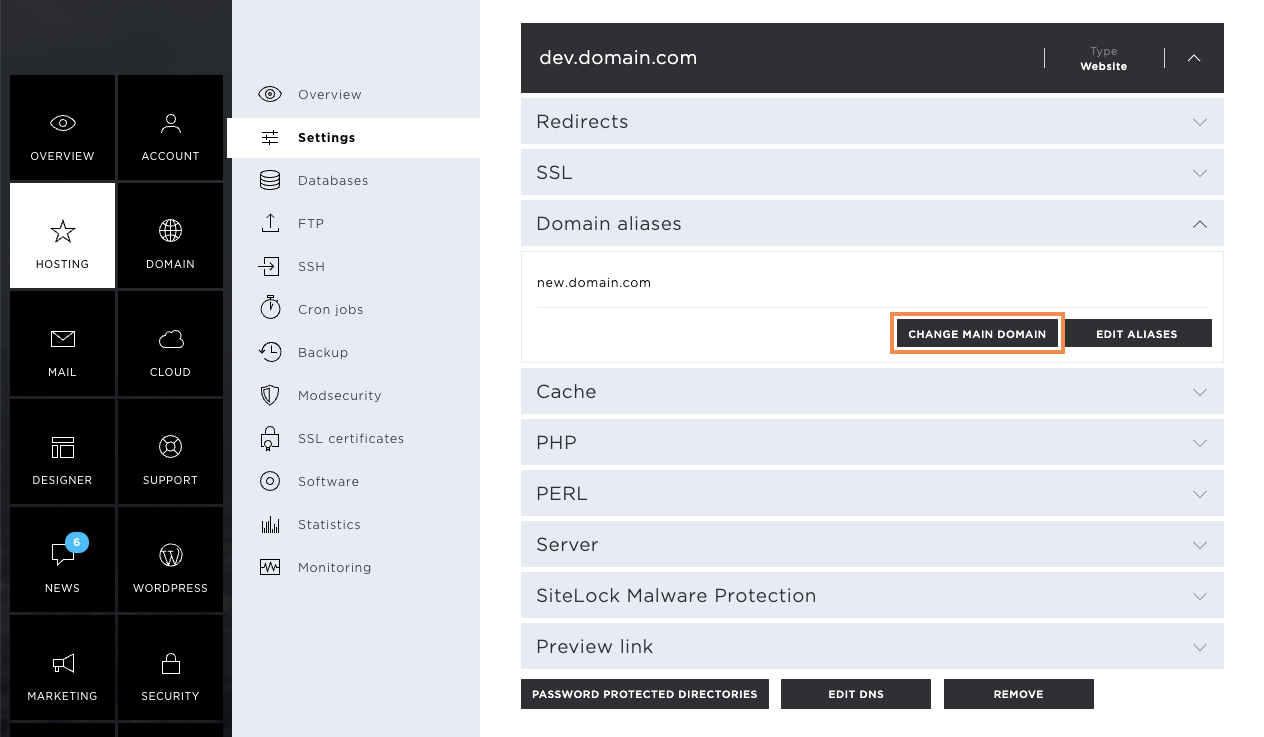
Change main domain
Domain aliases can also be used as new main domains. To do this, click on Change Main Domain and select the desired domain. Confirm the change by clicking on Change.
Please note that only the name of the directory on the server will change. This setting has no influence on the configuration of your website.
Remove domain aliases
If the domain aliases are no longer needed, they can be removed by clicking on Edit aliases.
The deletion of the domain alias is done by clicking on the X icon, which is located to the right of the domain alias. To save the changes, click on Close.
Cache
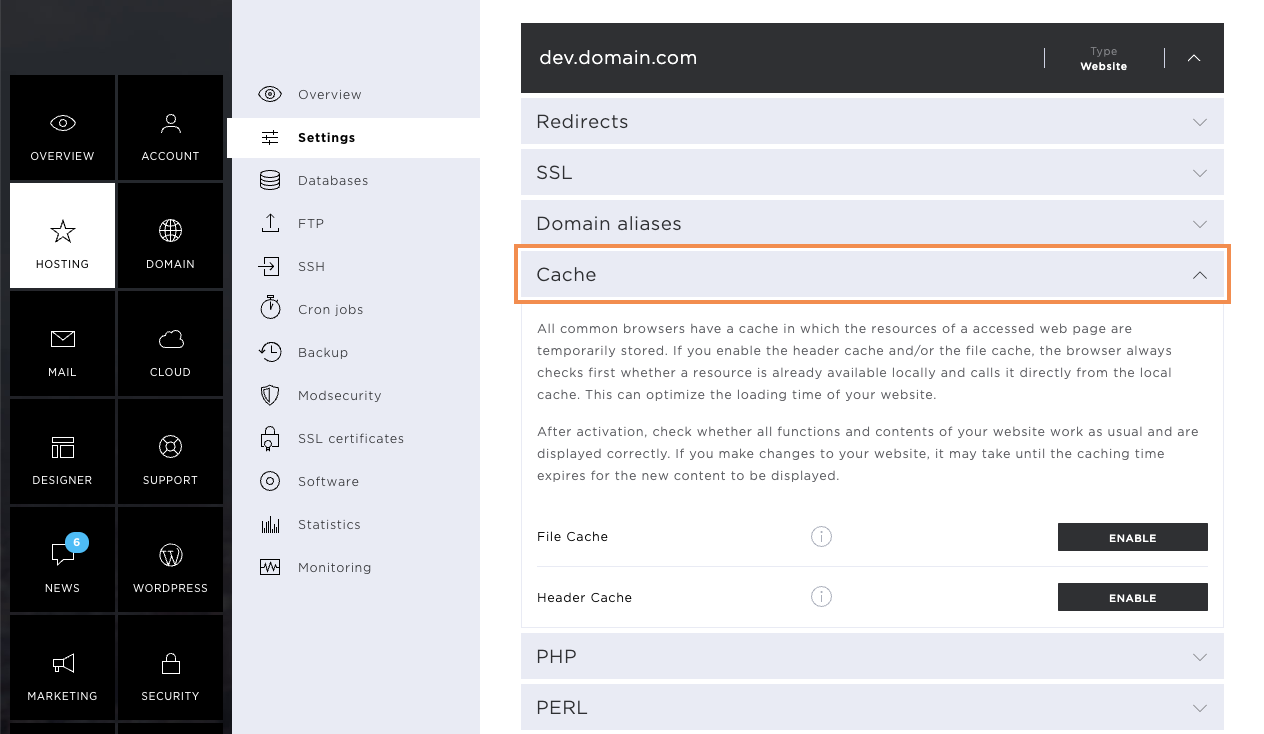
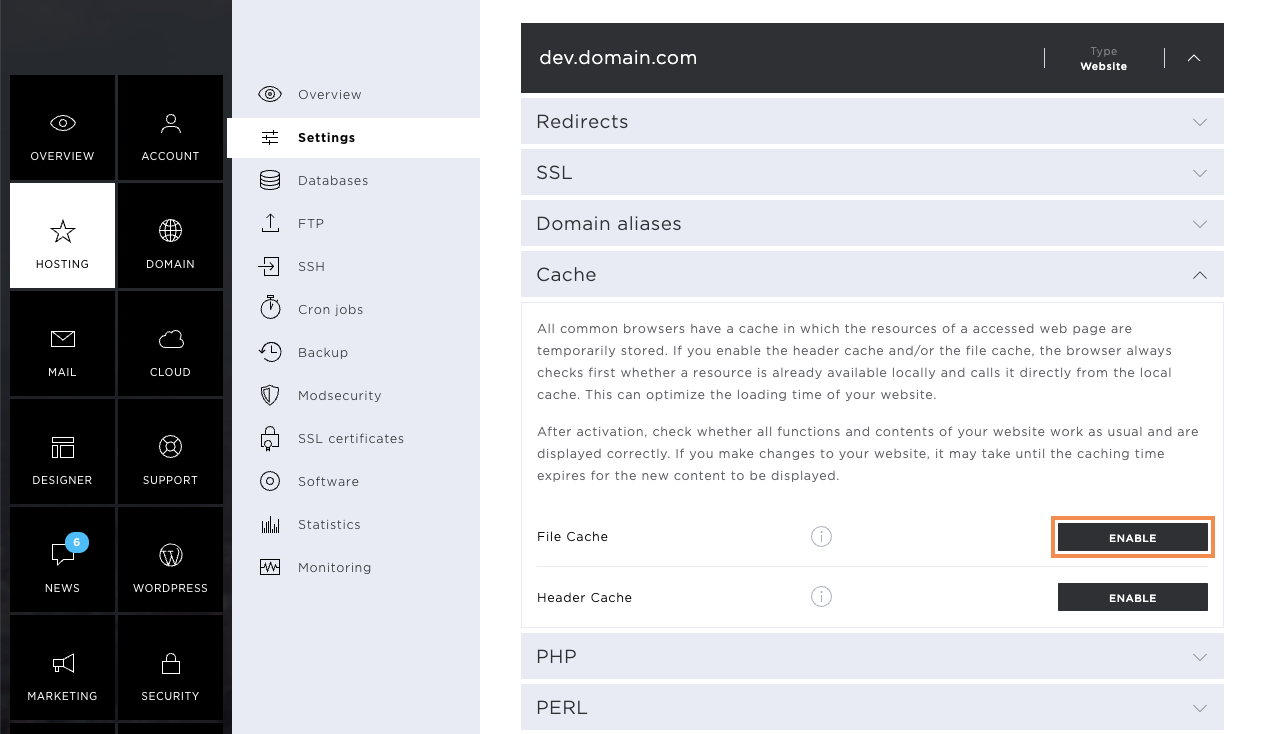
Starting with the StarBiz subscription, you have the option of optimizing the loading time of your website by activating the file and header cache.
File cache
To activate the file cache, click on the Enable button. This saves the cache resources on the web server.
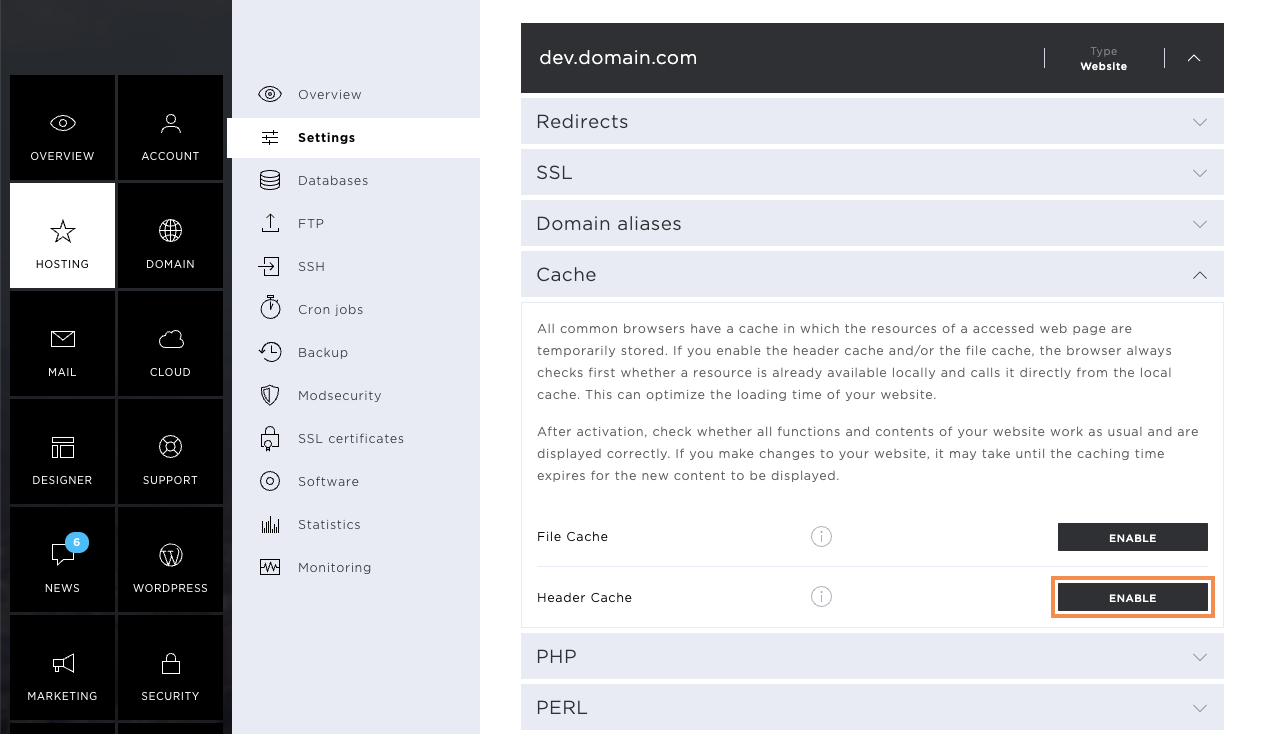
Header Cache
The header cache sets the resources for the browser cache in the HTTP header. In order for this to be activated, also click on Enable button.
PHP
In the PHP section, you can select a PHP version per website, which will make your website faster and more secure.
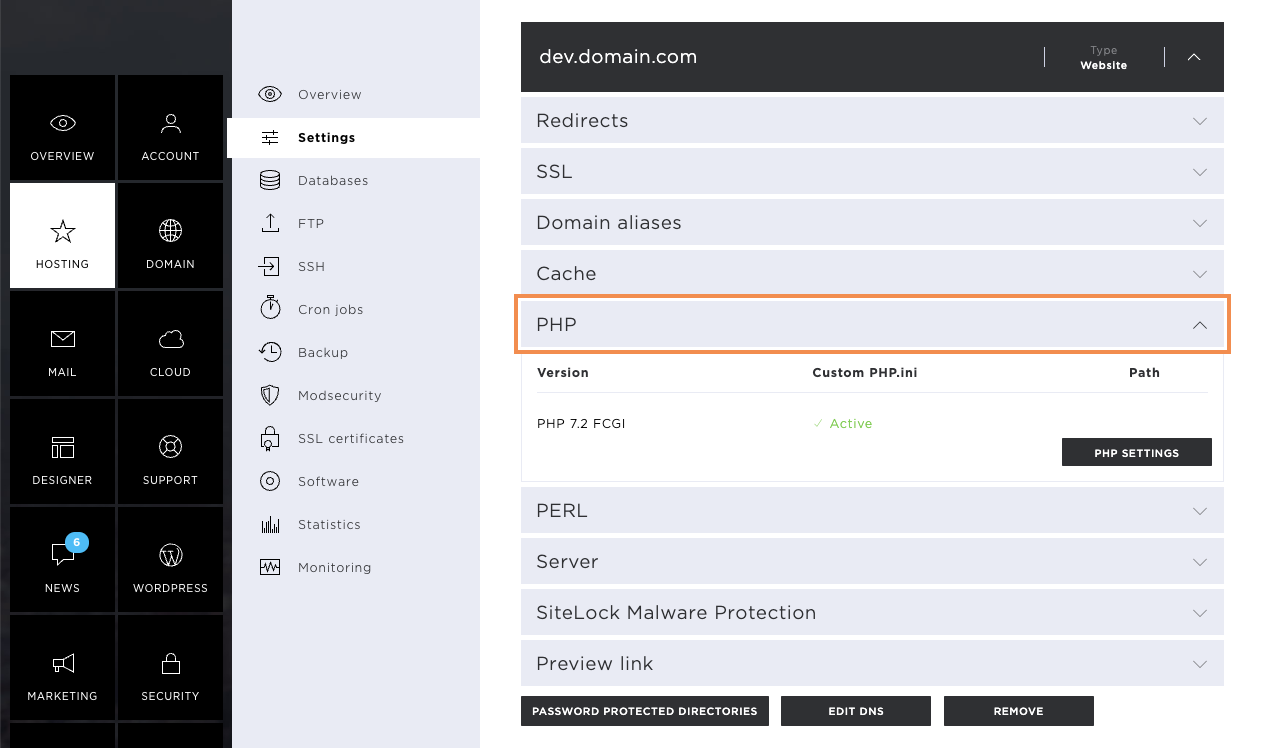
PHP settings
To access the settings options, click on the PHP settings button.
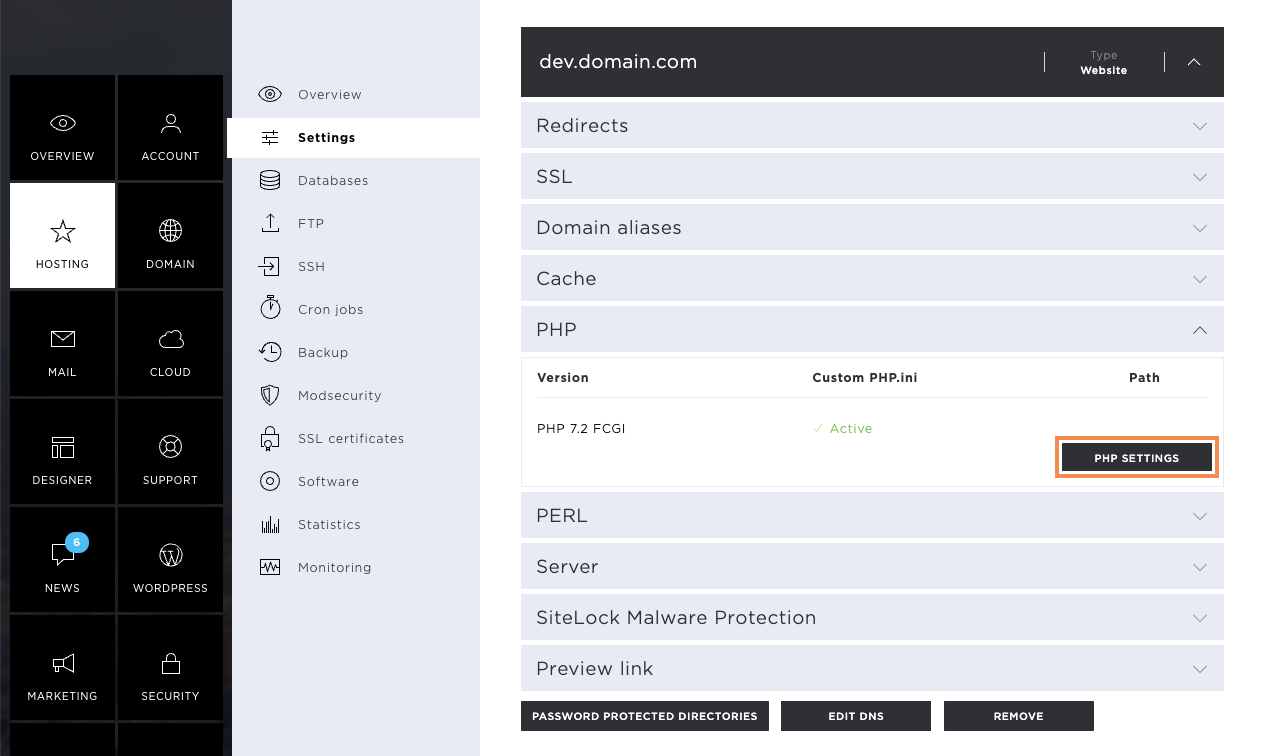
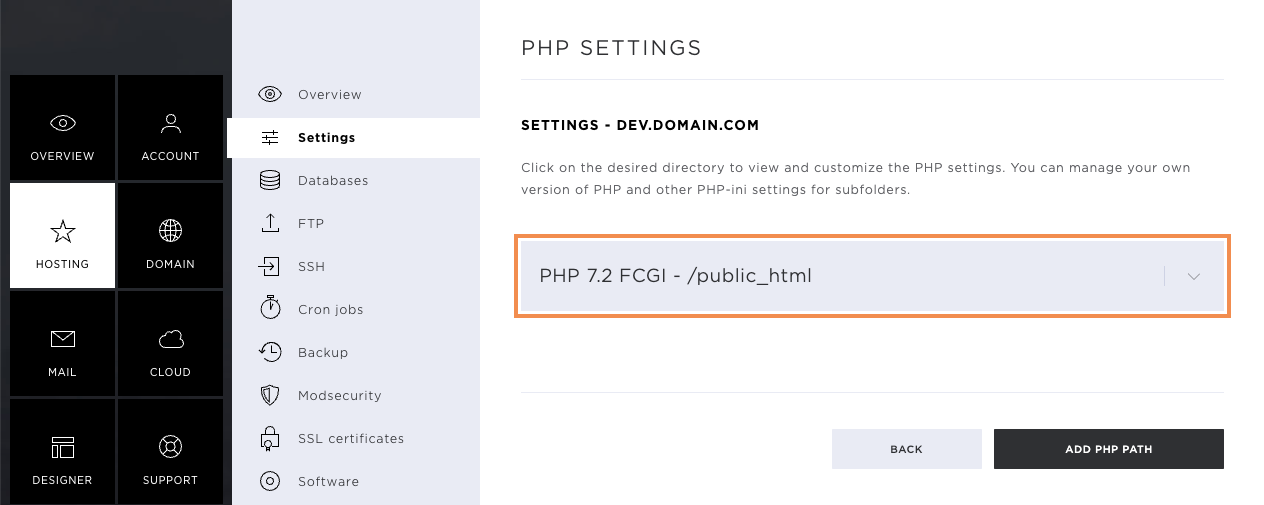
As soon as the new window opens, click on the grey drop-down menu (which shows the version currently in use) to access the additional settings.
Change PHP version
Click on Change PHP version to open a new window.
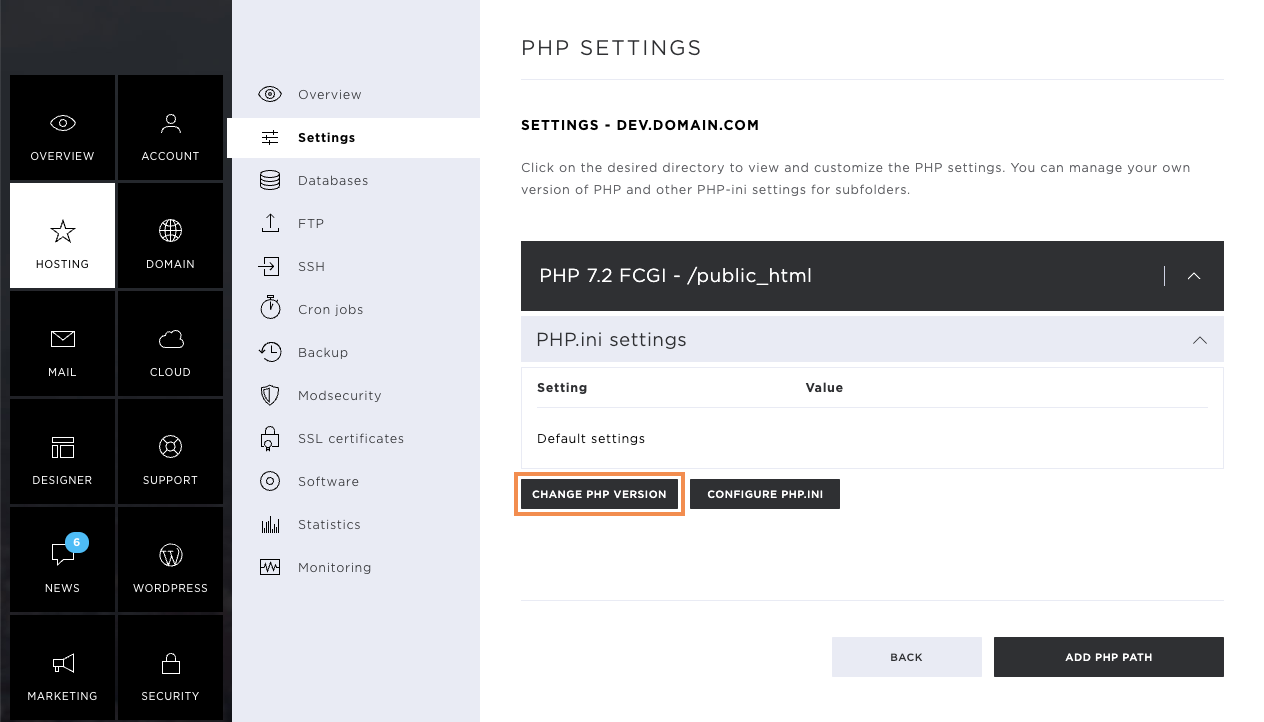
In the new window, you now have the option to set the desired PHP version and the PHP variant:
- PHP Fast CGI: Executes scripts on behalf of the system user. This is used by default.
- PHP FPM: Is an advanced version of Fast CGI, which can provide performance benefits.
Note that not all web applications support the FPM variant, and switching can trigger corresponding errors.
As soon as you have selected the version and its variant, you can complete the changes by clicking the Save button. The activation time is a few minutes.
PHP.ini settings
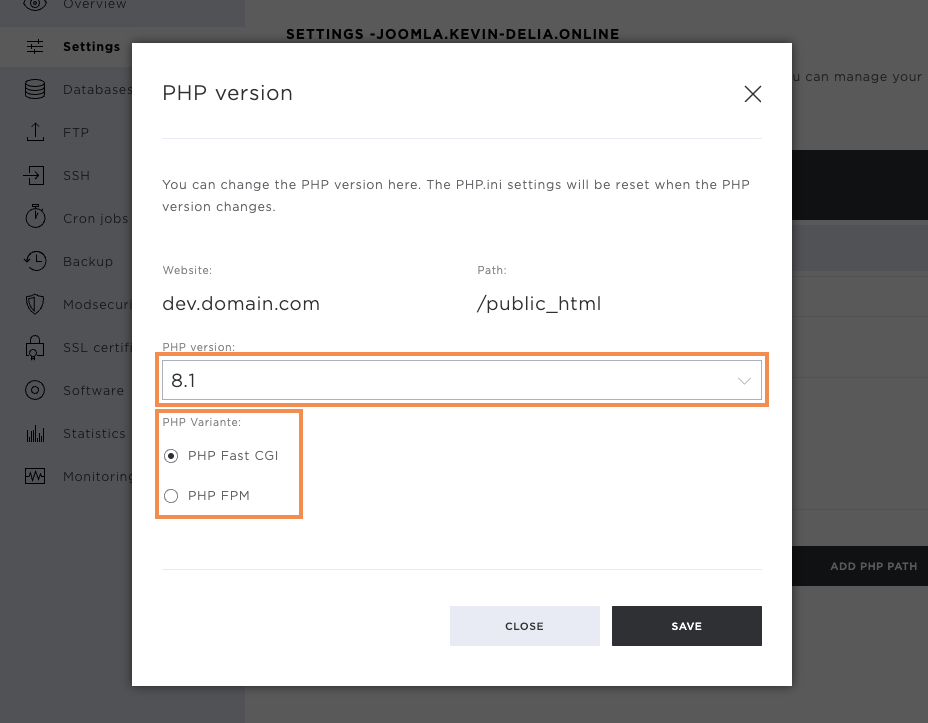
The PHP.ini settings control predefined resources of the website.
To adjust these, click on Configure PHP.ini.
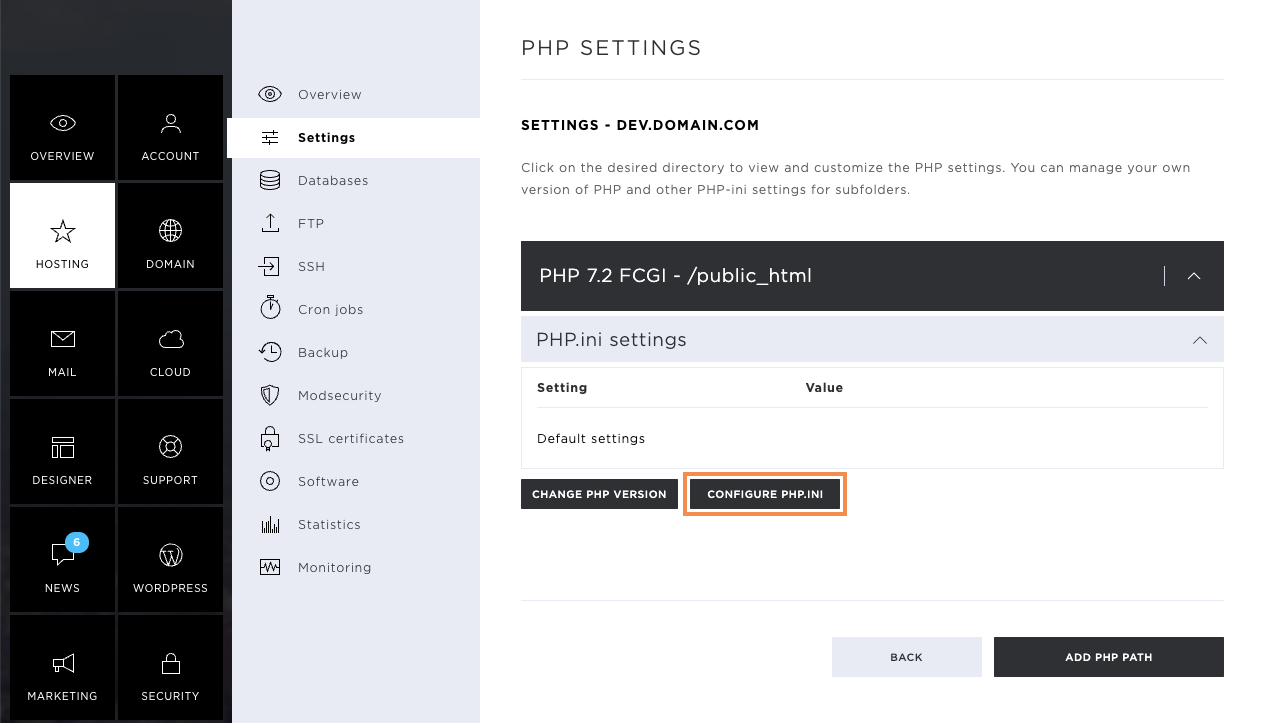
On the window that opens, you can choose between two options:
- Custom PHP.ini settings: Here, you change the required values manually.
- CMS special settings: Here, you are provided with ready-made settings for your CMS such as Contao.
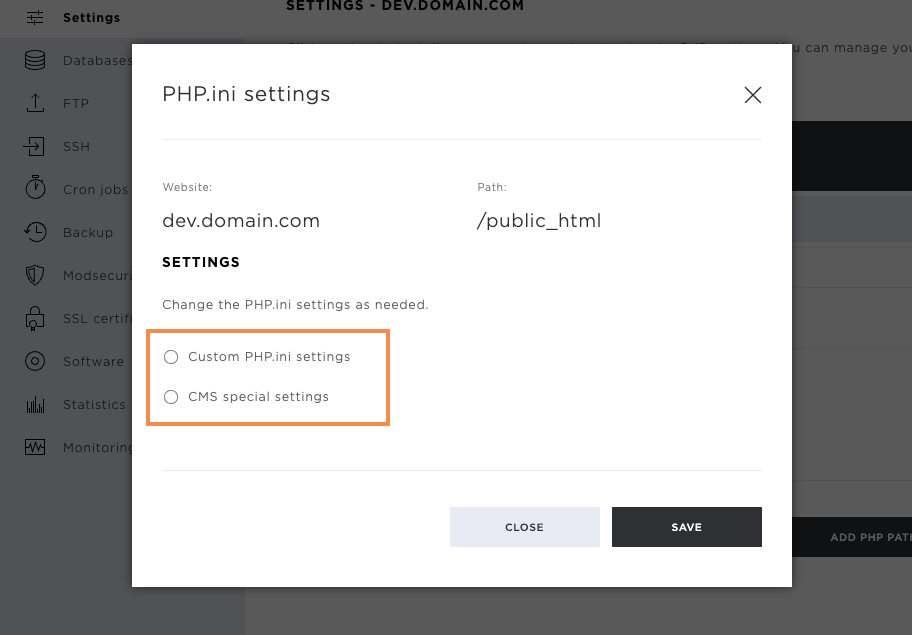
Custom PHP.ini settings
If you want to make your own PHP.ini settings, select the item Custom PHP.ini settings.
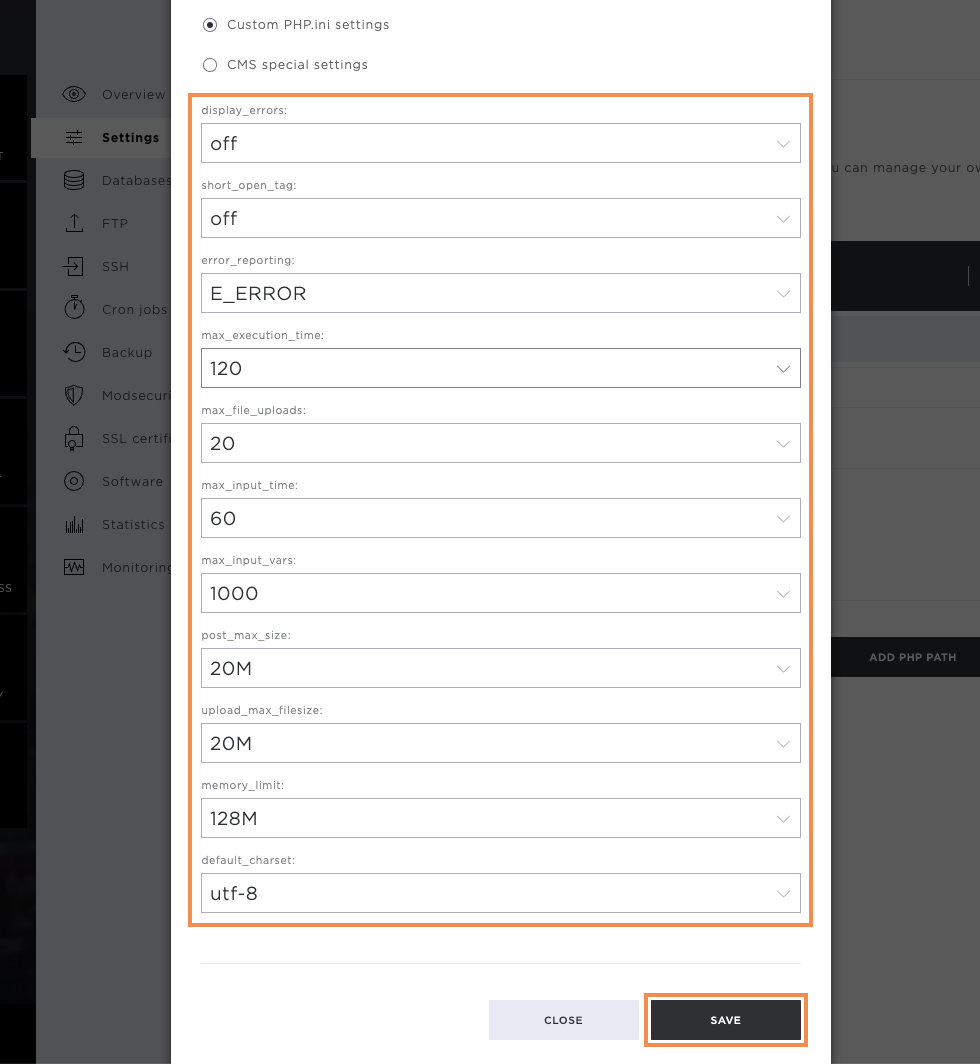
Below, you will immediately be shown the corresponding options you have when designing the PHP.ini file. Currently, the following settings can be set:
- display_errors: If this option is enabled, any PHP errors that occur will be displayed on your website.
- short_open_tag: Enabled, PHP scripts may also start with <? otherwise, they must start with <?php
- error_reporting: Determines what kind of errors are displayed on the website when display_errors is switched on.
- max_execution_time: maximum time in seconds a script may run before the parser stops execution.
- max_file_uploads: Determines how many files may be passed to PHP for processing at the same time.
- max_input_time: Maximum time in seconds a script may take to process input data (such as POST, GET and file uploads).
- max_input_vars: Maximum number of variables that can be processed by PHP in one process.
- post_max_size: Maximum size of POST request that may be passed to PHP
- upload_max_filesize: Maximum size of a file that may be passed to PHP
- memory_limit: Maximum amount of RAM that a PHP process may use.
- default_charset: Sets the default character set with which PHP files and queries are processed.
Now adjust the settings according to your wishes, and then click on Save.
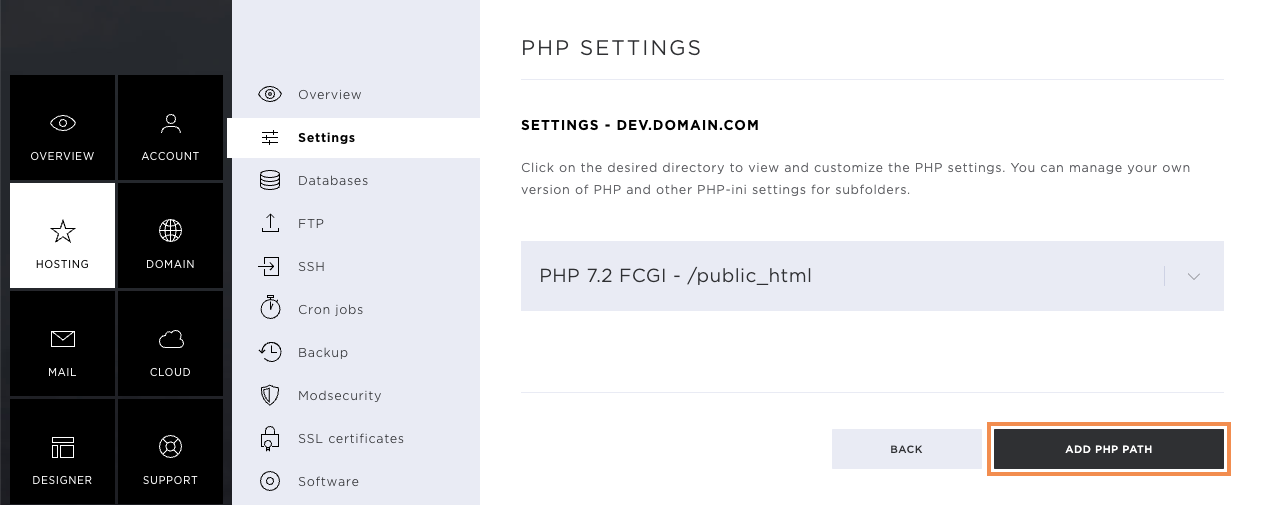
Add PHP path
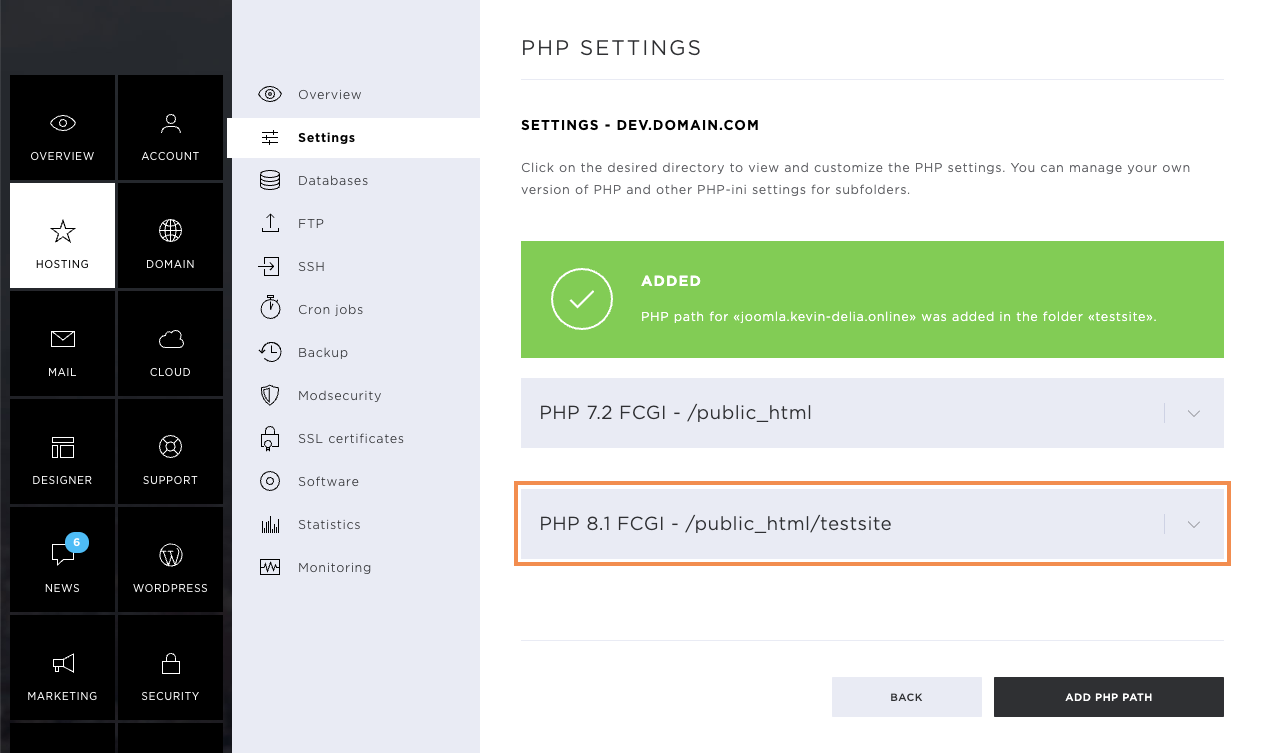
If you have several websites in different directories, you can define a separate PHP version for each path.
Click on Add PHP path.
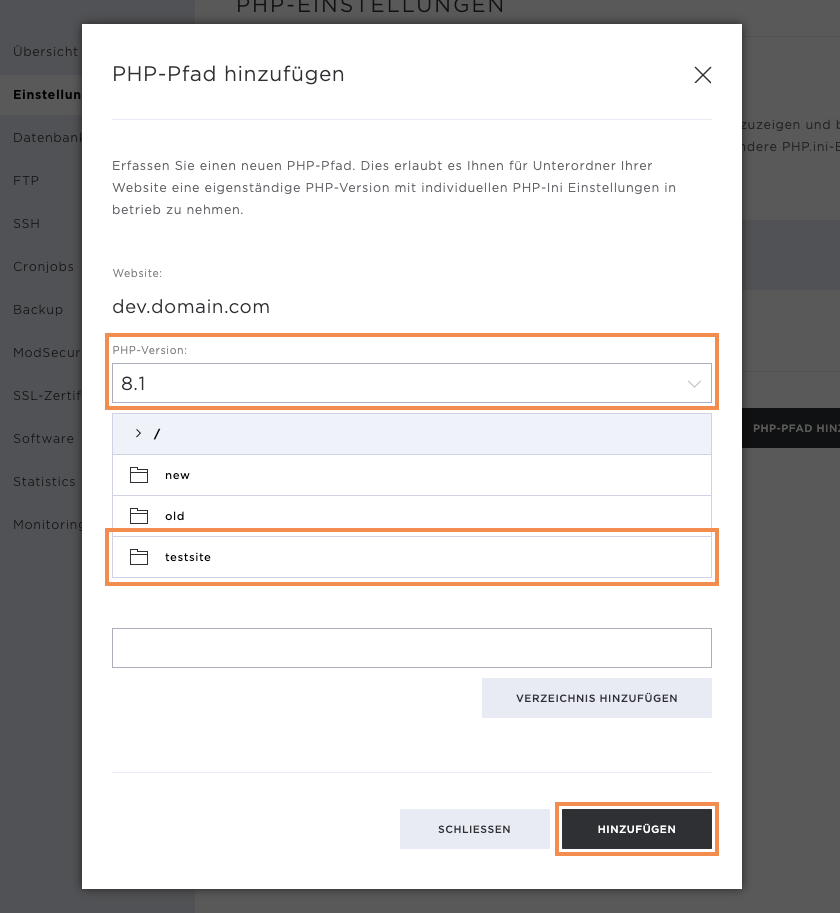
Now select the desired PHP version and the directory and click on Add.
Once the new path has been added, a success message appears, and you can now change the PHP.ini settings for the new path.
Perl
Perl is a scripting language that can be used to display web content.
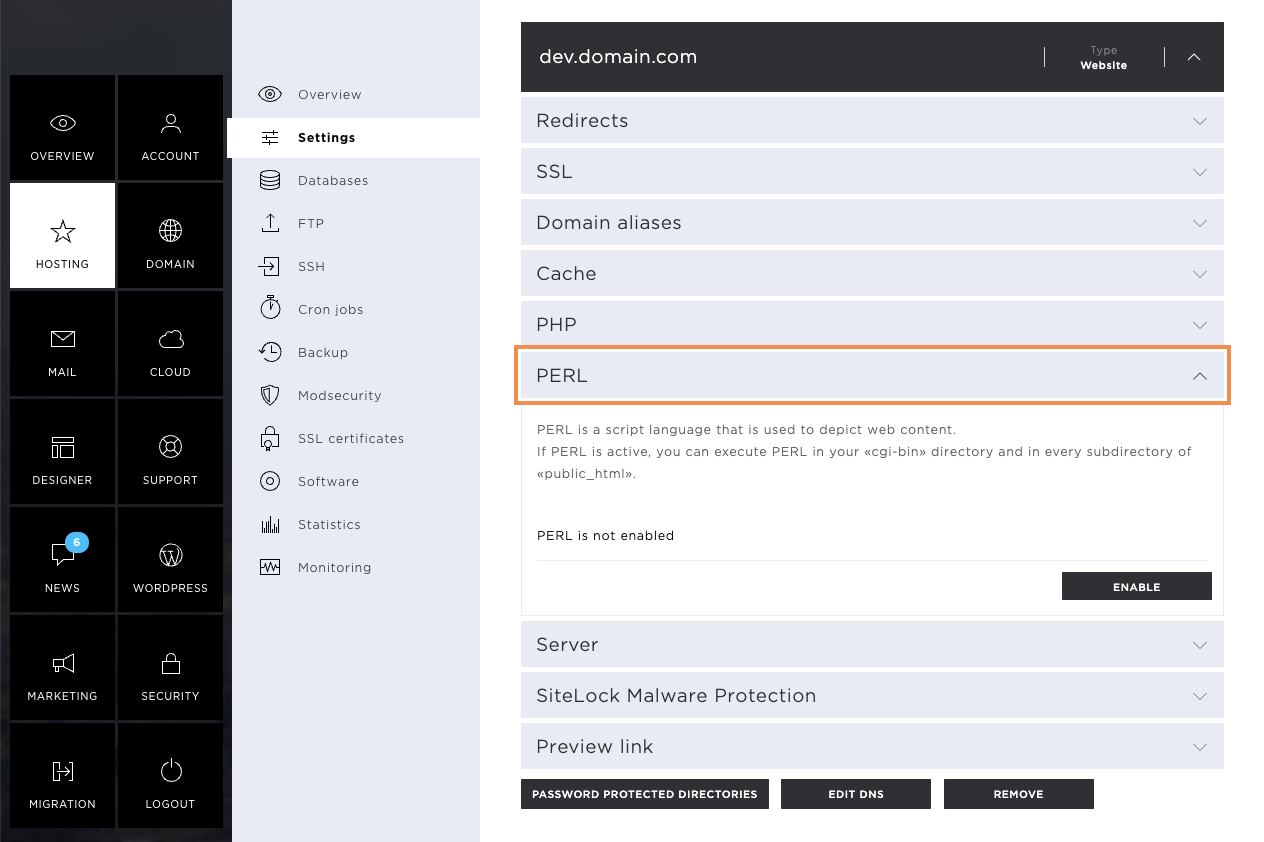
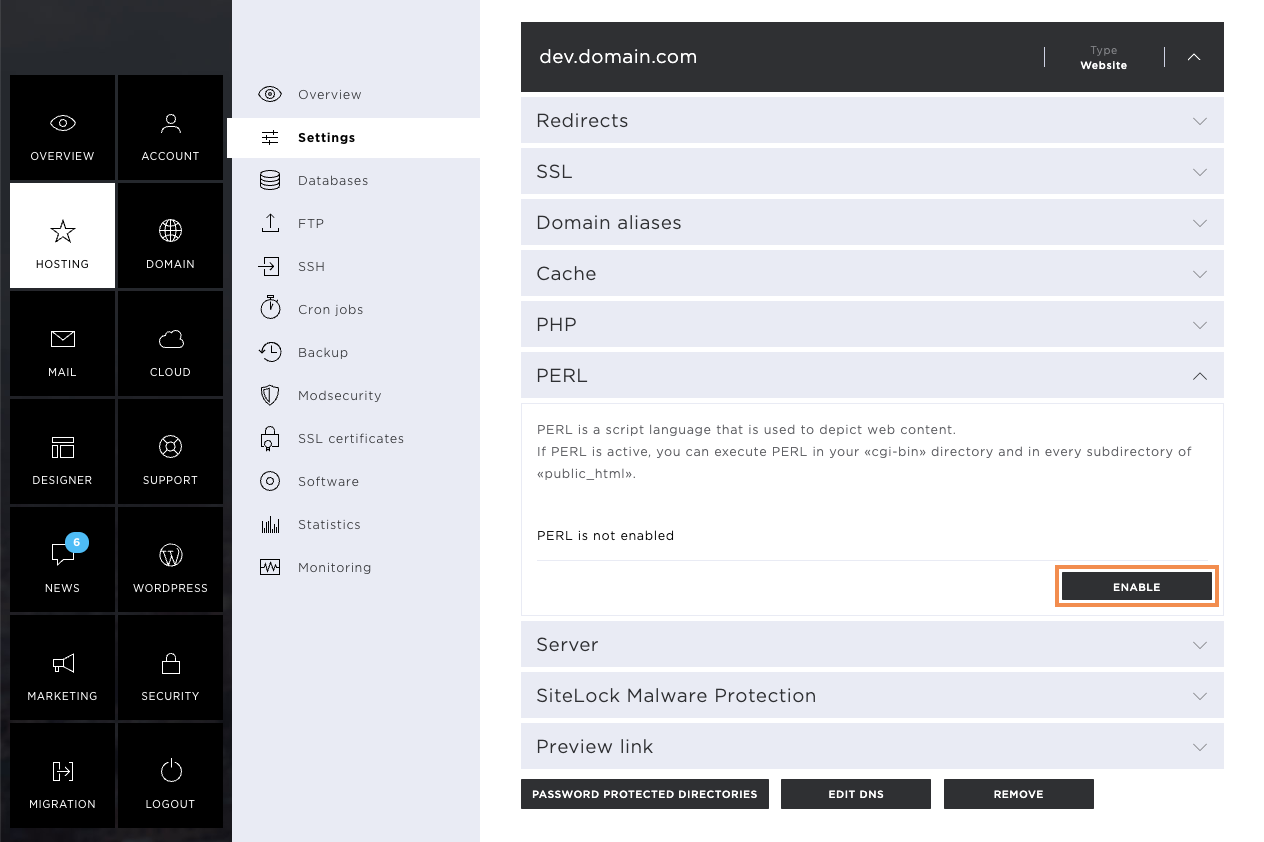
Click Enable to allow Perl to be used for the affected page.
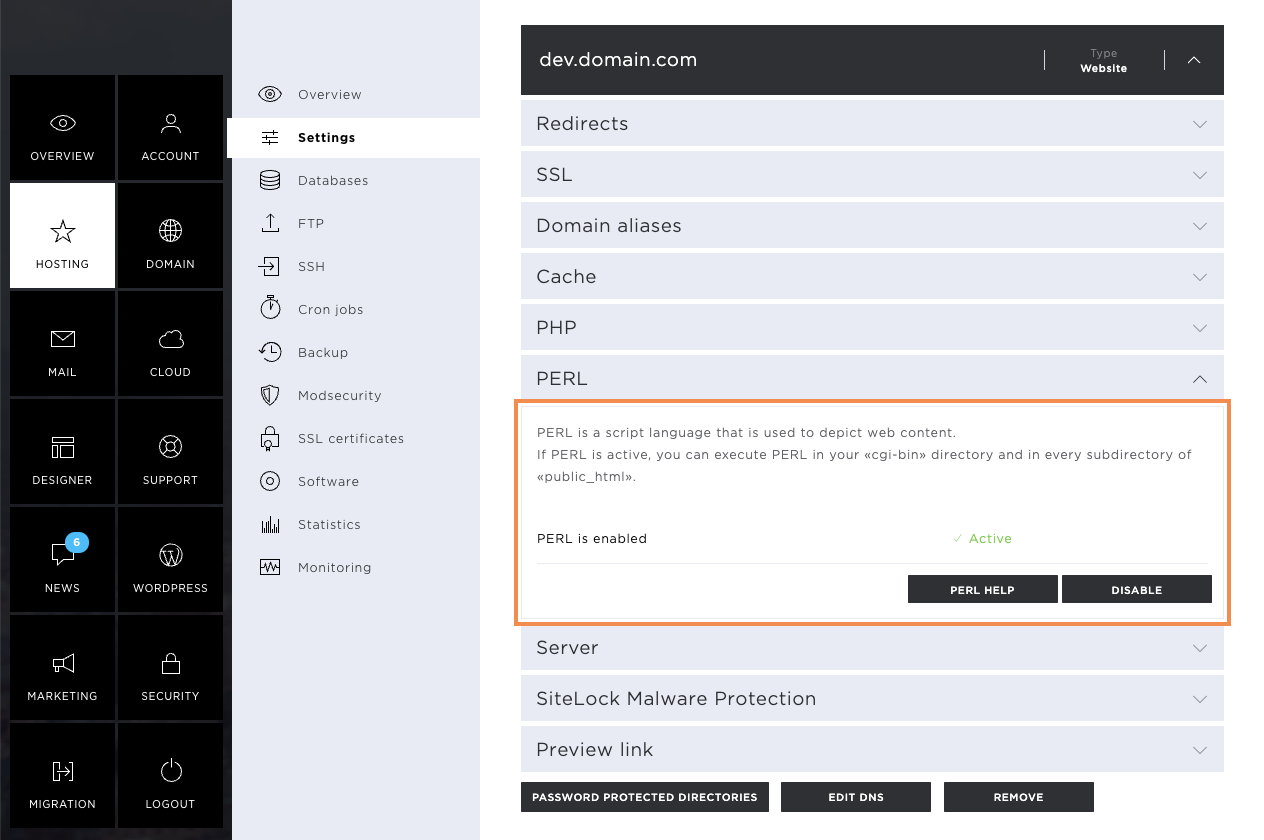
As soon as Perl is enabled, you can upload your scripts to the corresponding directories. If you need help, you will find instructions and a script example under PERL Help.
You can deactivate Perl support by clicking on Disable.
Server
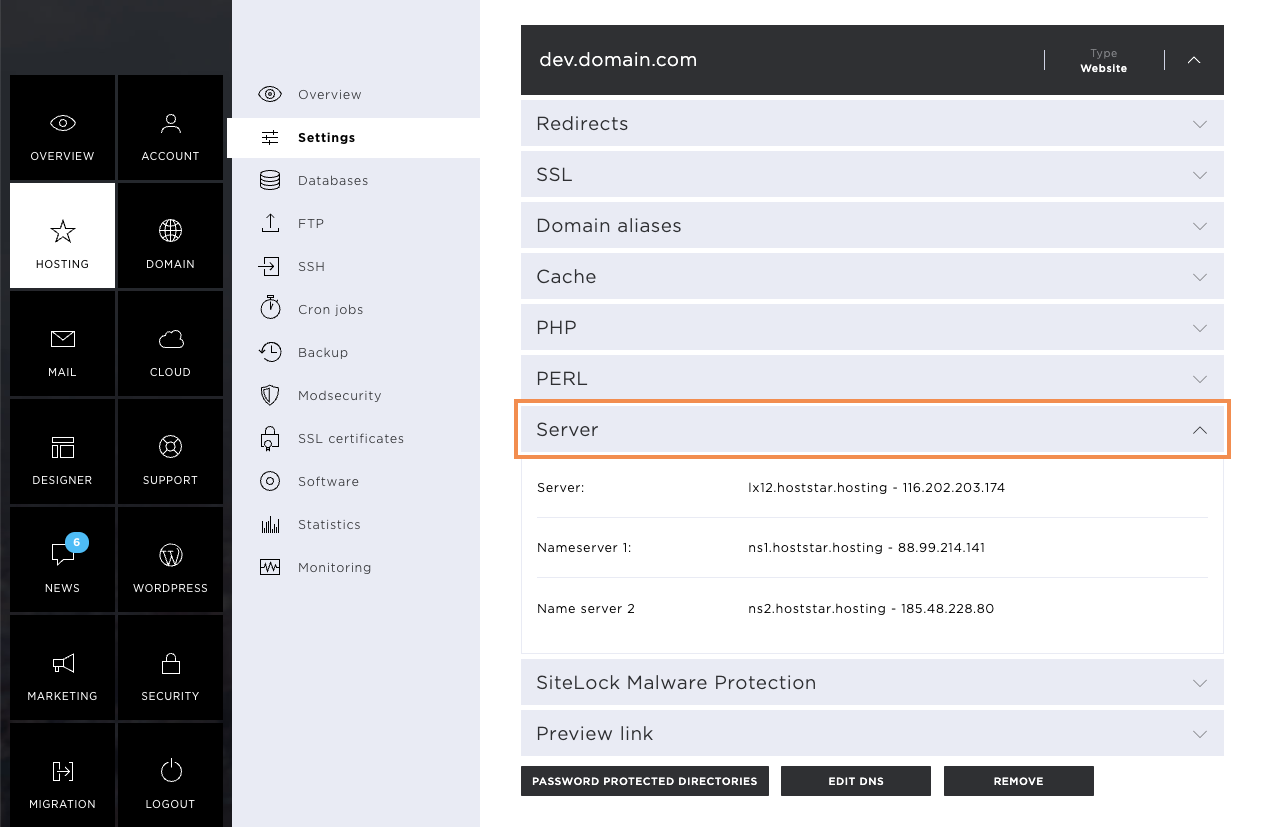
Under the heading Server, you will find the following information:
- Server name
- IP address of the server
- the valid name server entries
- IP addresses of the name server entries
Preview link
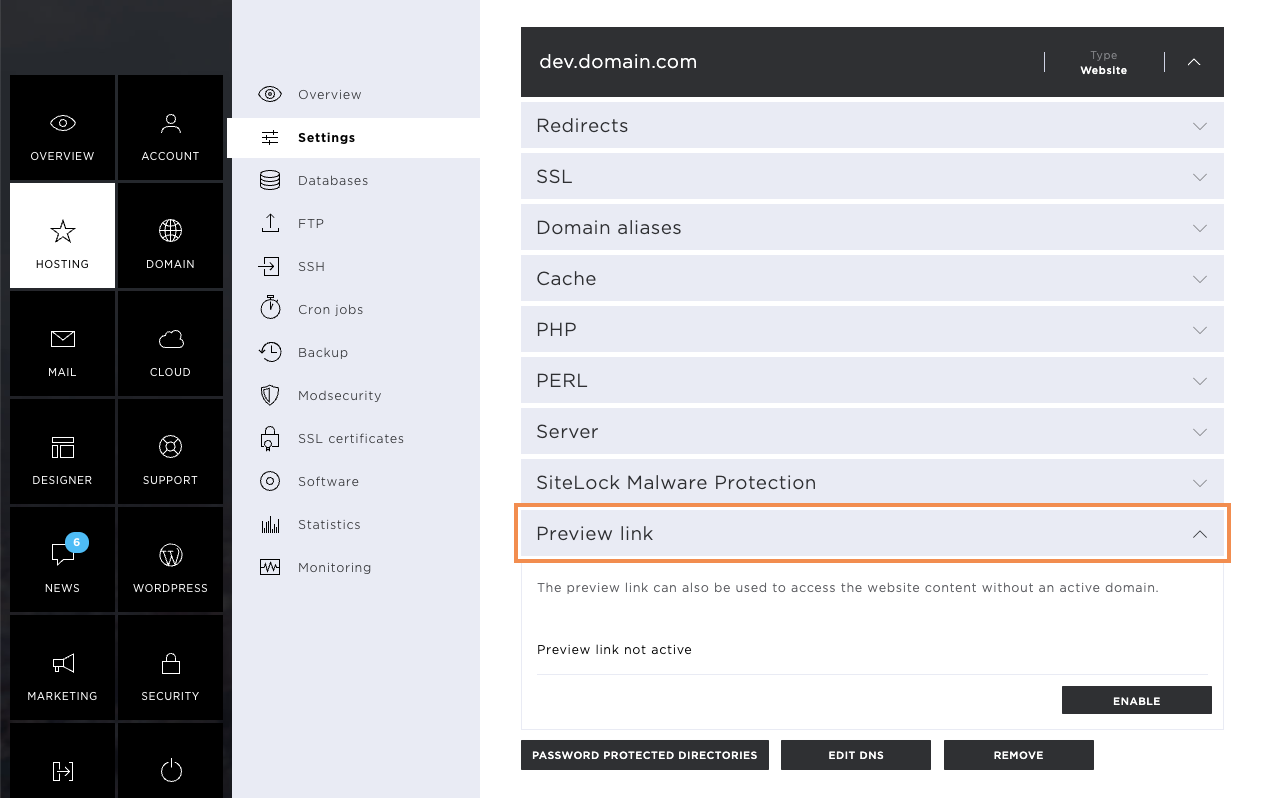
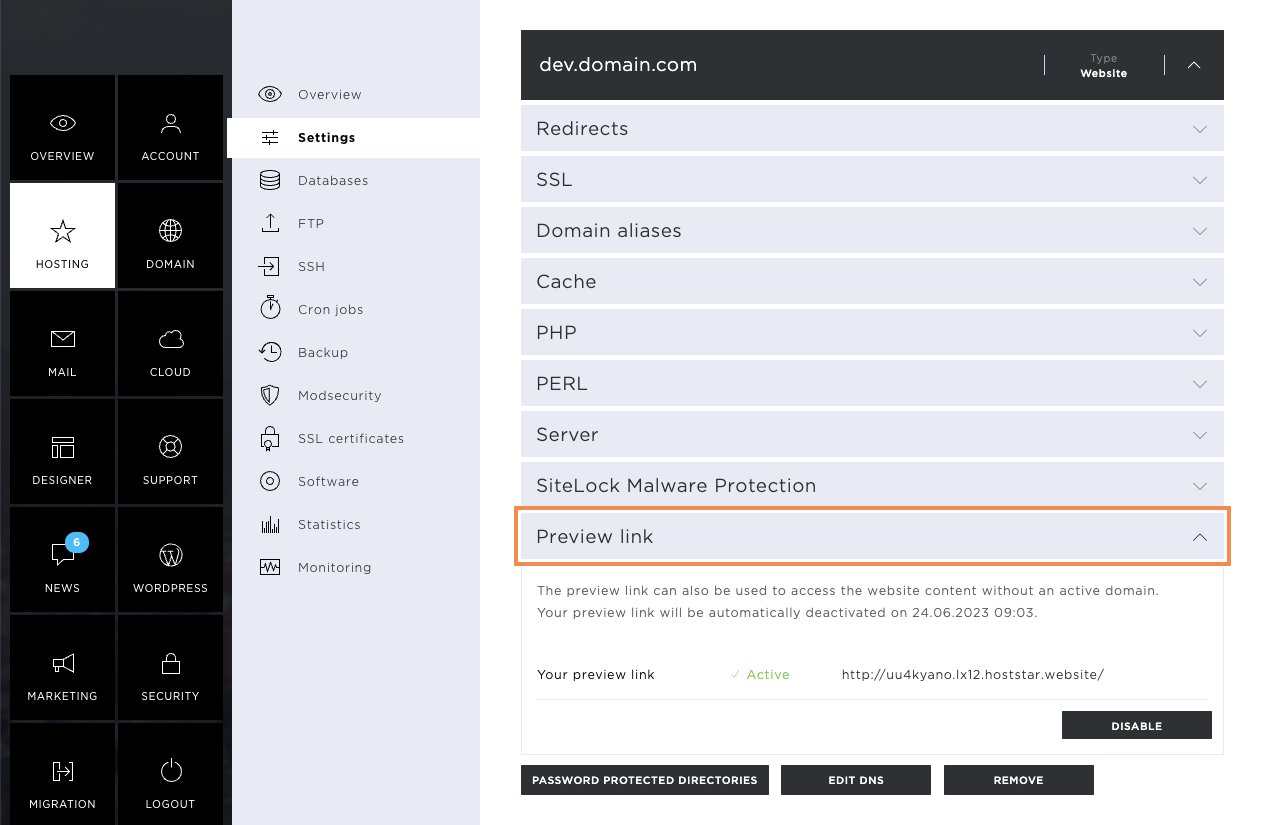
In the Preview link tab, you have the option of generating a link with which you can reach your website. This is also possible if the domain does not yet refer to the Hoststar server. With this preview link, you have the possibility to check the website for errors before you put the page online.
Enable preview link
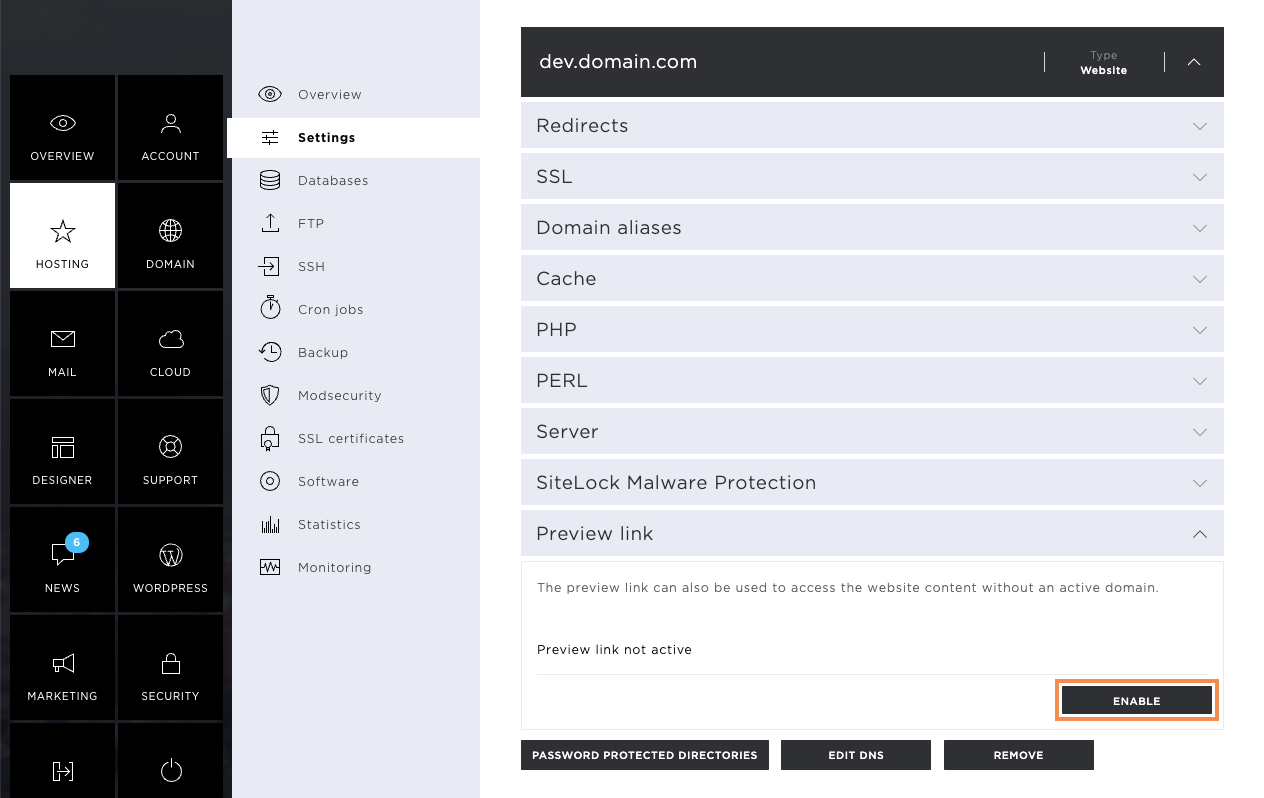
To activate the preview link, click on Enable.
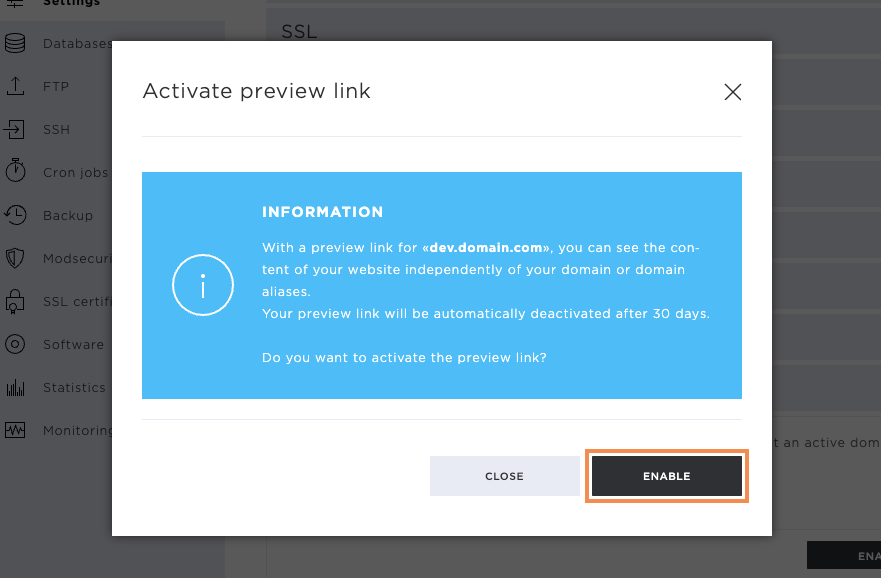
After clicking, a pop-up window appears with the information that the preview link will be active for 30 days from the time of activation. After this time, the link will automatically deactivate.
Once the activation has been confirmed, you will see the automatically configured URL.
Note that the URL can be called up in a few minutes.
Deactivate preview link
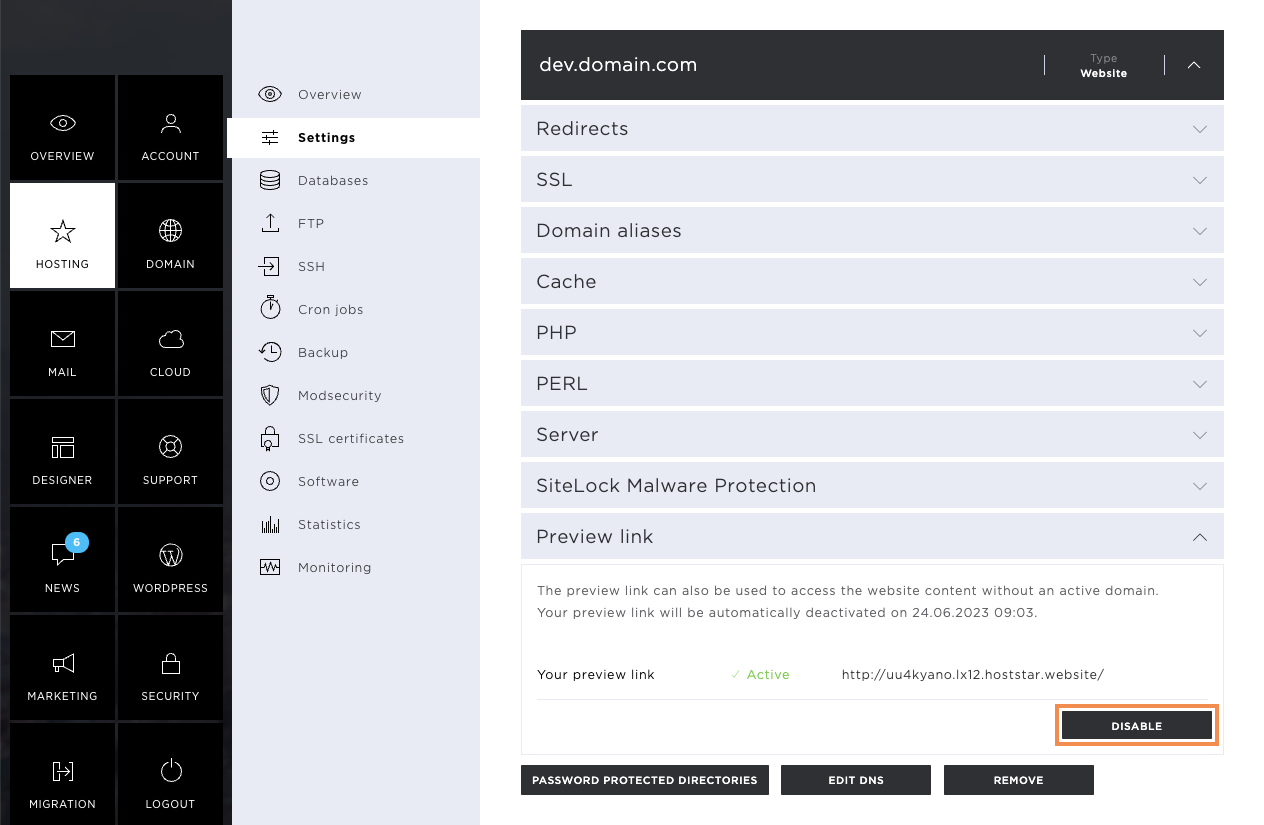
If the preview link is no longer needed, it can be deactivated by clicking on Disable.
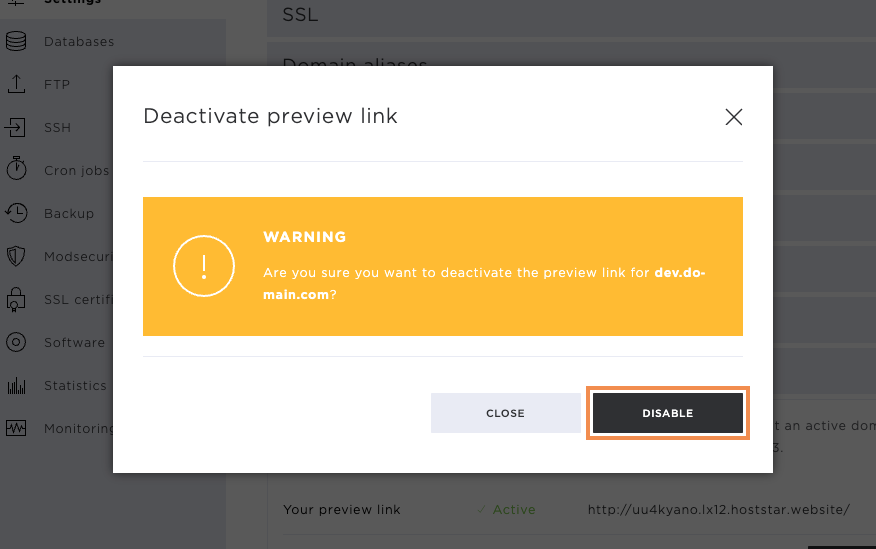
Click on Disable to confirm the deactivation of the preview link.
Password-protected directories
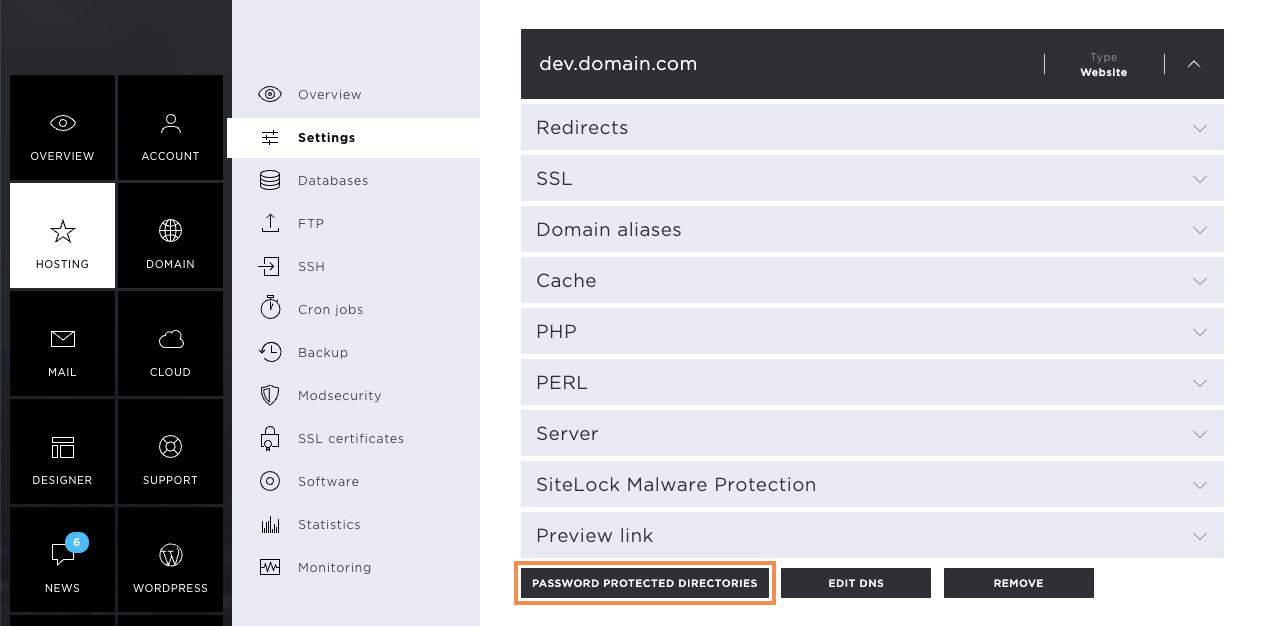
If you wish to have a protected area on your website, you can set this up by clicking on Password-protected directories. This way, you prevent website visitors from accessing your main page or certain sub-pages.
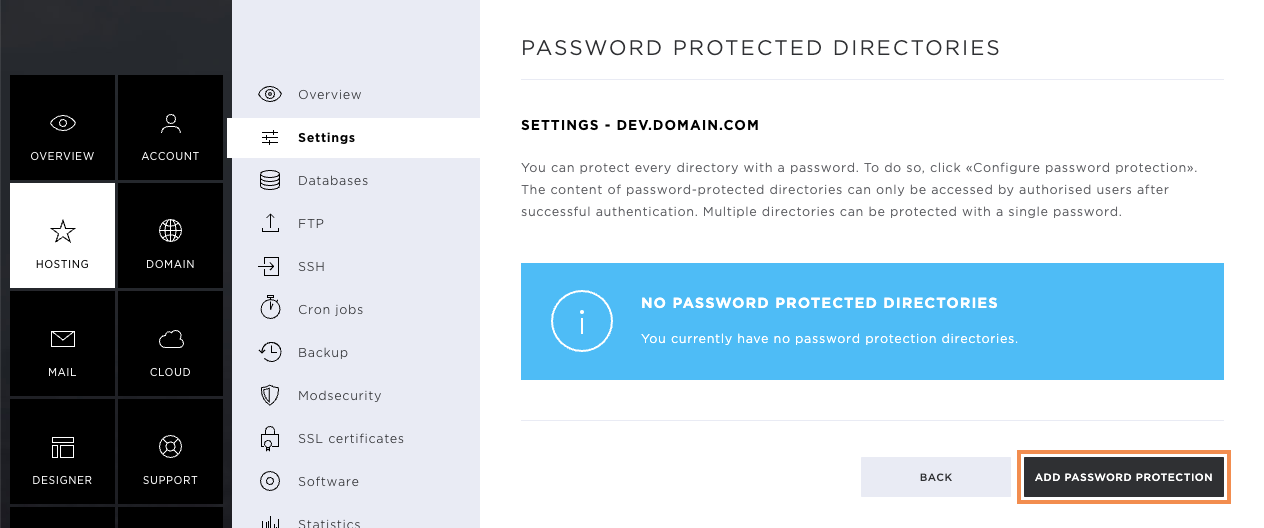
To add password protection, click the Add password protection button.
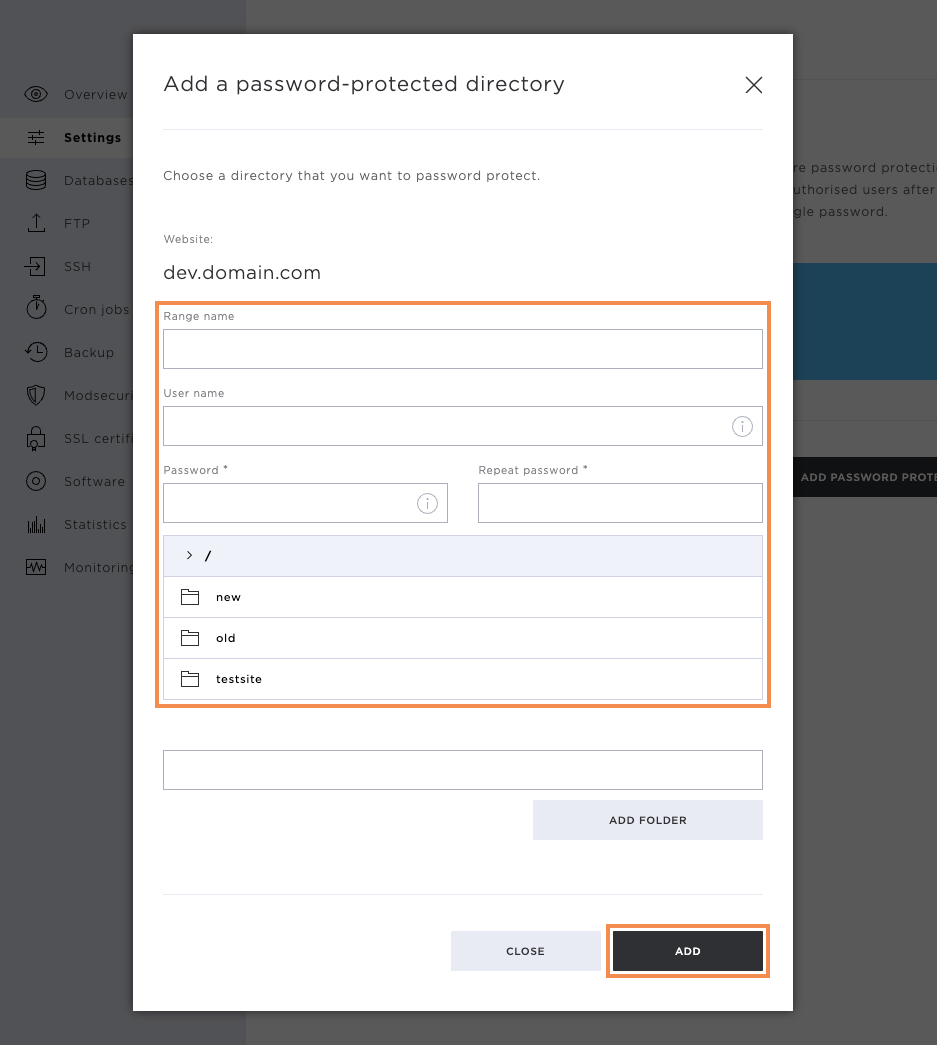
Now define the following points:
- Range name
- User name (will be used for login)
- Password (will be used for login)
Now select the desired directory that you want to protect using the access data entered above. To do this, click on the directory and then click on Add.
If you want to protect the entire public_html directory, you don't need to select a directory, but can confirm the dialogue with Add immediately.
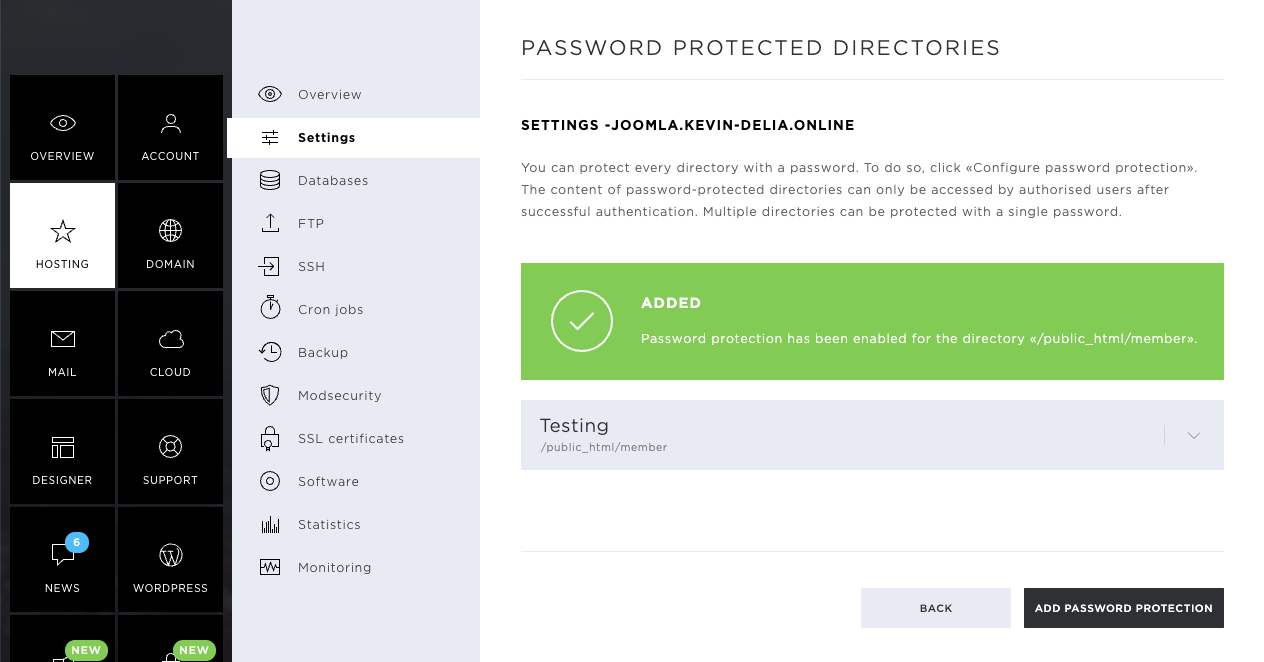
After the password protection has been stored, you will receive a success message.
Here you can also see the stored area and the affected directory.
Remove password protected directories
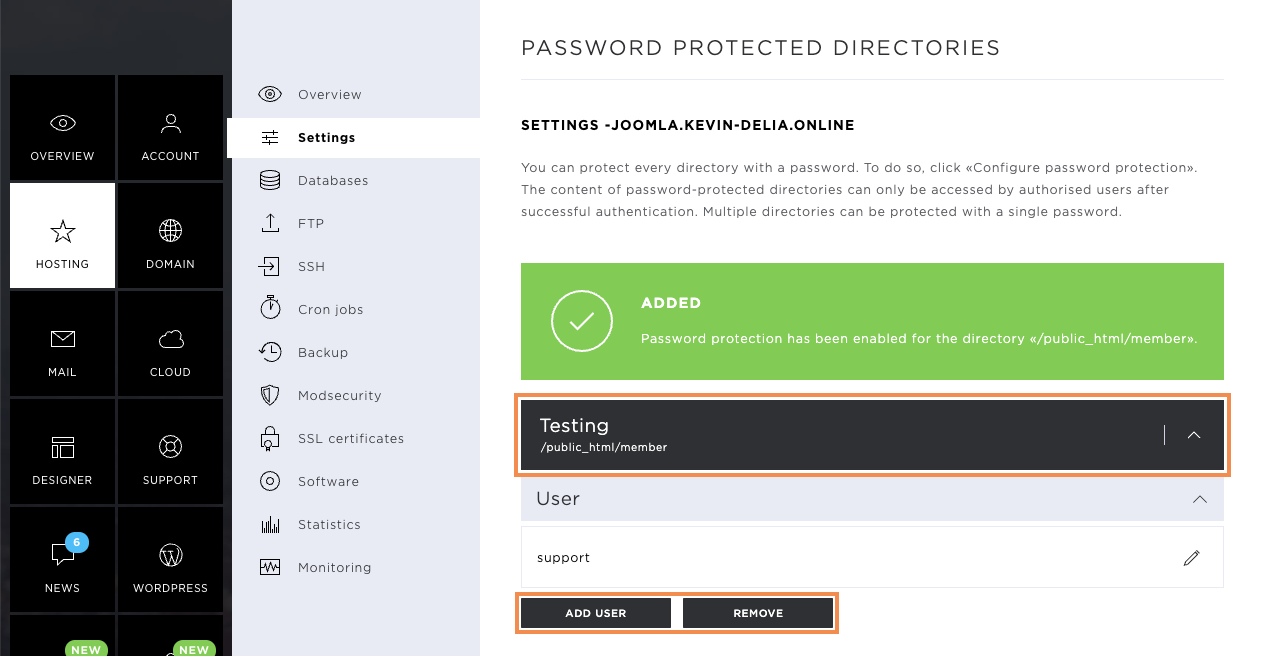
If the password-protected area is no longer needed, you can select it with a right-click and then delete it by clicking on Remove. Confirm the deletion by clicking once again on Remove.
You also have the option of adding additional users to an existing area. To do this, click on Add user and enter the following information:
- Username
- Password
Confirm the new user by clicking Add.
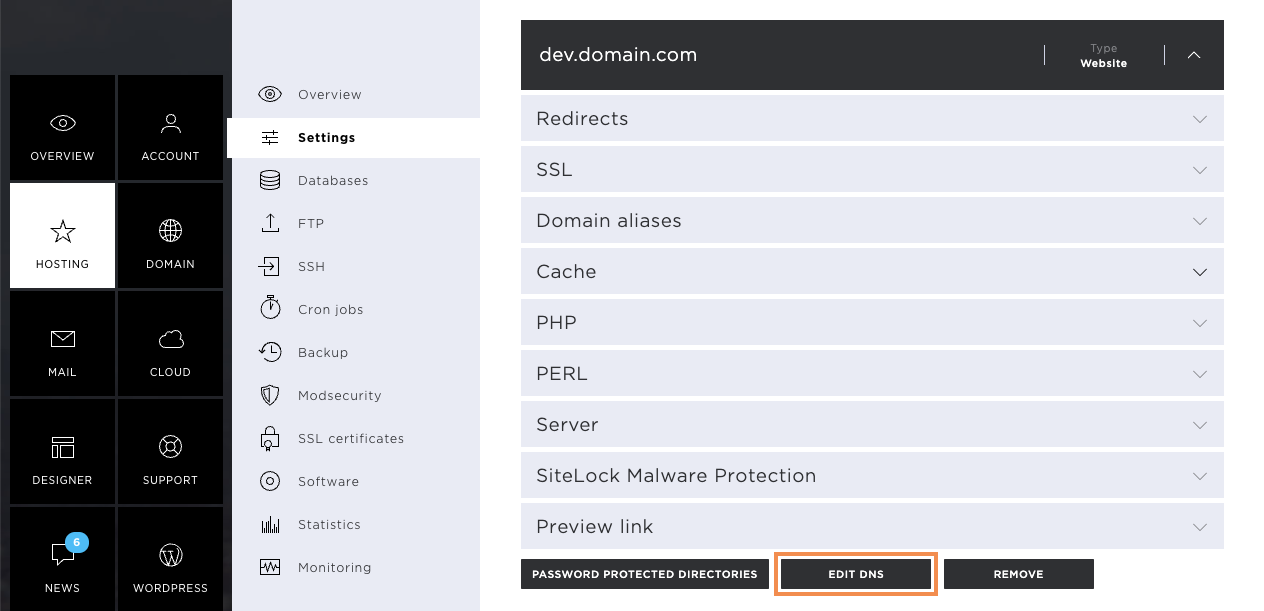
Edit DNS
Via the hosting settings, you can call up and edit the DNS zone of the corresponding domain by clicking on Edit DNS.
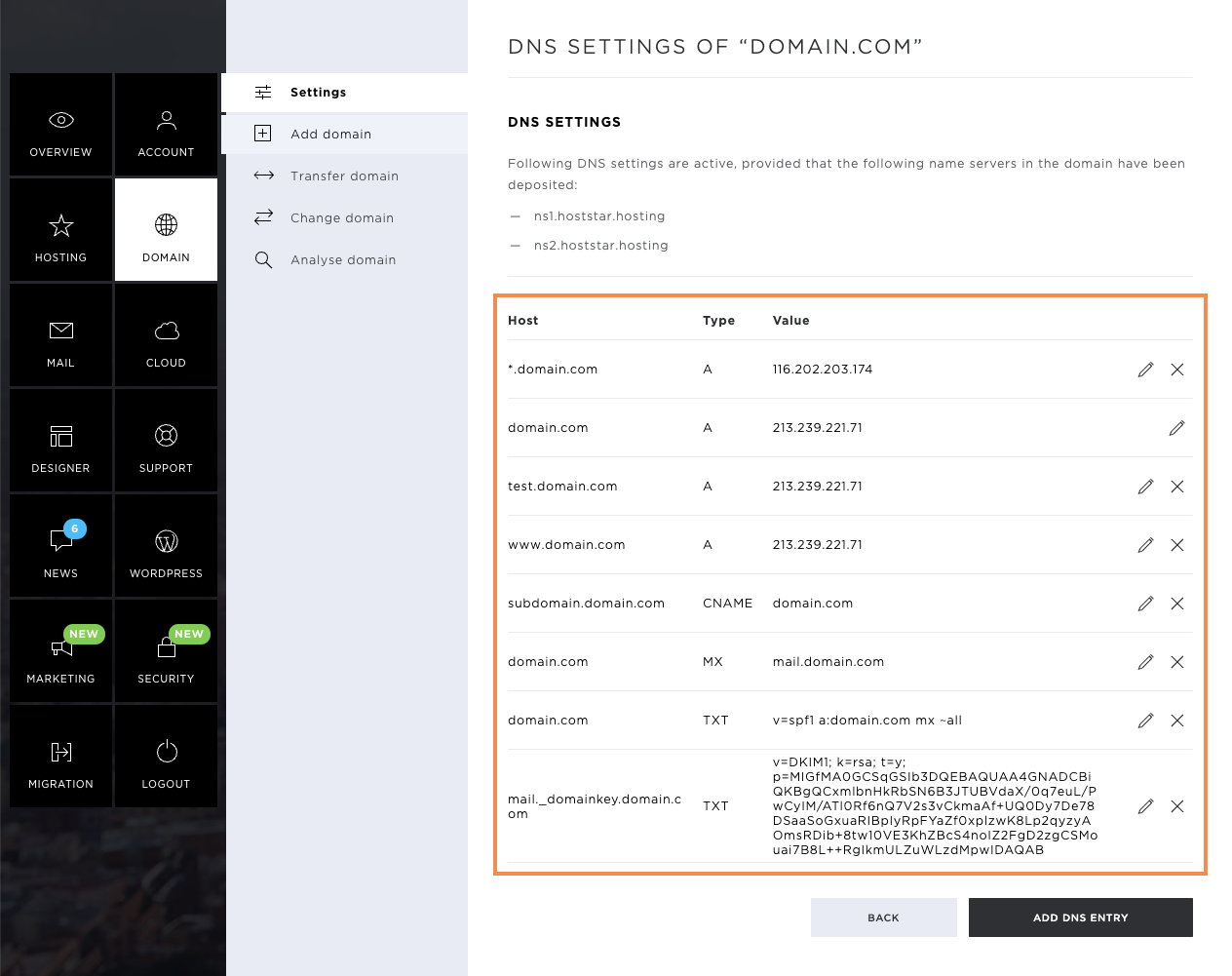
In the new window, you will see the DNS zone of the domain. Here, you can edit existing entries by clicking on the pencil icon. Should you wish to remove an entry, click on the X icon.
Note that the DNS zone should always be edited with care, as changes could also have negative effects on certain services.
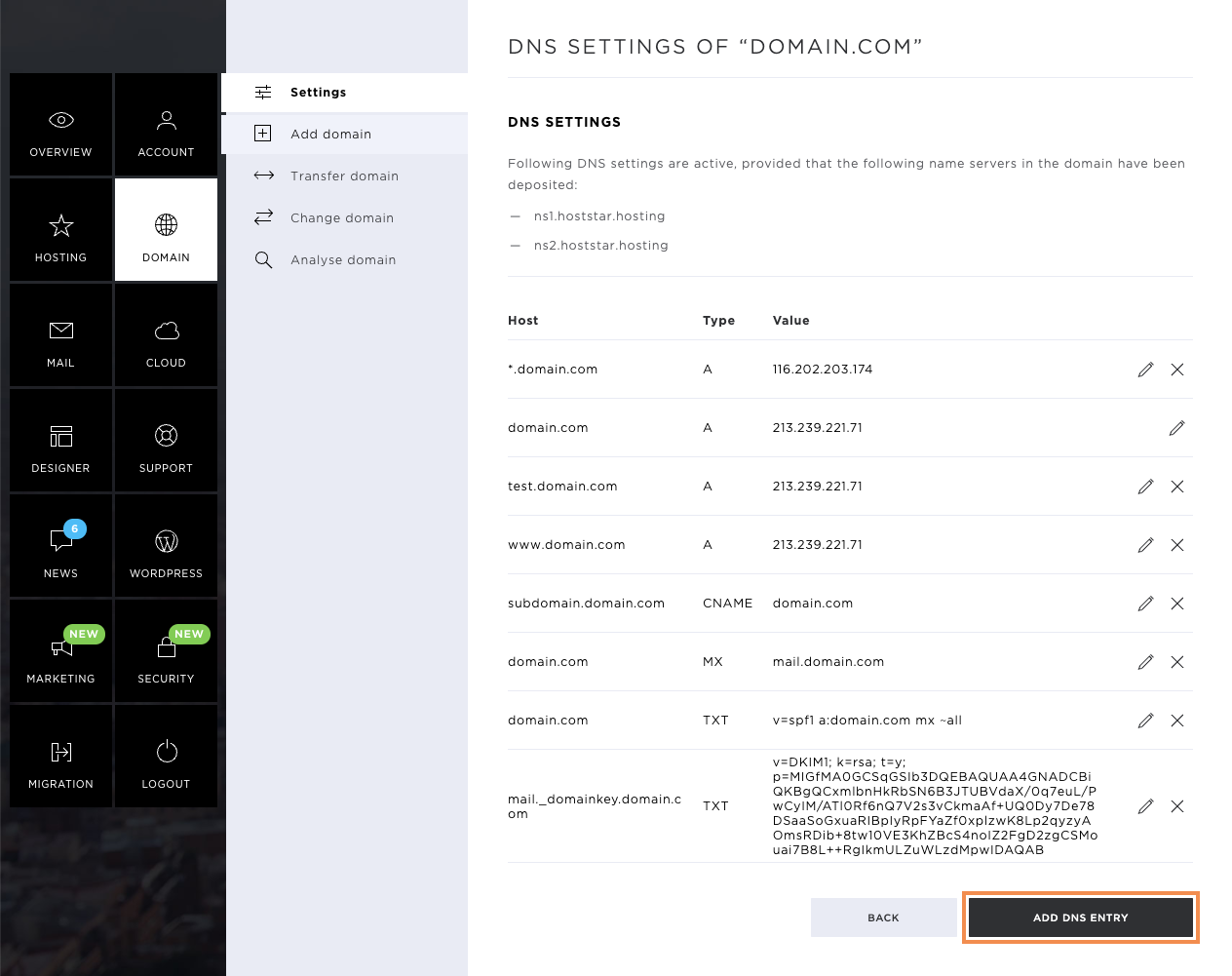
Add DNS entry
Click on Add DNS entry to create a new entry.
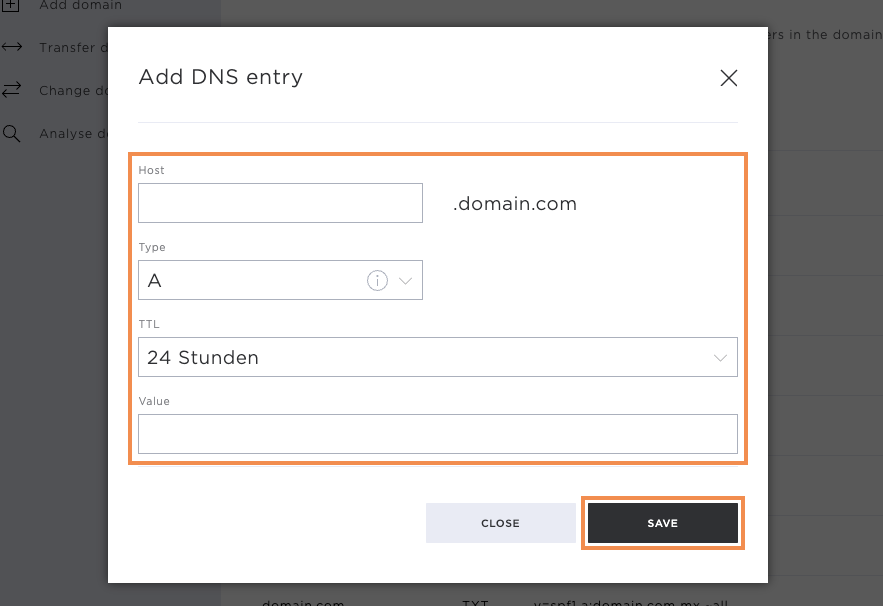
Enter the following information so that the new entry can be stored:
- Host (can also be a subdomain)
- Type (entry type)
- TTL (Time to live)
- Value
The following entry types / DNS entries are available:
- A Entry
- AAAA entry
- CNAME
- MX
- SRV
- TXT
As soon as you have entered the data, you can save the entry by clicking on Save. This will be valid in a few hours (depending on the TTL set).
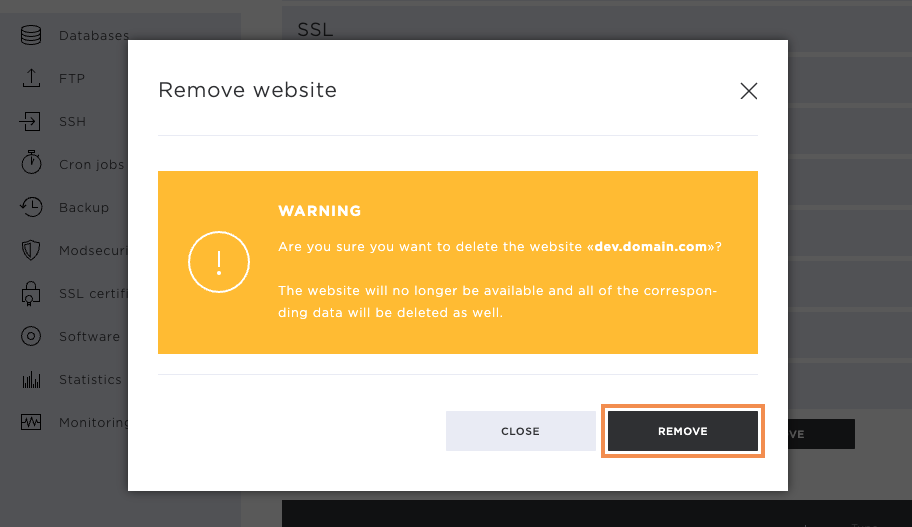
Remove website
By clicking on Remove, you can delete the created page or URL forwarding.
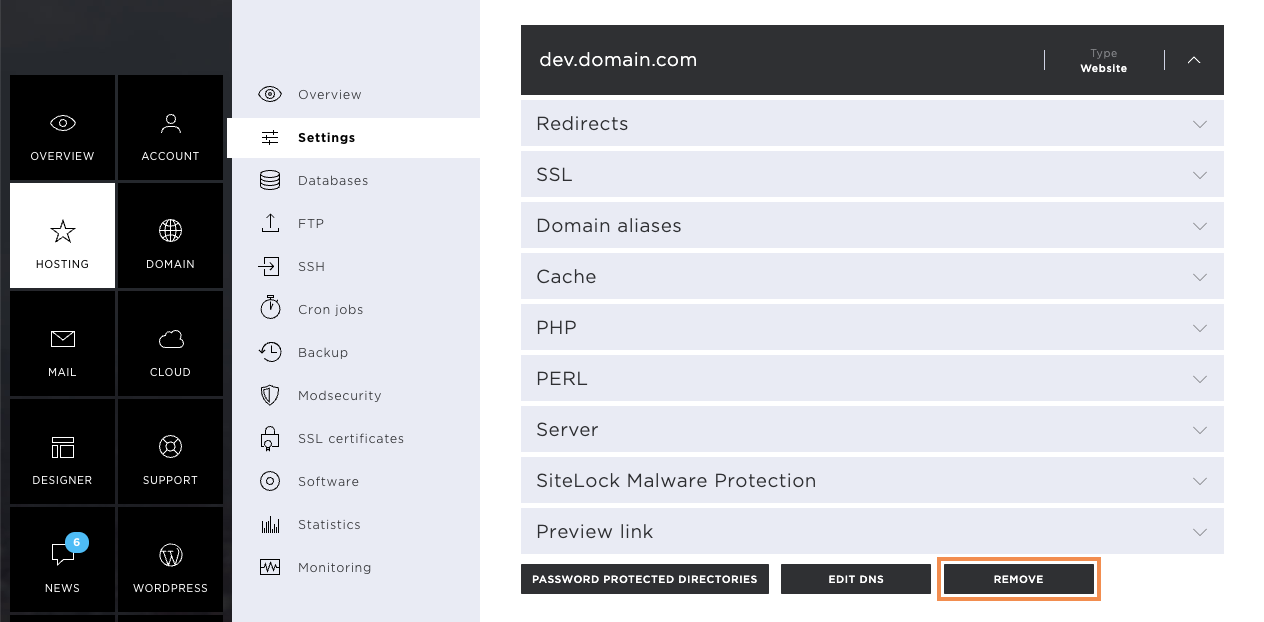
On the pop-up window that appears, you will now receive a warning message that all website data will be removed by the deletion confirmation. If you have a database attached to the website, this will also be removed.
If you are sure, confirm the deletion by clicking on Remove. This deletes the entire directory of the website on the server.