Manage blog posts
You can manage blog posts, for instance, by «publishing» them.
After «logging into Designer», follow these steps:
1. Navigate
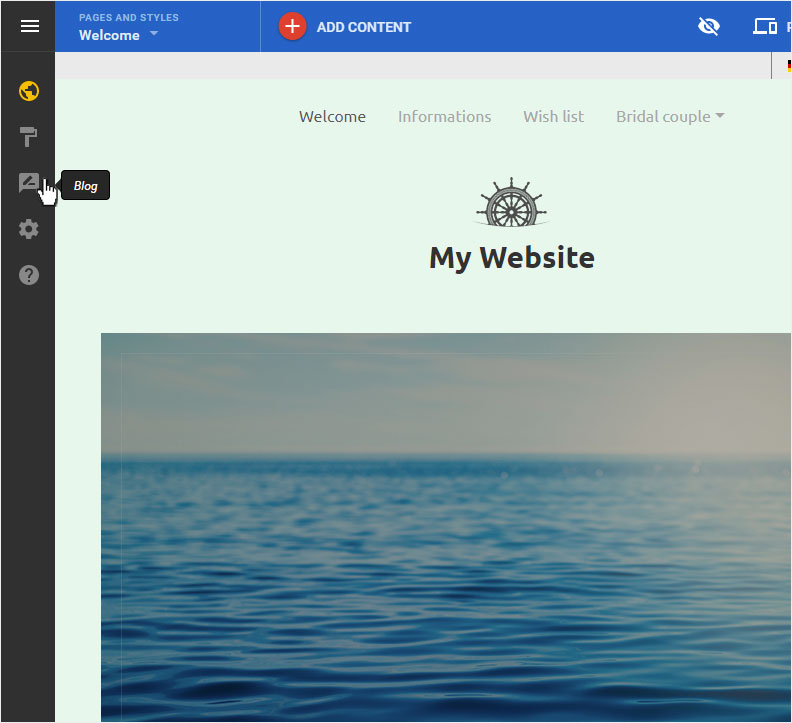
You begin on the home page of Designer's editor and are thus in the «Site editor» view. Click left on the menu item «Blog».
2. Blog overview
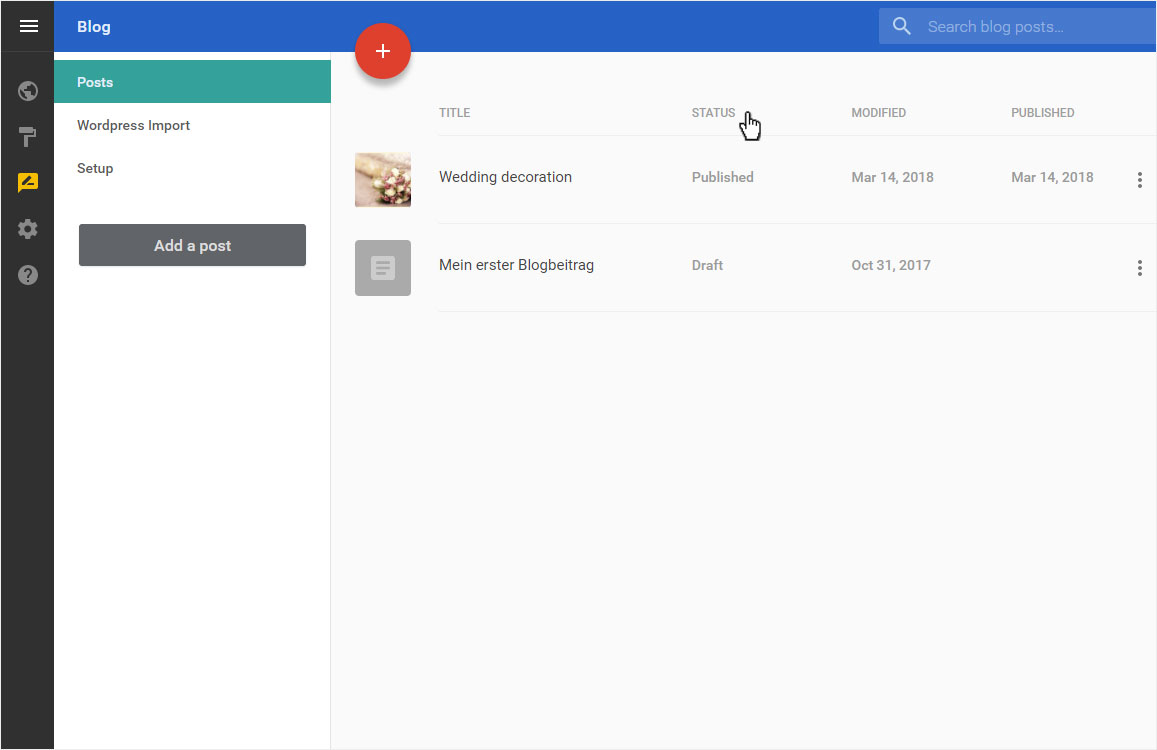
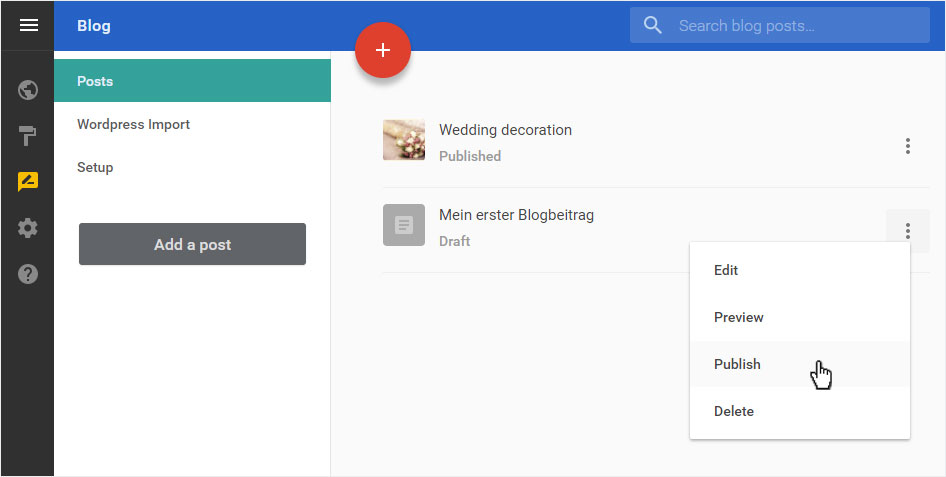
Here you see the «Posts» page of the «Blog» with a list of all blog posts. The Status pane shows you which posts have been saved as «Draft» and which are already «Published».
3. Edit posts
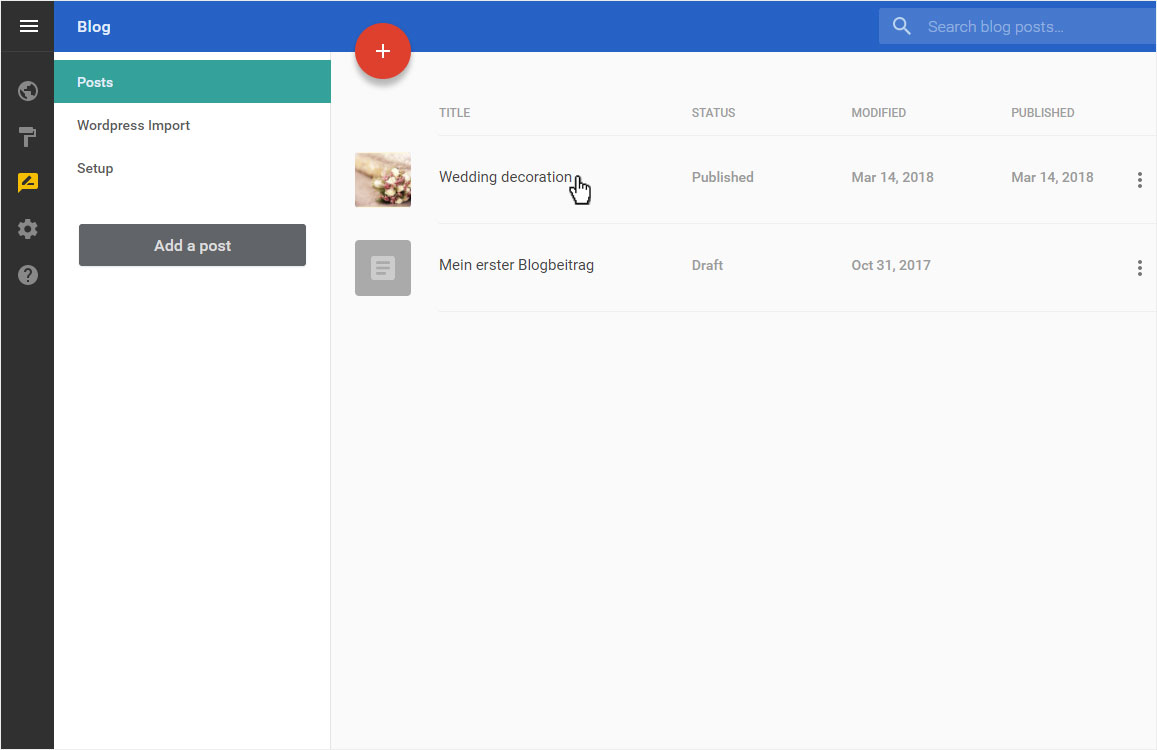
Double-click the title of the post you want to edit. This opens in edit mode and you can now make the desired changes (as described in «Add post»).
By clicking on the «arrow» icon next to «PUBLISH» you can choose whether you want to save the post as a «Draft» or directly «Publish».
4. Manage blog posts
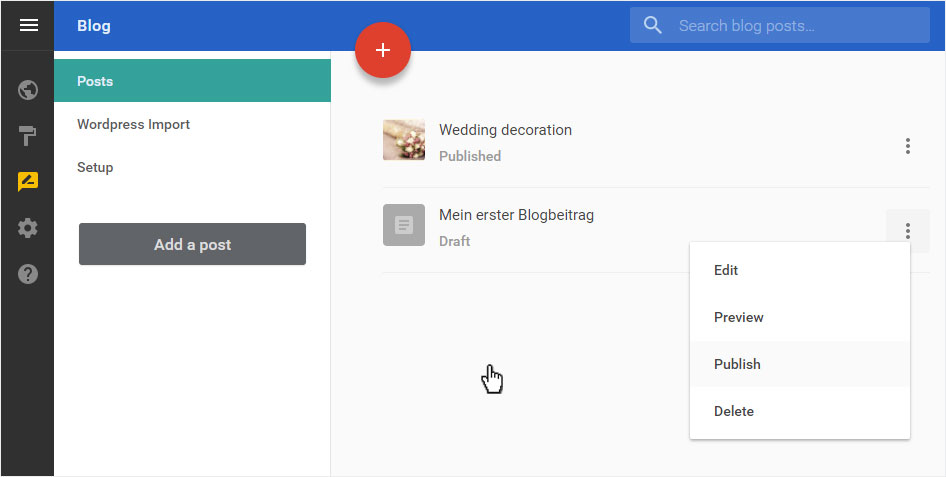
If you activate the management area icon for a post, a menu opens with the following options:
- Edit: The post opens in edit mode and you can make the desired changes.
- Preview: Watch your contribution live.
- Unpublish: Published articles are published here offline and are no longer available in the blog.
- Publish: Posts that have been saved as drafts can be published here directly.
- Delete: The post will be deleted immediately. It cannot be restored.
5. Cancel administration
If you want to leave the administration area without saving the changes, click somewhere next to the menu. The drop-down menu closes.