Deactivate blog
If you no longer want to use the blog in Designer, you can switch it «offline».
After «logging into Designer», follow these steps:
1. Navigate
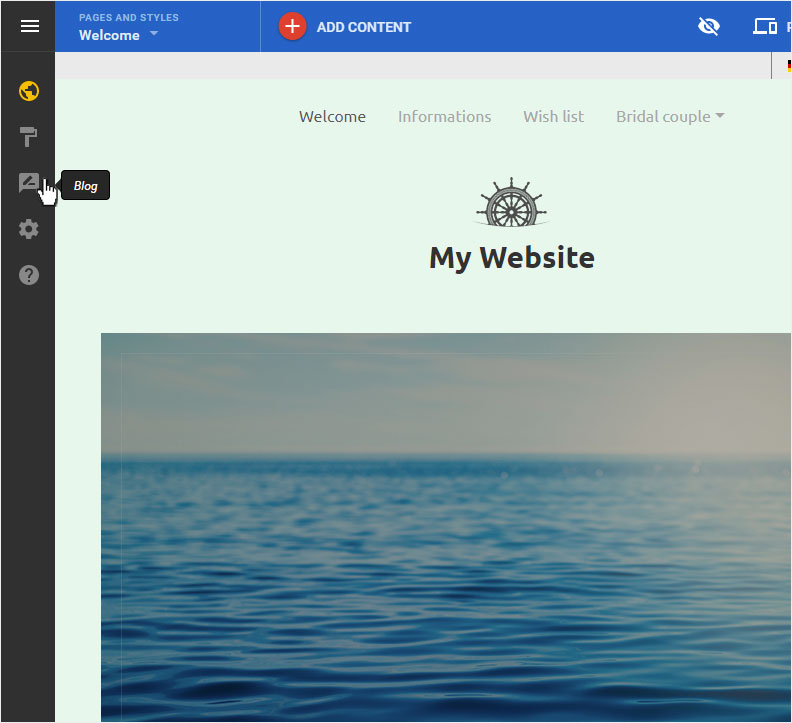
You begin on the home page of Designer's editor and are thus in the «Site editor» view. Click left on the menu item «Blog».
2. Blog details
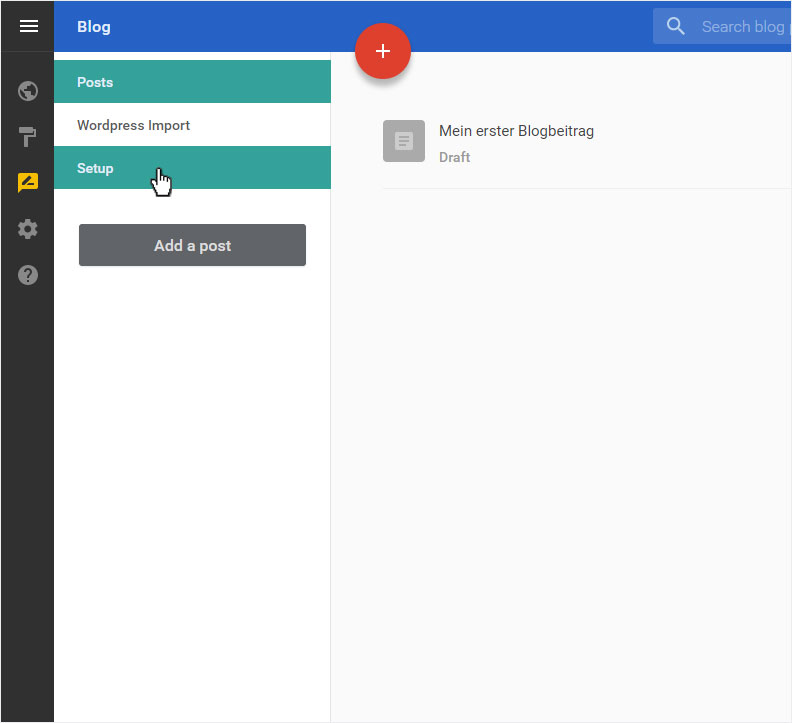
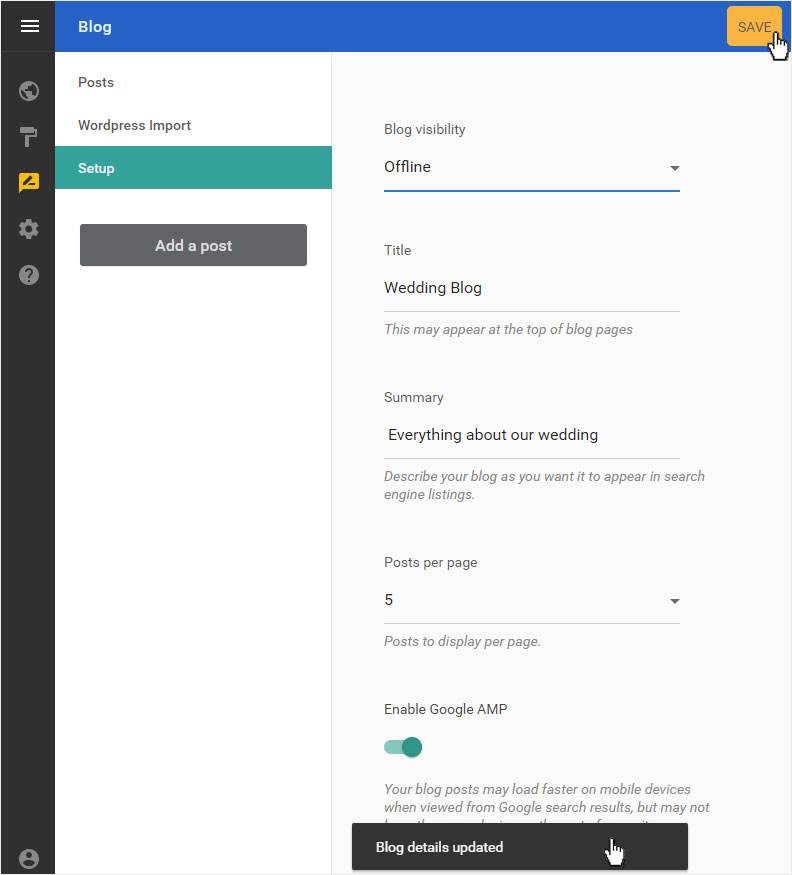
Here you see the «Posts» page of the «Blog». Select the menu item «Setup».
3. Setup
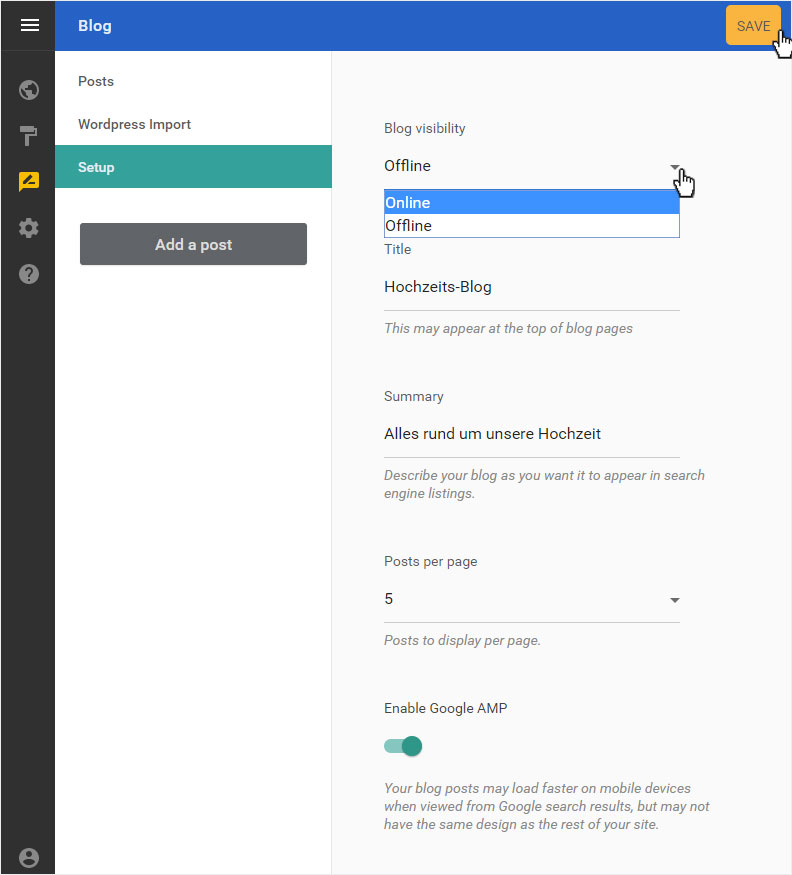
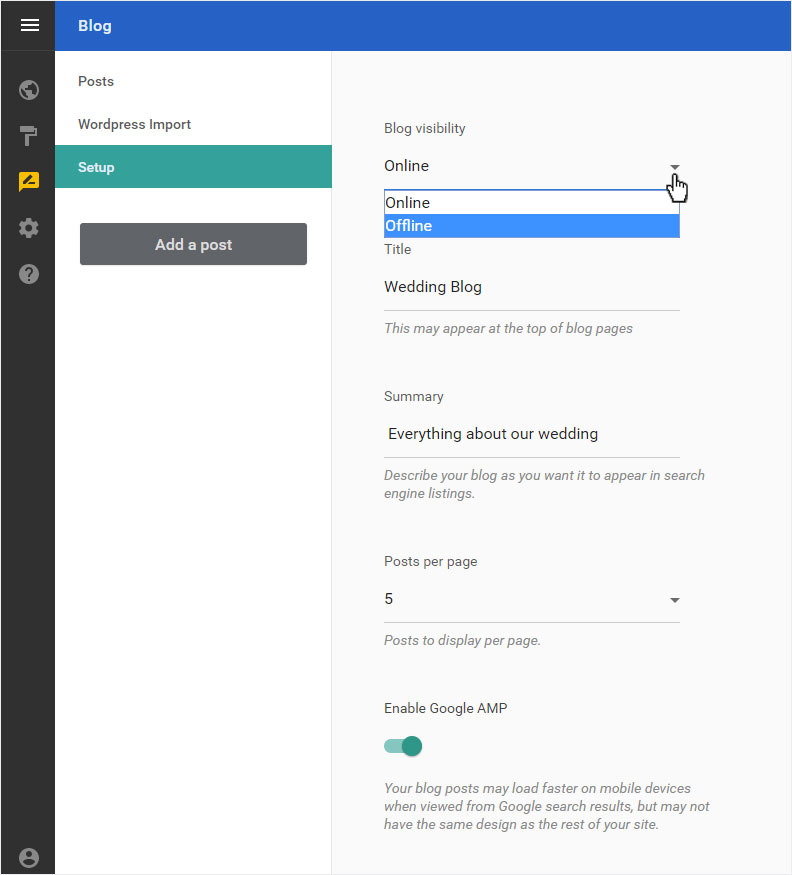
You can make various changes to the configuration in this view. To deactivate the blog, select «Offline» in the drop-down menu under «Blog visibility».
Then click on «Save». A success message is displayed below.
4. Check
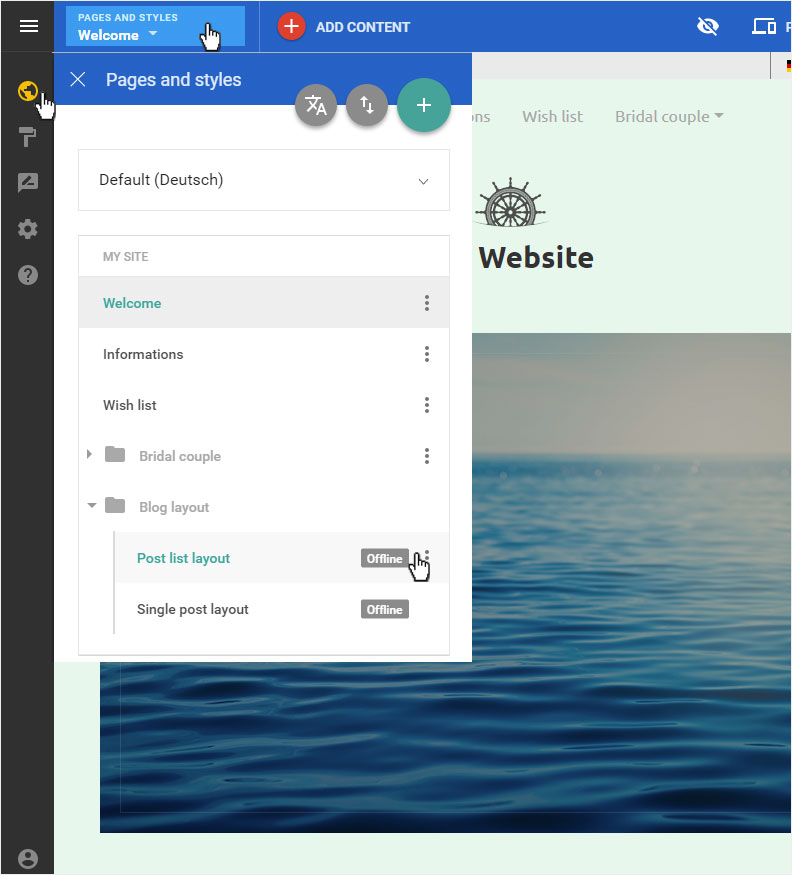
You can now click on «Site editor» in the left sidebar and you get to the page overview. Click on «Pages and styles» in the blue header bar. This area opens on the left. Then select the entry «Blog layout» in the page structure. In the page list that appears, you should now see «Offline» next to each page. The blog is now deactivated.
5. Reactivate
You can reactivate your blog at any time. Click again on the menu item «Blog» and then «Setup». Under «Blog visibility», select «Online» from the drop-down list and click «Save». Your blog is immediately active again and thus accessible via the Internet.