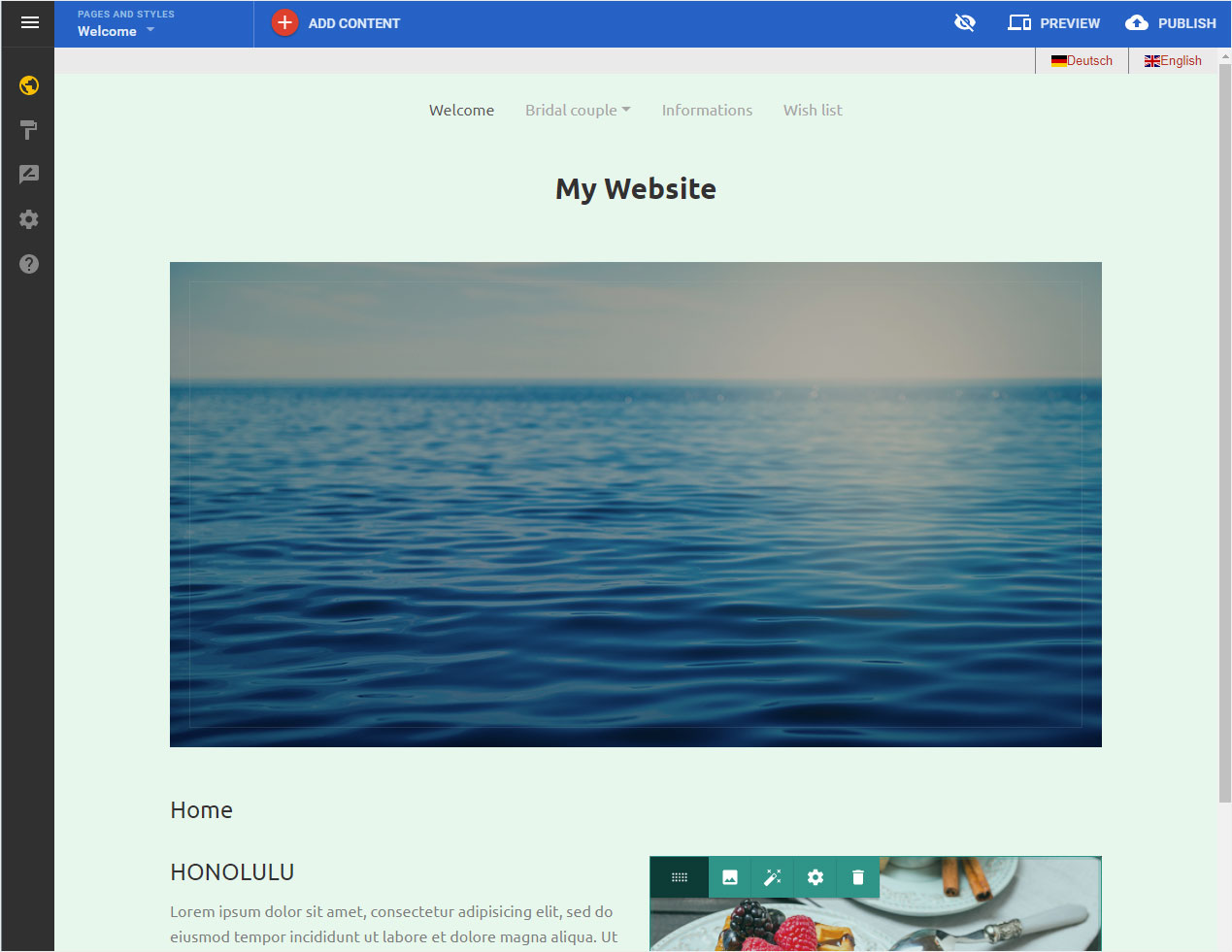
Edit hidden content
In the Designer, you are free to show or hide specific template elements.
After logging into Designer, follow these steps:
Navigate
You begin on the home page of Designer's editor and are thus in the «Site editor» view.
The Hidden content icon can be found in the top on the right – crossed-out eye icon.
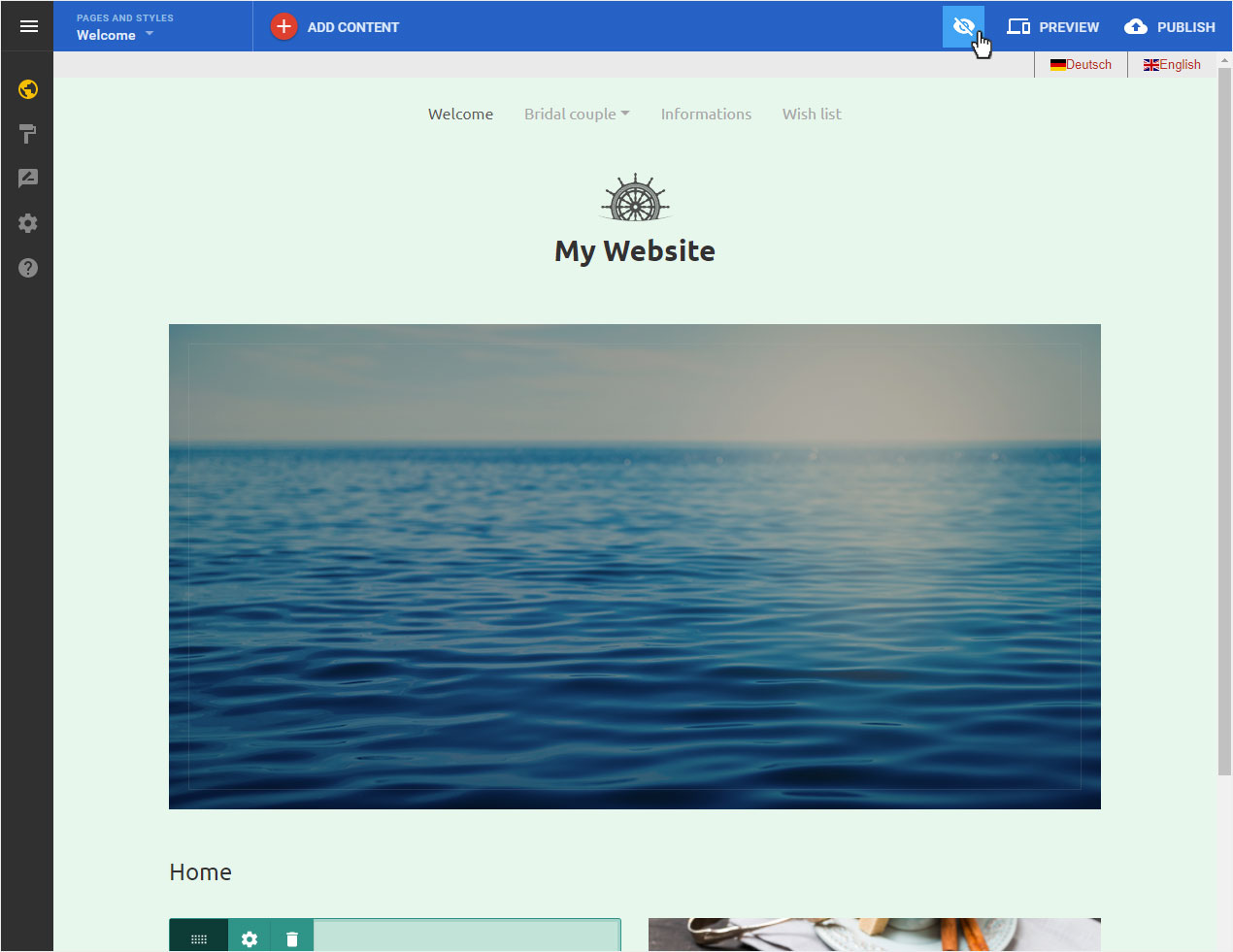
Display menu
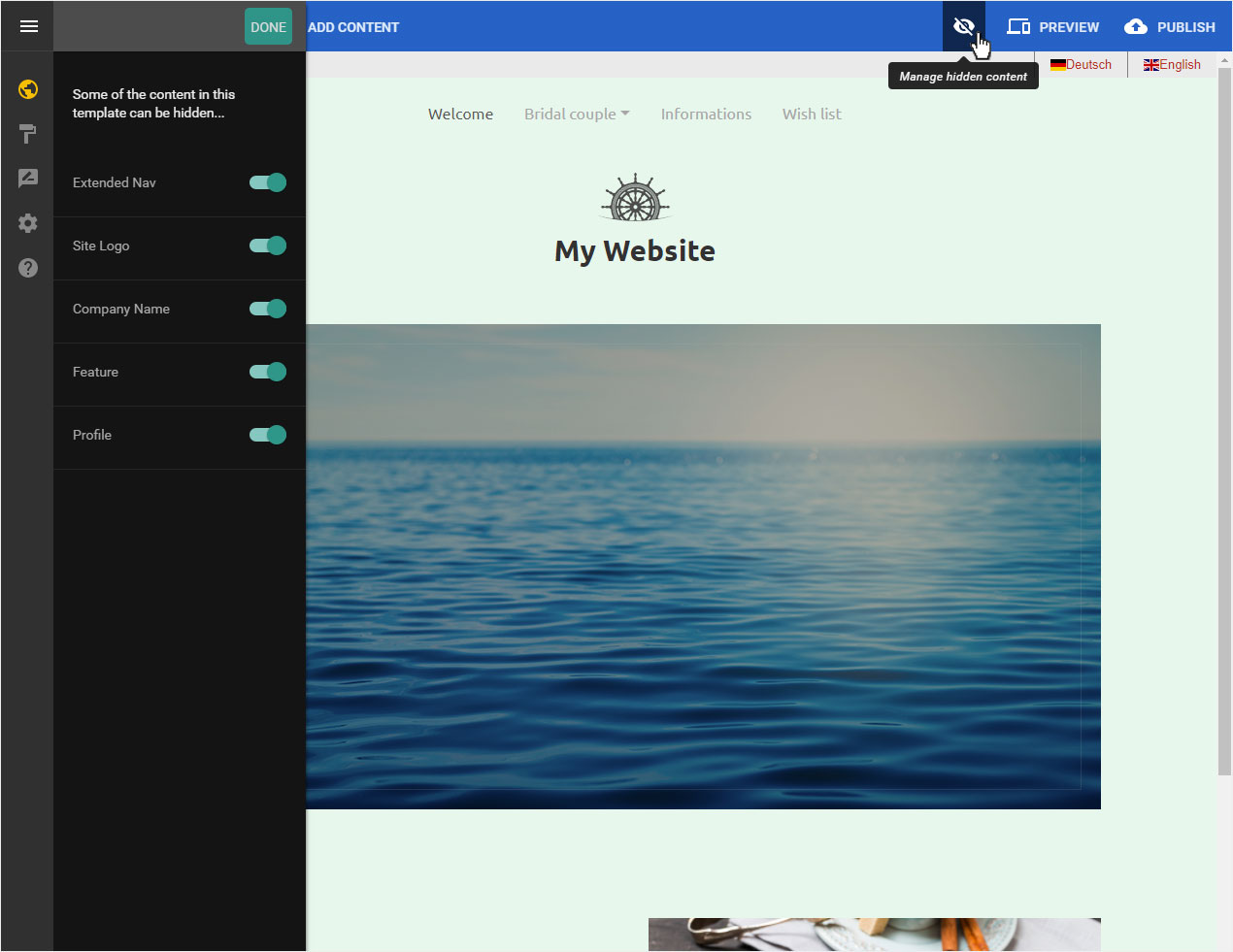
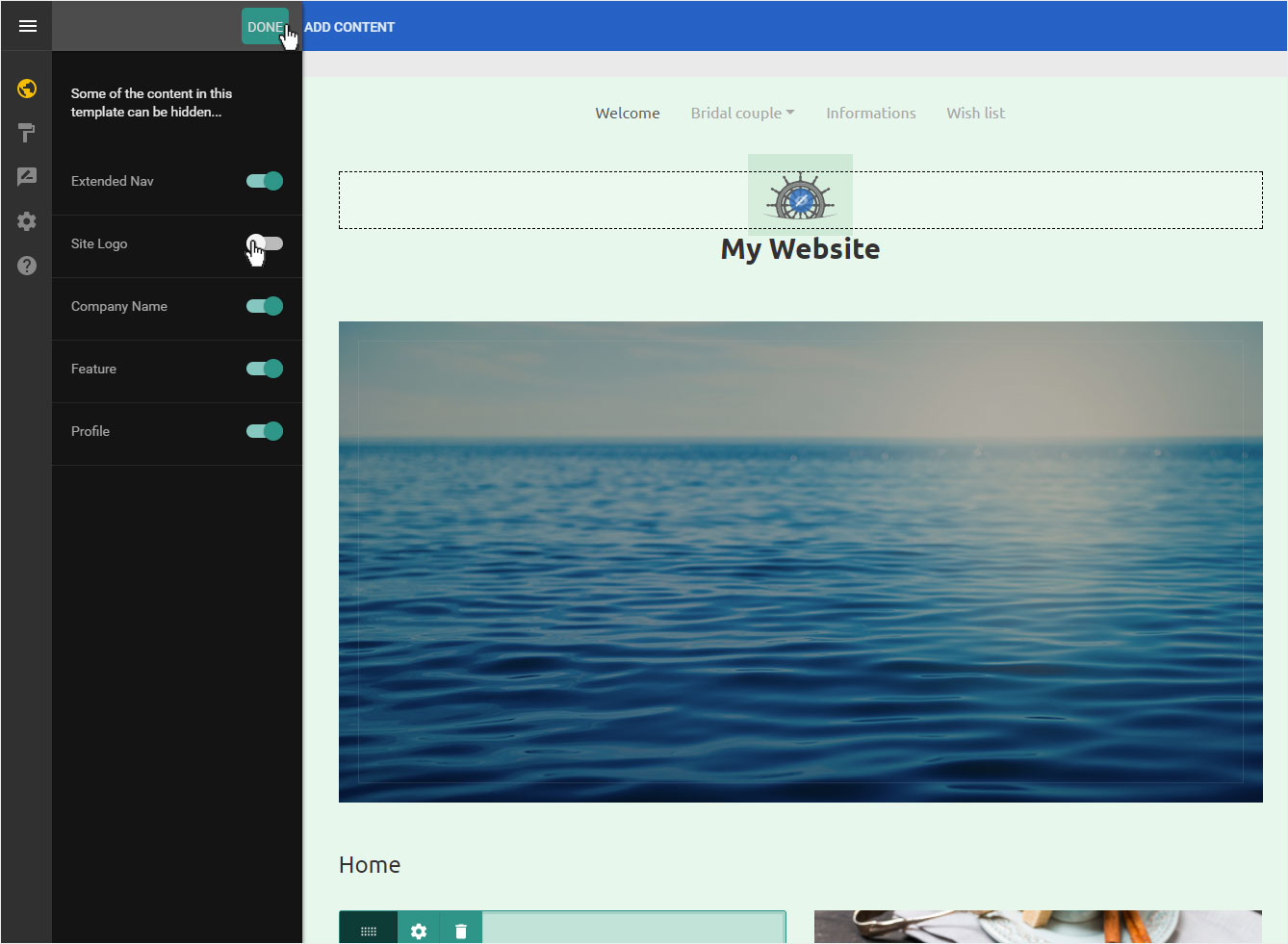
By clicking on the Hidden content icon, the corresponding settings menu is displayed on the left.
The following template elements are available here:
- Extended Nav: Main Menu (placed here above)
- Site Logo: Image or logo file (here control wheel placed under the menu)
- Company Name: Page title or company name (placed here under the logo)
- Feature: Image area (here under the name)
- Profile: Detailed data on your page (here footer)
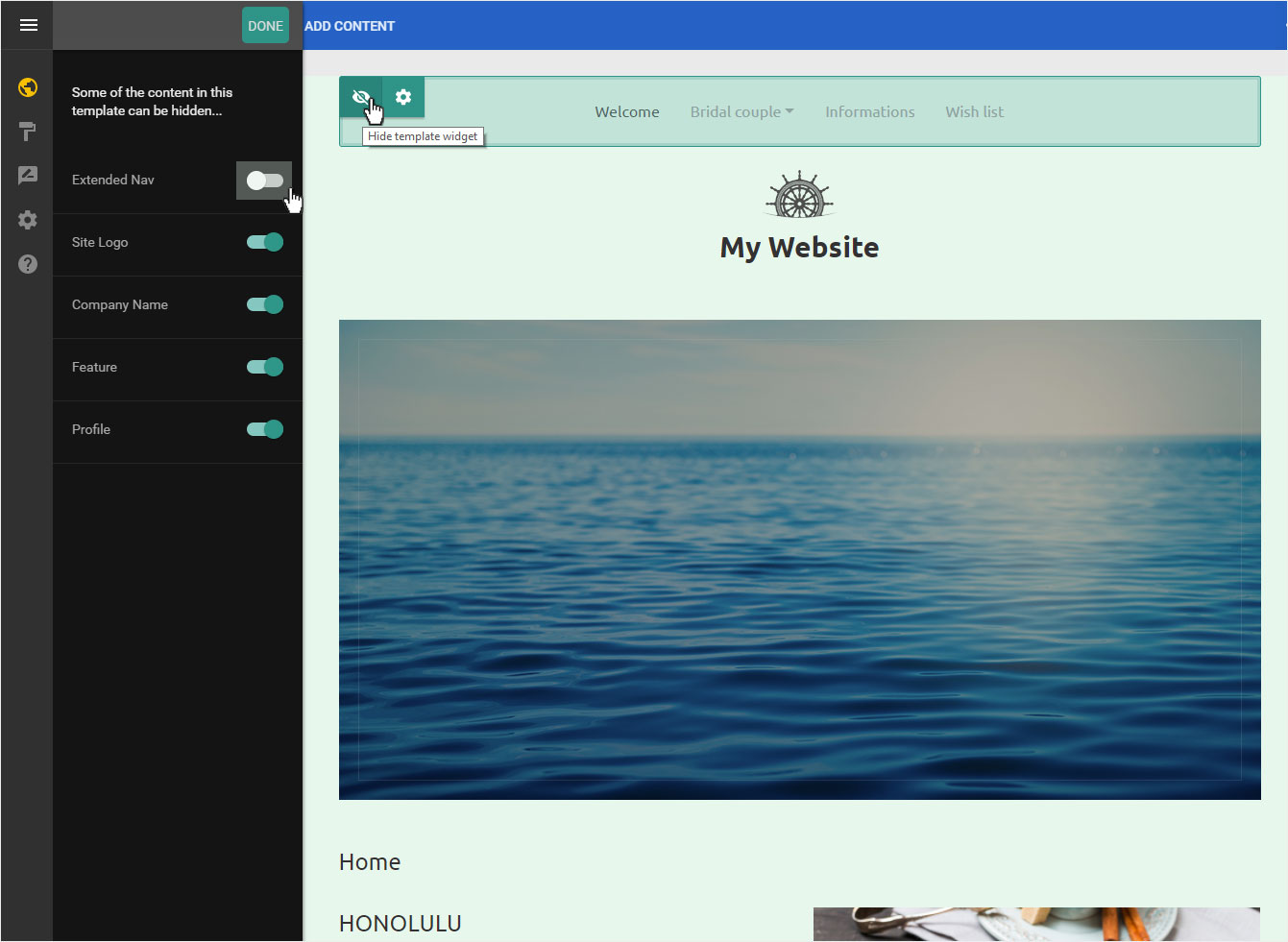
Setting mode
You can also hide the element directly from the template element. Move the mouse over the element and click on the eye icon.
In the menu on the left, the element is immediately marked as deactivated.
Save
When you have made all the settings (show or hide) (e.g. hiding the site logo), click on Done to save the settings.
Page view
The page will be updated immediately. The page logo is no longer displayed.
If you want to show it again, click on the crossed out eye icon and repeat the procedure.