Contact

hs-icon-callcenter
Chiamare
hs-icon-callcenter

Contattateci telefonicamente

Che abbiate questioni di carattere tecnico o amministrativo, il nostro team di assistenza sarà lieto di aiutarvi. Saremo al vostro servizio personalmente!


+41 (0)84 800 80 80
(Chiamate dalla Svizzera 8 cent./al minuto)

Hotline amministrativa

Dal lunedì al venerdì
dalle ore 8.00 alle ore 12.00
 

Hotline tecnica

Dal lunedì al venerdì
dalle ore 8.00 alle ore 12.00

hs-icon-doc-write
Scrivere
hs-icon-doc-write

Inviateci un’e-mail

Affinché possiamo assistervi quanto più rapidamente e al meglio delle nostre possibilità, vi preghiamo di formulare la vostra richiesta nel modo più dettagliato possibile. Siamo raggiungibili anche presso il nostro indirizzo e-mail: support@hoststar.com

Tutti i campi contrassegnati da un «*» sono obbligatori e devono essere compilati.


Cookie warning

Supporto > > Impostazioni sito

You can create a link in Designer to automatically jump to your privacy policy in case of a cookie warning.

After «logging into Designer», follow these steps:

1. Navigate

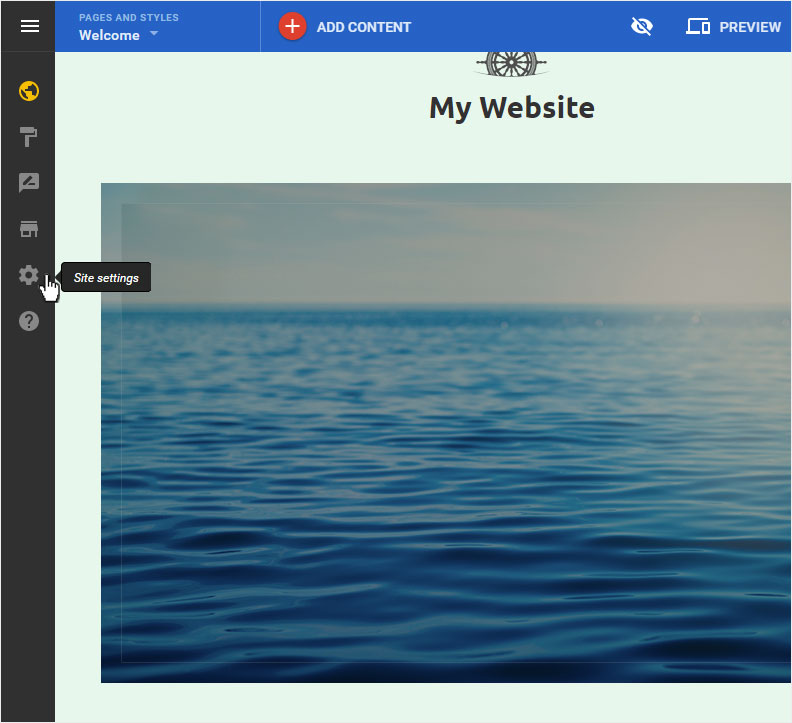
You begin on the home page of Designer's editor and are thus in the «Site editor» view. Click left on the menu item «Site settings».
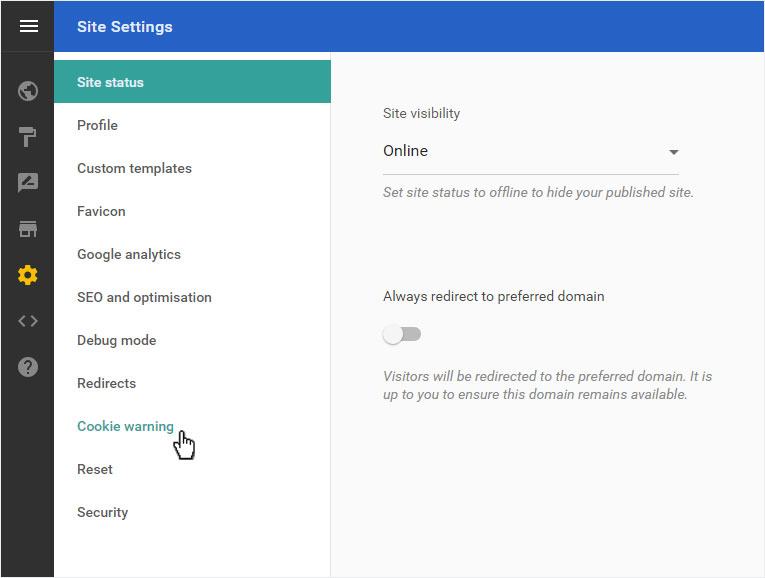
You can now see the «Site status» page of the «Site Settings» area. Click on «Cookie warning» in the menu on the left.
2. Set up

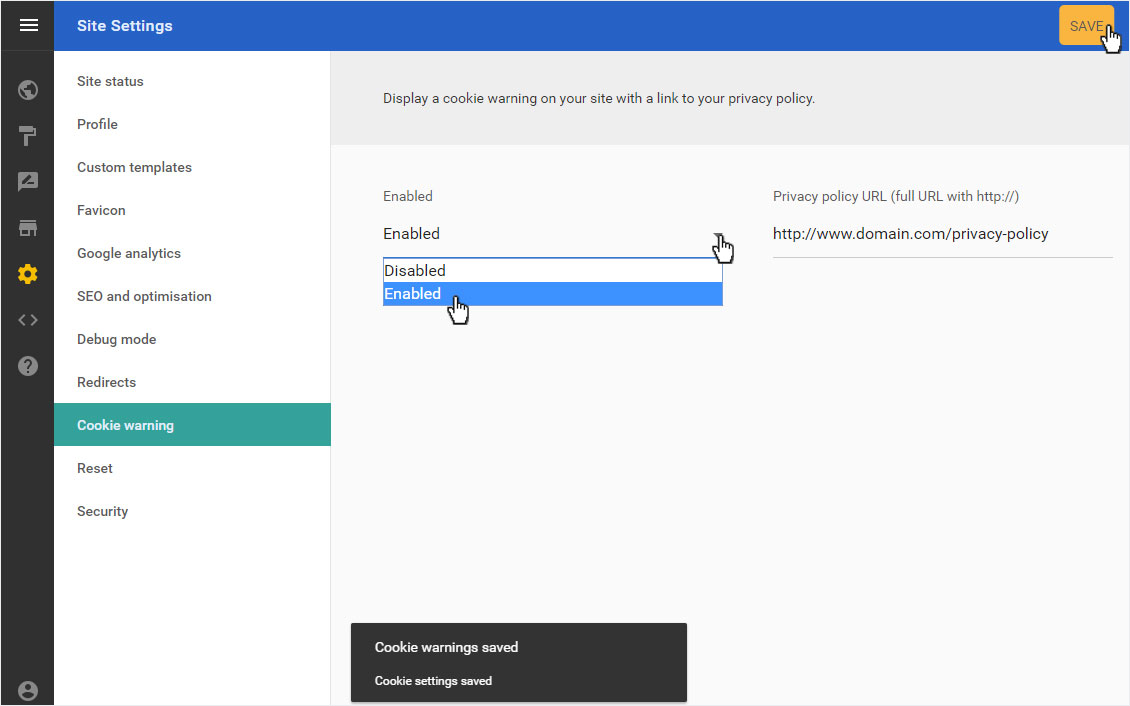
Select in the drop-down menu «Enabled» whether you want to disabled or enabled a «cookie warning».

Then enter the link to the desired data protection page under «Privacy policy URL».

To create your cookie warning, click on «SAVE».

The link to your Privacy policy will be saved immediately and displayed with the success message that appears.
Questo articolo è stato utile?